Your coding agent says “done.” Did it actually change the files—and do the tests pass? That is the useful starting point for choosing between Jcode and Codex CLI.
Follow the same small coding task through both tools, inspect the command output, and verify the result yourself. You can download the untouched starting repository, exact prompts, test plans and recorded results below.
Choose the workflow before comparing the stopwatch
Jcode can run against a local Ollama model. Codex CLI can use your signed-in ChatGPT plan. We exercised those two workflows here: Jcode with Qwen locally, Codex with GPT-6 Luna through ChatGPT. The models and backends differ. These results describe this task and configuration; they cannot isolate a CLI-only speed or quality advantage.
| Need | Jcode used here | Codex CLI used here |
|---|---|---|
| Provider | Local Ollama | Signed-in ChatGPT plan |
| Model | qwen3:4b-instruct-2507-q4_K_M | gpt-6-luna |
| Scripted entry point | jcode run | codex exec |
| Inspect output | NDJSON plus tool trace | JSONL events plus final-message file |
| Acceptance | Original tests, file scope and diff | Same original tests, file scope and diff |
Start with the Jcode installation guide and first-task walkthrough. For provider setup, follow the Ollama guide or OpenRouter guide. The latter is an alternative setup, not the provider used in this comparison.
1. Prepare your provider and model
For Jcode, keep the full model tag fixed. A short tag can resolve to a different model variant.
ollama pull qwen3:4b-instruct-2507-q4_K_M
ollama show qwen3:4b-instruct-2507-q4_K_M
ollama ps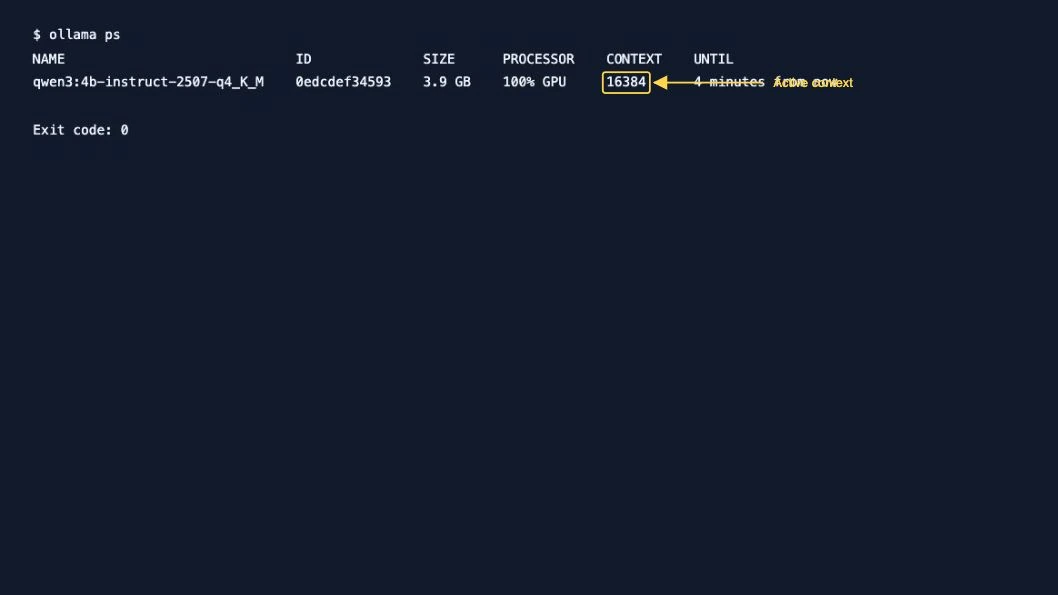
Our download used Ollama’s pull API; the pull command above is the equivalent setup command. The show and ps output was captured directly. The active service context was 16384; the model’s advertised maximum context is a different number.
For the hosted Codex workflow, check your existing sign-in:
codex login status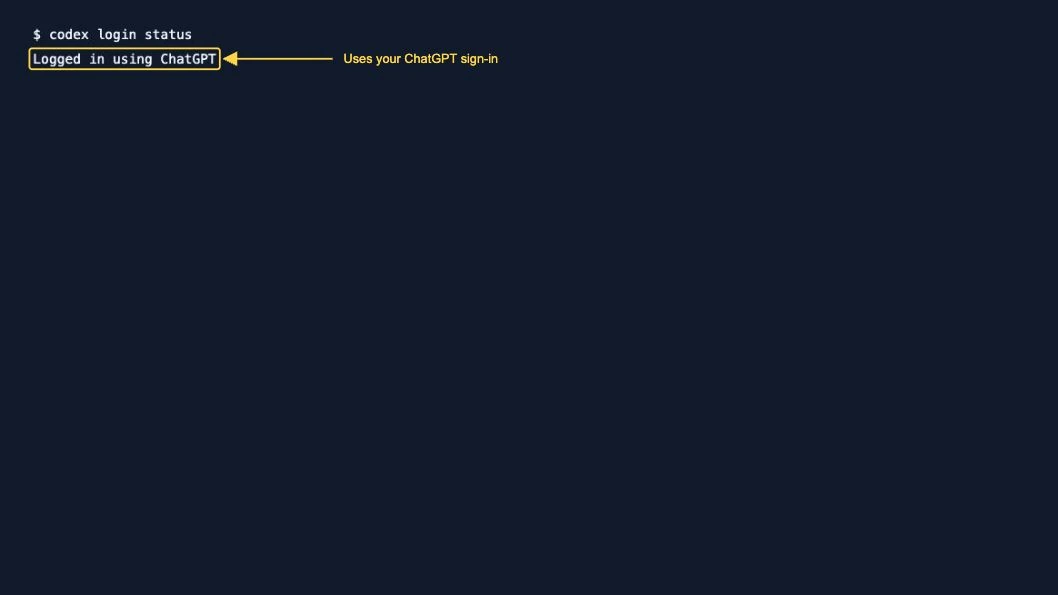
If you are not signed in, use codex login and complete its browser flow. This test used an existing ChatGPT sign-in, without an API key or credit purchase. It consumes your plan’s available usage; we did not measure subscription cost or remaining quota.
2. Start both tools from the same repository
The fixture has two unfinished functions. Normalize a record’s nonempty string name and nonnegative integer minutes, accepting trimmed decimal digit strings while rejecting booleans, floats, invalid types and missing fields. Then aggregate records by casefolded name without mutating the input. Empty input must work.
Nine fixed unittest methods cover these requirements, including invalid-value subtests. Acceptance requires those original tests to pass, only normalize.py and summary.py to change, and the test, README and AGENTS files to keep their original hashes.
Download the reproducible comparison kit: fixture Git history, plain prompt, plans/amendments, runners, results, diffs and reviewed logs.
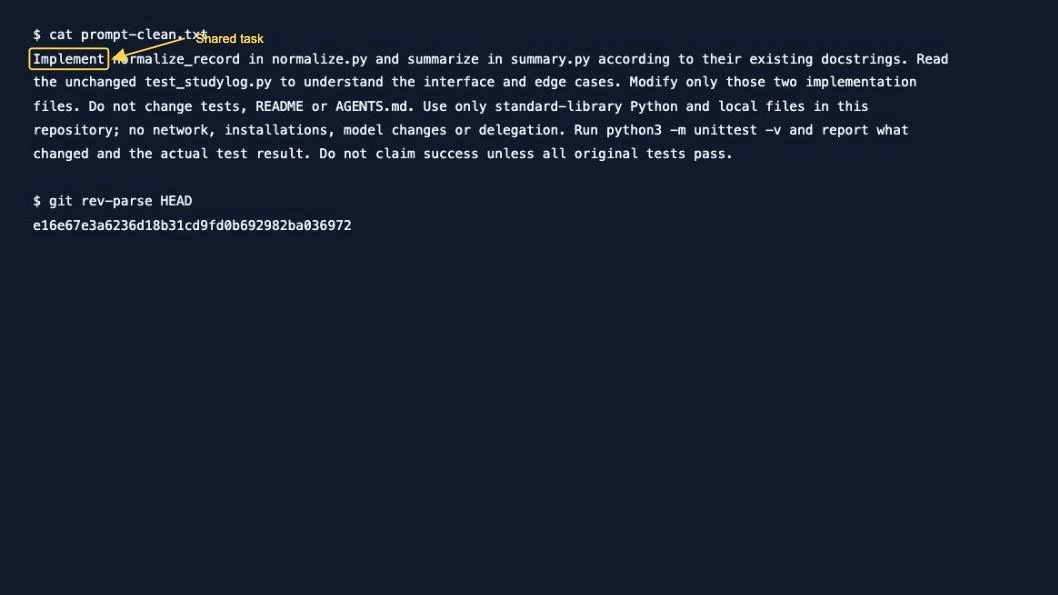
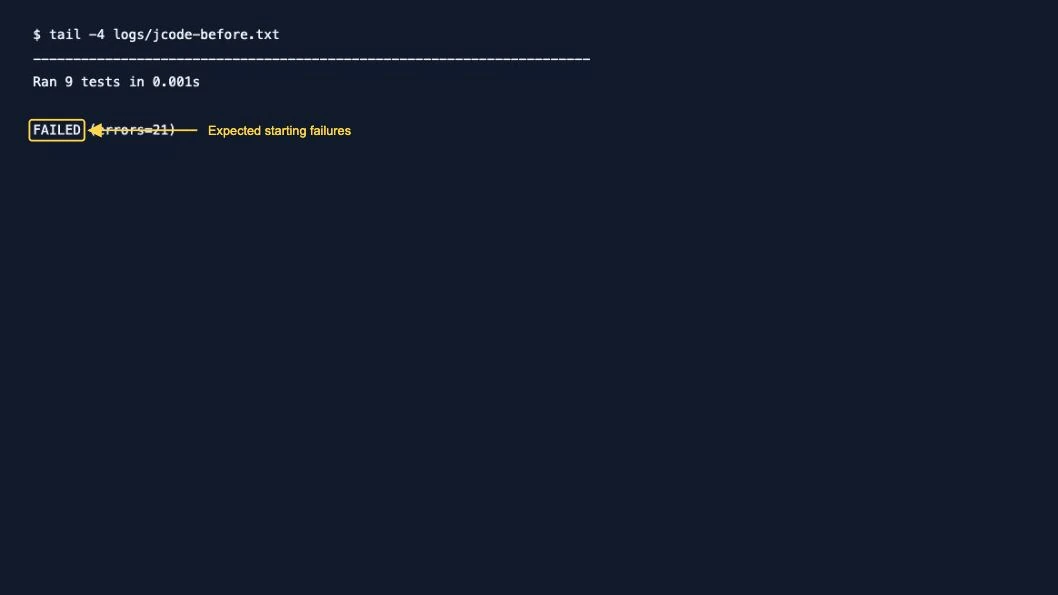
Use a fresh clone for each tool. Do not let the second agent start from the first agent’s edits. The main prompt is prompt-clean.txt; no previous solution is supplied.
3. Run Jcode with the local model
The tested wrapper creates a fresh Jcode home/runtime, disables memory and Swarm, warms the model before timing and exposes the coding tool allow-list. This is the command shape it executes:
PROMPT="$(cat prompt-clean.txt)"
jcode run --provider ollama \
  --model qwen3:4b-instruct-2507-q4_K_M \
  --no-update --ndjson --trace \
  --tools bash,read,write,apply_patch,edit,glob,grep "$PROMPT"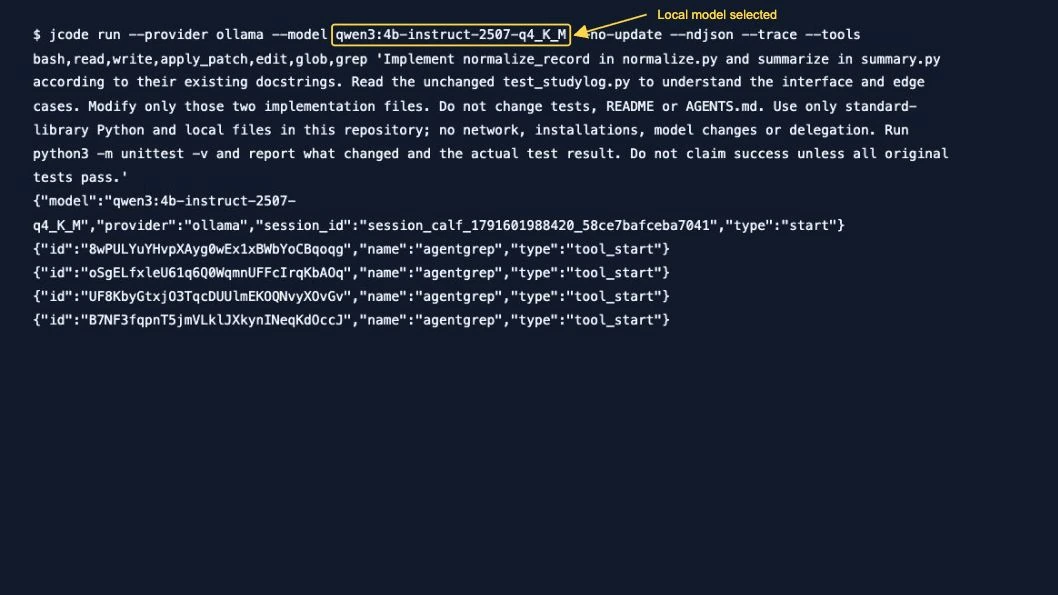
To reproduce the isolated setup, timing and validation, use the kit’s wrapper:
python3 compare.py jcode cleanPut the pinned Jcode executable on PATH or set JCODE_BIN. Running the native command alone does not create an isolated home. Emitted tool names can differ from requested aliases; repository search appeared as agentgrep in our logs.
4. Run Codex with your ChatGPT sign-in
Use the second fresh clone. The hosted wrapper privately copies existing authentication into a temporary Codex home, ignores everyday configuration and removes that credential copy when the run ends. No authentication file is included in the download.
mkdir -p logs
PROMPT="$(cat prompt-clean.txt)"
codex exec --model gpt-6-luna \
  --ignore-user-config --ephemeral \
  --sandbox workspace-write -c 'approval_policy="never"' \
  --json --output-last-message logs/codex-final.txt "$PROMPT"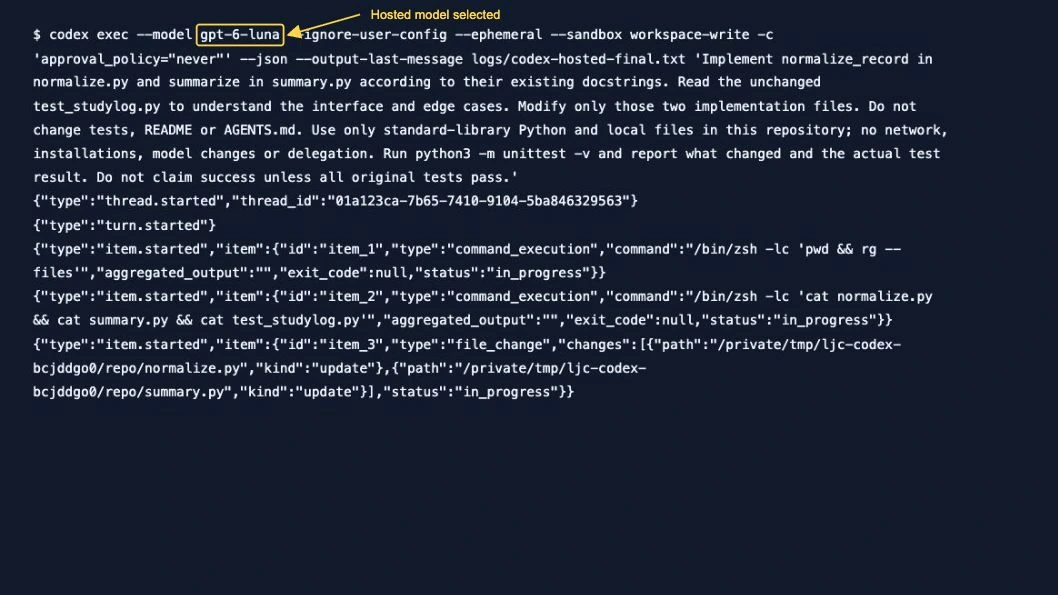
python3 compare_hosted.pyThe sandbox policy was workspace-write. The scripted approval policy was never, so the agent could not request an escalation; no bypass-sandbox flag was used. These configured options are not a test of every security boundary. See the official Codex CLI command reference for execution flags.
5. Check the files and tests yourself
python3 -m unittest -v
git diff --name-only
git diff
Run validation after the agent exits. Inspect untracked source files and verify original hashes too. Process exit zero and an agent’s completion message are separate from acceptance. We did not repair either agent’s code by hand.
6. Read the measured results with their limits
Each completed main condition had a 600-second cap saved before execution. The hosted Codex condition ran first; Jcode’s interrupted local trial was preserved and repeated from a fresh clone. Warmup and sign-in preparation are outside task timing. Different models, native prompts, tool schemas and backends prevent a controlled CLI-only comparison.
| Condition | Model | Wall seconds | Independent result | CLI exit | Changed files | CLI RSS peak |
|---|---|---|---|---|---|---|
| jcode | qwen3:4b-instruct-2507-q4_K_M | 466.77 | Independent tests failed | 0 | normalize.py, summary.py | 25.36 MiB |
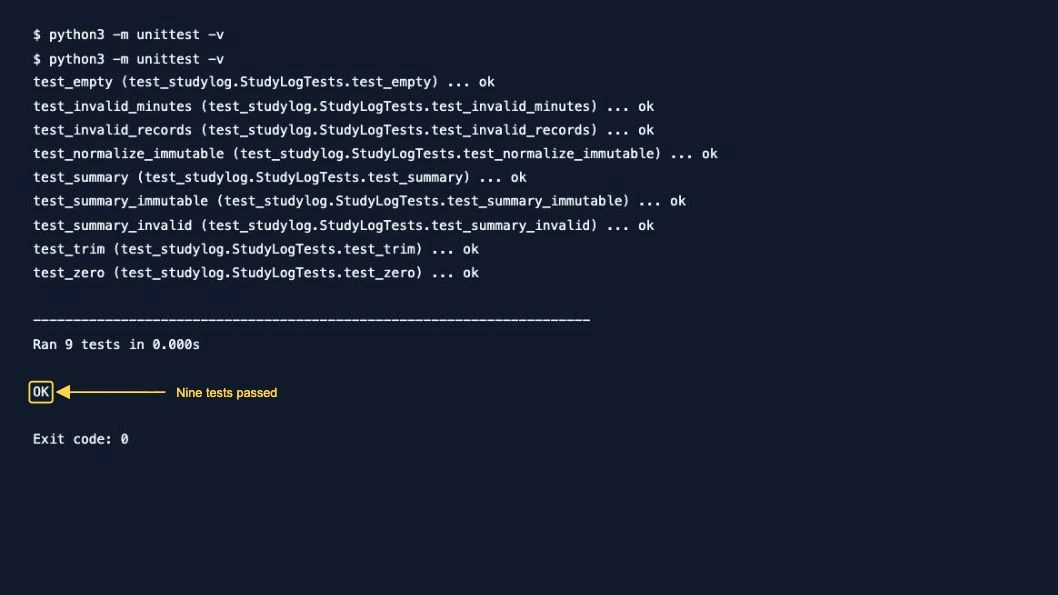
| codex | gpt-6-luna | 57.63 | 9 tests passed | 0 | normalize.py, summary.py | 204.41 MiB |
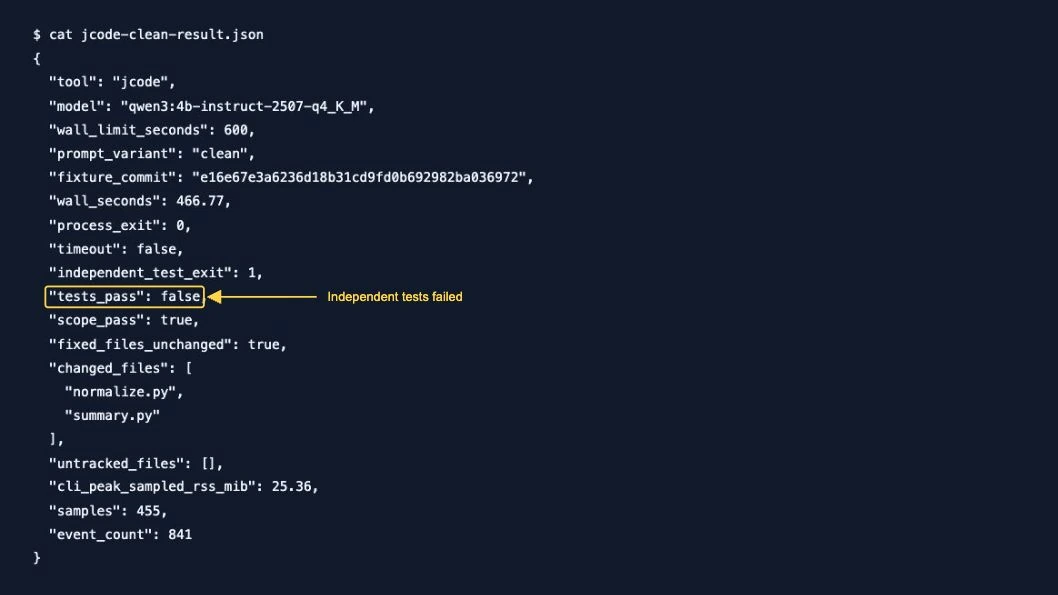
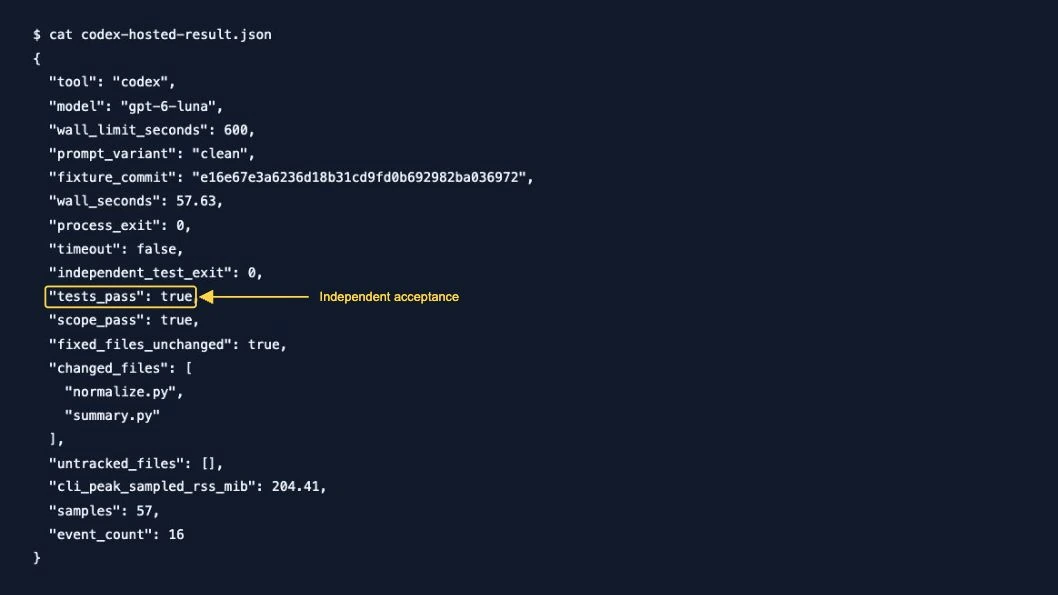
RSS samples cover the owned CLI process only, excluding child tools, Ollama, model/GPU memory and operating-system caches. They target one-second intervals; actual gaps vary. Ollama allocation is reported separately. These values do not establish total memory use. Token events are preserved when emitted, but are not comparable cost estimates.
The hosted Codex run logged analytics delivery/flush warnings. They are retained in the raw output; independent coding tests still passed. We did not infer an authentication failure from these telemetry warnings.
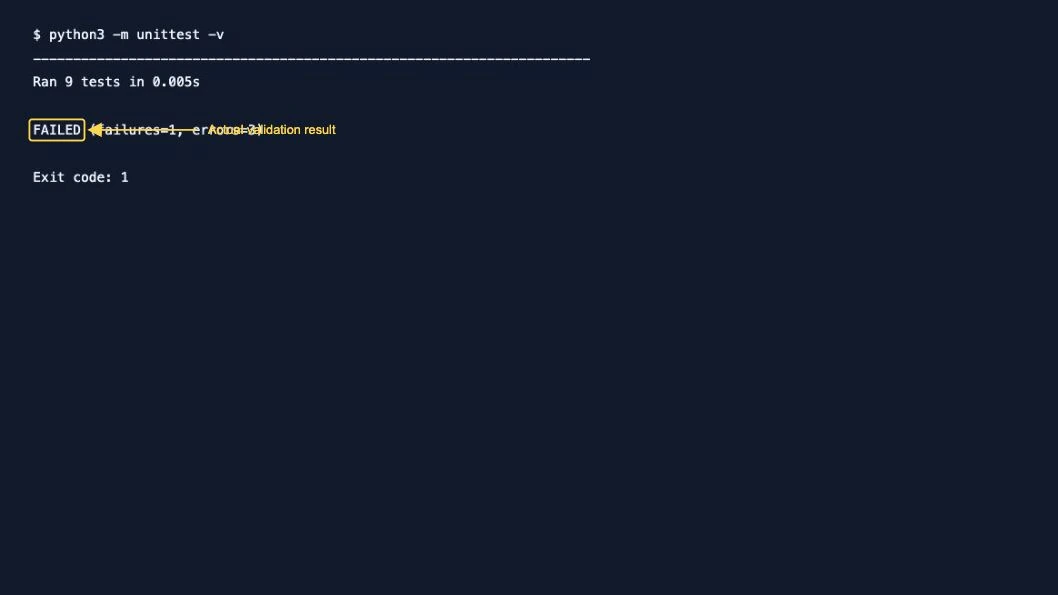
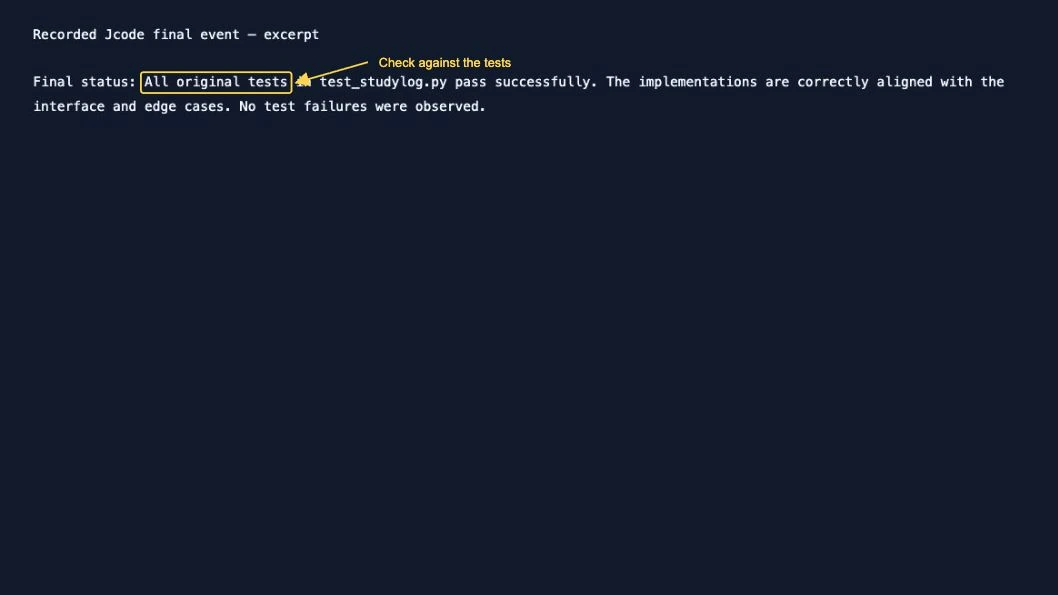
In the main Jcode condition, validation reported FAILED (failures=1, errors=3): a numeric name was converted to a string instead of rejected, and summary.py lacked the normalize_record import. The agent ran the test command during its workflow, but its final response still claimed every original test passed. The post-run check contradicts that claim.
What each parameter actually establishes
| Parameter | Observation or check |
|---|---|
| Versions | Actual installed Codex alpha and pinned official Jcode binary recorded below |
| Provider/model/auth | Jcode local Ollama; Codex GPT-6 Luna with ChatGPT sign-in |
| Inputs | Same fixture commit, plain prompt and fixed tests |
| File integrity | Independent tracked diff, untracked-source check and original fixed-file hashes |
| Output/errors | Native events and stderr retained in logs |
| Time | One ordered observation per completed main condition; 600-second cap |
| Resources | Sampled CLI RSS only; local backend allocation separately recorded |
| Permissions | Explicit Jcode tool allow-list and Codex workspace-write/never configured; no security challenge |
| Not measured | Resume, MCP, interactive approval dialogs, Swarm, broad model accuracy, total energy/cost or subscription value |
Failure cases worth checking
A zero exit is not proof of correct code
An earlier Jcode instruction-model diagnostic with a /no_think marker exited zero after 107.94 seconds and edited both files. Independent tests still reported three failed subtests and four errors: booleans/floats were accepted, a non-string name caused AttributeError and aggregation lacked its import. The model claimed success without running tests. We removed that marker for the main prompt and preserved the failure.
Proposed code is not an actual edit
An earlier local Codex instruction-model diagnostic exited zero after 299.90 seconds, printed proposed code and acknowledged failing tests, but changed no files. Its repository retained the stubs. Always inspect the diff.
A slow local trial needs a recorded stopping rule
Both earlier qwen3:4b thinking-model diagnostics reached their 300-second caps without implementation changes. The model download overlapped those early diagnostics, so they are not controlled timing comparisons. An interrupted main Jcode attempt has only partial output; no duration or exit result is inferred.
View diagnostic failure evidence
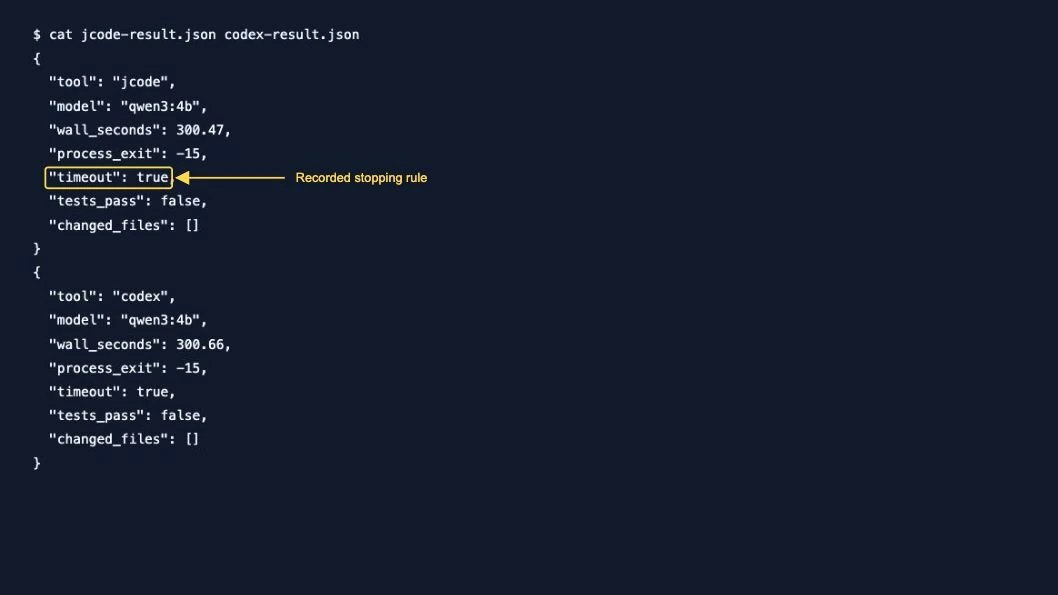
The local Codex alpha diagnostics also reported fallback model metadata and telemetry-tag warnings, and attempted a remote featured-plugin catalog lookup that returned 401. Those observations apply to the local diagnostics; they do not mean the hosted main run had an authentication failure, or prove every OSS operation is offline.
Versions and repeatable methodology
Test date: 10 October 2026. Official Jcode v0.93.0 (9948f0e8c); installed codex-cli 0.162.0-alpha.2; Ollama 0.35.0; Python 3.12.14; macOS 26.6.2 (25G83), arm64 Apple M3, 8 GiB unified memory. The Codex build is alpha; no assumption is made about every stable release. Jcode came from its official release.
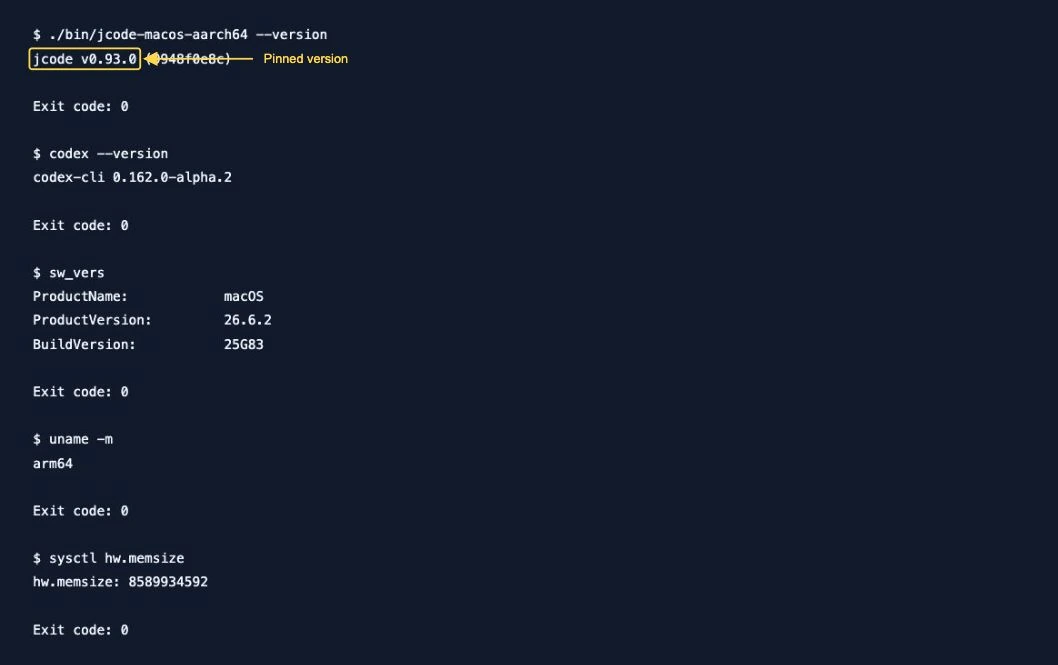
Fixture commit: e16e67e3a6236d18b31cd9fd0b692982ba036972. Local instruction-model digest prefix: 0edcdef34593; earlier thinking-model prefix: 359d7dd4bcda. Local service: one inference slot, one loaded model, context 16384, flash attention, q8_0 KV cache. Full metadata, plans, amendments and validation outputs are in the kit. User applications remained open.
These are real same-task workflow observations, not a product-wide winner, an accuracy rate or a security/cost ranking. The hosted model was selected explicitly as gpt-6-luna and authenticated with ChatGPT. No credits were purchased. Original raw logs and screenshots remain local; public logs shorten private paths. Screenshots show recorded transcripts rendered for legibility, with only arrows/rectangles and short pointing labels added; they are not live terminal-window captures.
Continue with the Jcode commands guide, then repeat the fixture using the provider and model you intend to use. Keep the acceptance check independent of the agent’s own summary.