Tested: 8 October 2026 · Jcode v0.91.0 (439a243bb) · macOS arm64. This guide follows one small coding task from a saved test plan through single-agent runs, native worker creation and independent validation.
New to Jcode? Start with installation. Configure hosted access with the OpenRouter guide, or use the Ollama guide for local inference.
What is Jcode Swarm?
Swarm lets a coordinator create worker sessions and delegate parts of a task. In our native test, the Normalizer worker owned normalize.py, the Aggregator owned summary.py, and the coordinator checked their states and integration. Worker IDs and a shared Swarm ID prove delegation; a model saying it delegated does not.
The commands below use the registered server/debug workflow we tested. There was no top-level jcode swarm command in this release’s help. We did not test every interactive UI flow, nested delegation or conflict resolution. The official Swarm architecture provides source context for this pinned release.
1. Save the comparison plan before running
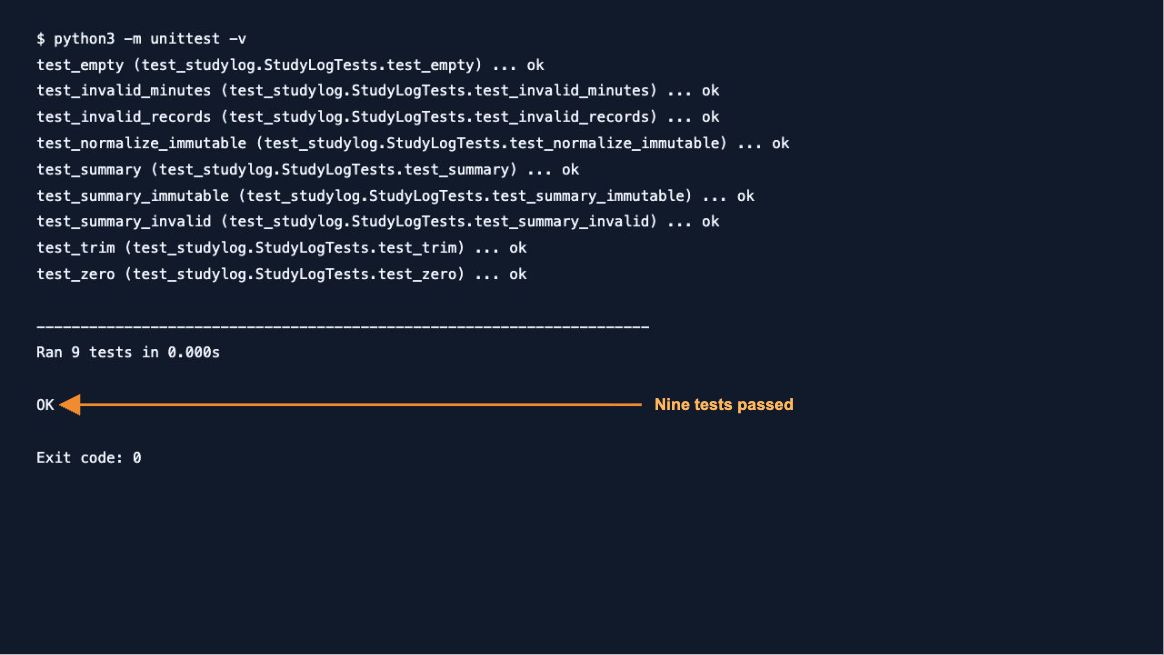
We created a standard-library Python study-log repository with two unfinished functions. normalize_record trims a nonempty name and validates nonnegative integer minutes; summarize aggregates minutes by case-insensitive name. Nine fixed unittest methods cover trimming, zero, invalid values, aggregation, empty input and input immutability.
Both conditions start from fresh clones. Success requires all nine unchanged tests passing, only the two implementation files changing, and original test/README/AGENTS hashes matching. Swarm additionally requires two distinct native workers and verified completion. Roles cannot edit each other’s files or spawn nested workers.
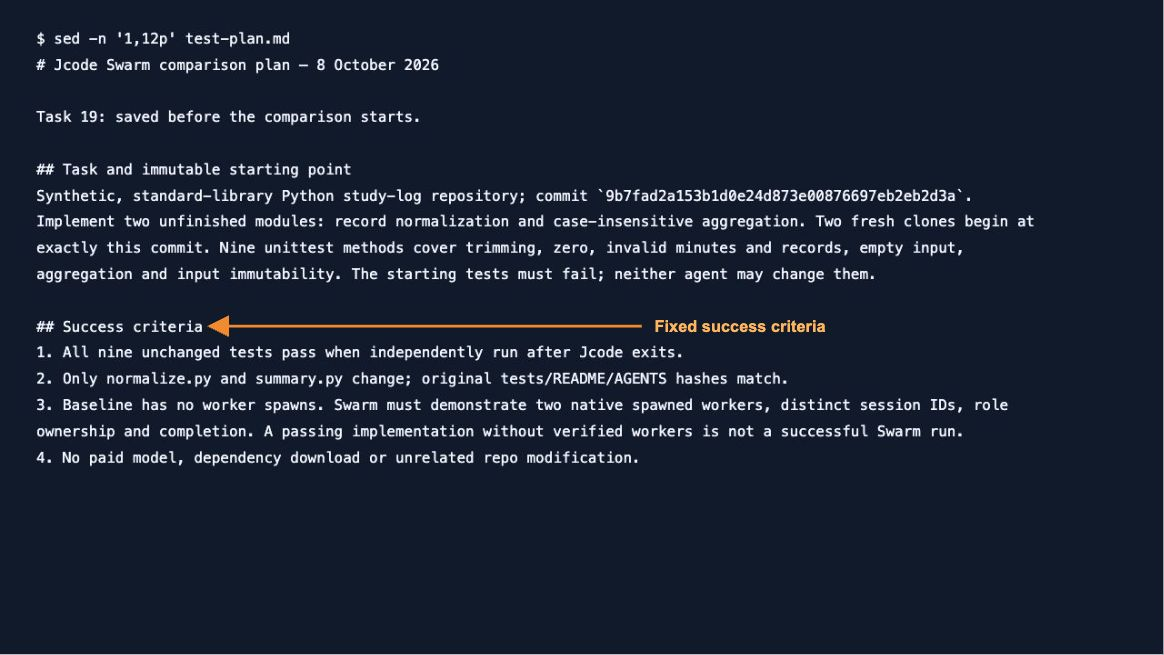
Download the reproduction kit: fixtures with Git history, fixed tests, prompts, plans, corrected runners, results and reviewed transcript excerpts. Original hosted fixture commit: 9b7fad2a153b1d0e24d873e00876697eb2eb2d3a. Local fixture changes only the model policy; coding inputs and tests remain the same.
2. Record the environment and provider
Our machine was an Apple M3 with 8 GiB unified memory, macOS 26.6.2 (25G83), Python 3.12.14 and Ollama 0.35.0. We pinned the official Jcode v0.91.0 binary instead of the older globally installed development build.
jcode --version
python3 --version
ollama --version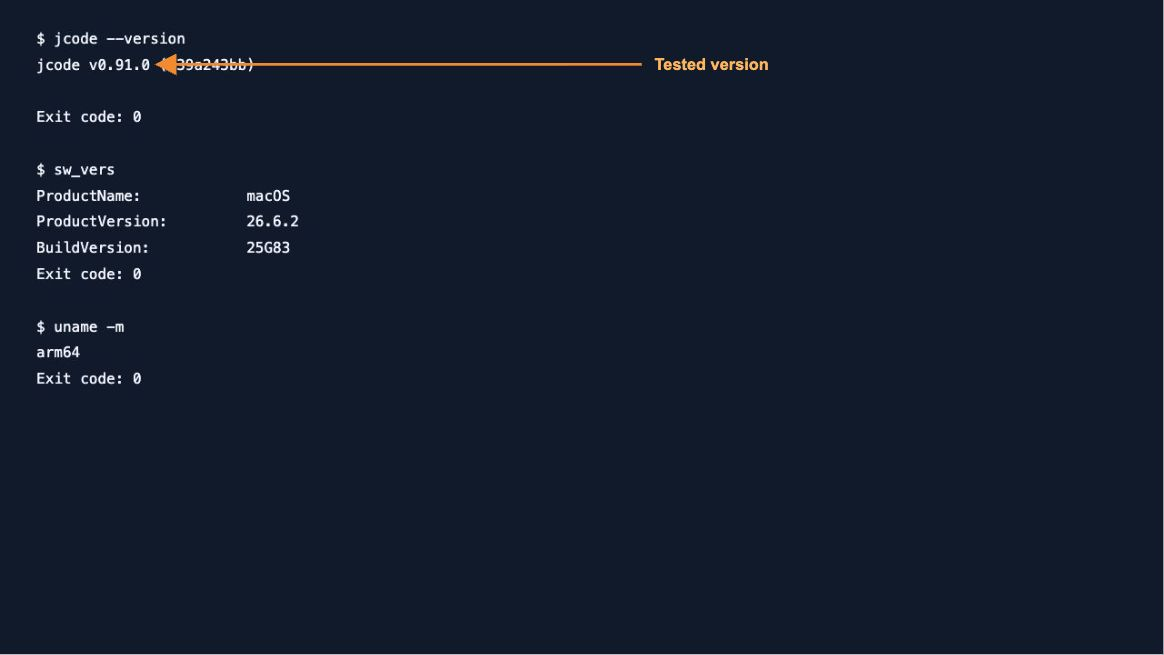
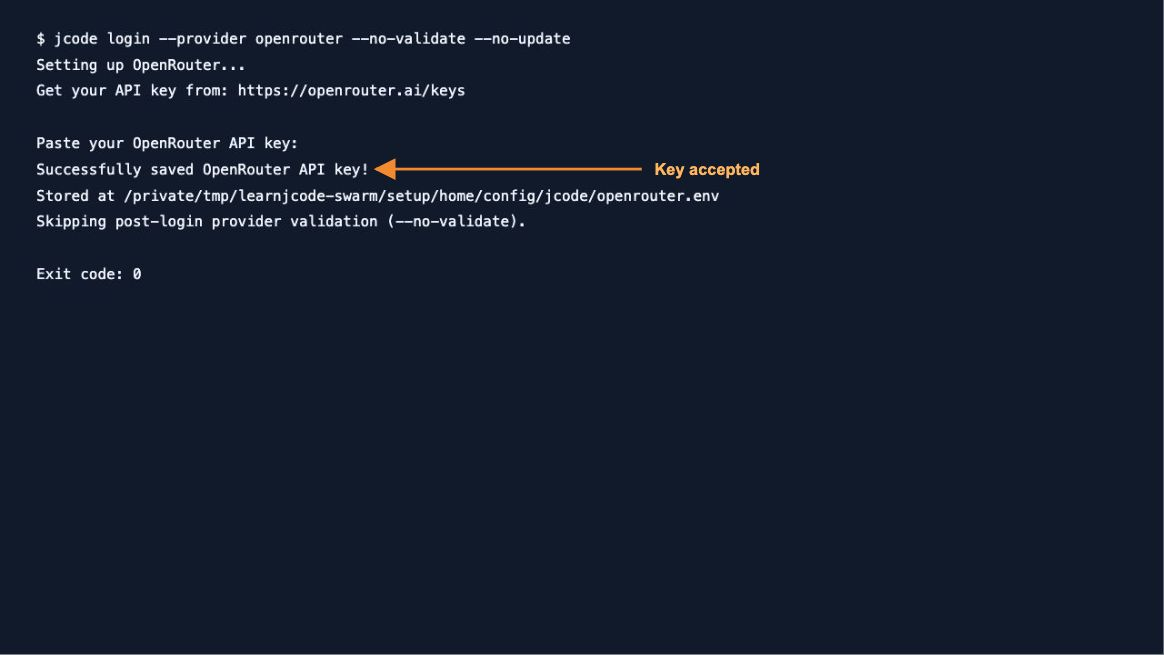
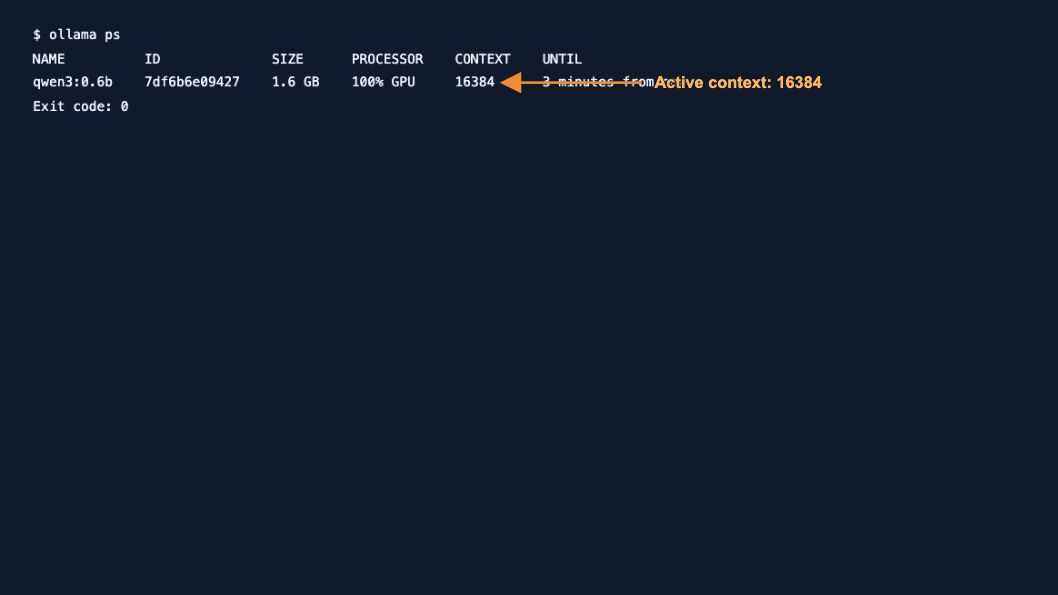
The hosted pair used cohere/north-mini-code:free; its catalog listed zero input/output token prices when checked. No paid fallback or credit purchase was used. The local pilot used the already installed qwen3:0.6b. That small model advertised tool support, but failed our coding task: capability metadata does not prove reliable tool use.
ollama show qwen3:0.6b
ollama ps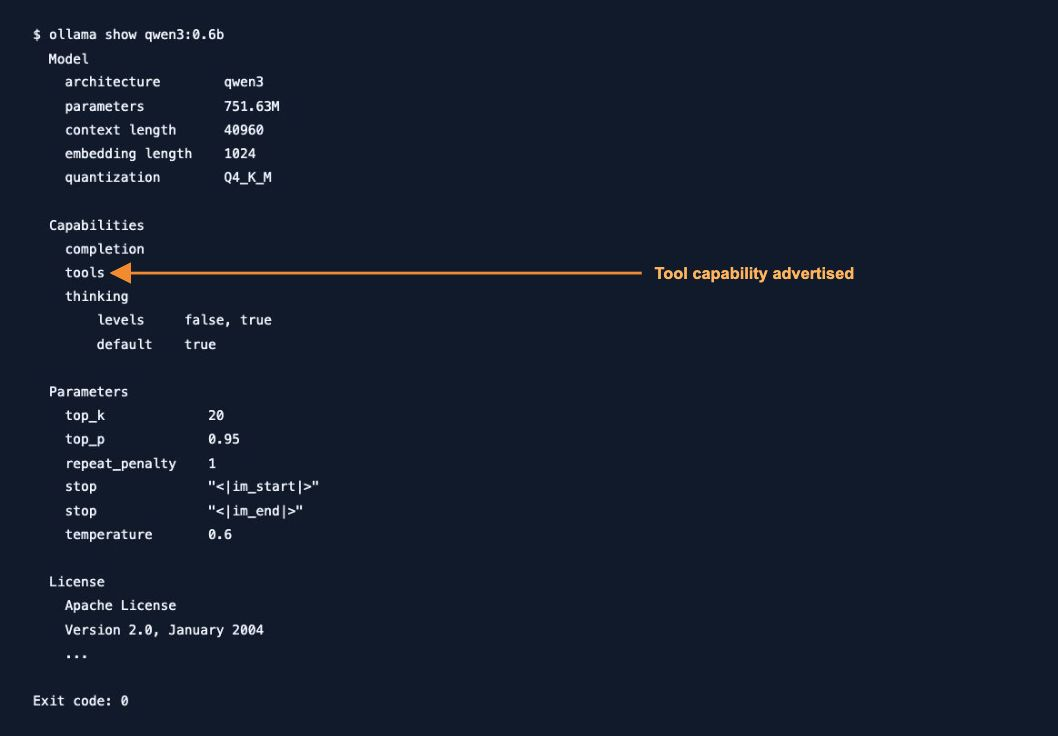
Hosted login and local runtime evidence
3. Isolate settings and enable two workers
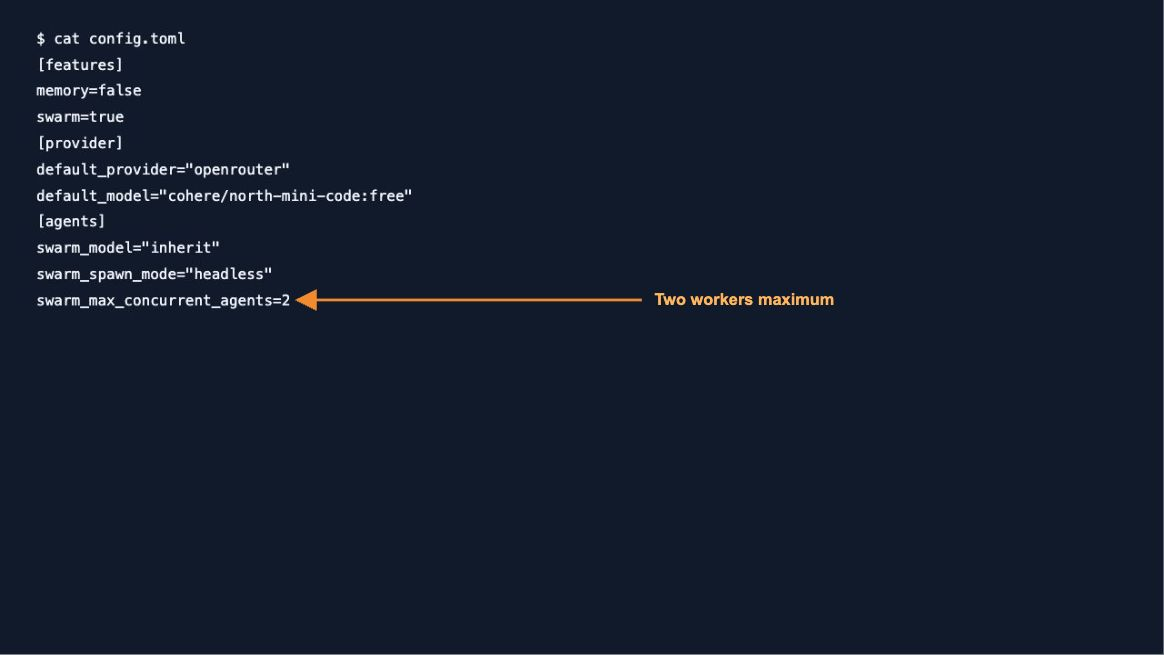
The kit creates a short /tmp/lj-… directory for each run, with a fresh repo, Jcode home and runtime. This preserves everyday sessions and keeps macOS Unix socket paths short. The baseline disables Swarm; the Swarm condition enables it. Memory is disabled in both.
[features]
memory=false
swarm=true
[provider]
default_provider=”ollama” default_model=”qwen3:0.6b”
[agents]
swarm_model=”inherit” swarm_spawn_mode=”headless” swarm_max_concurrent_agents=2
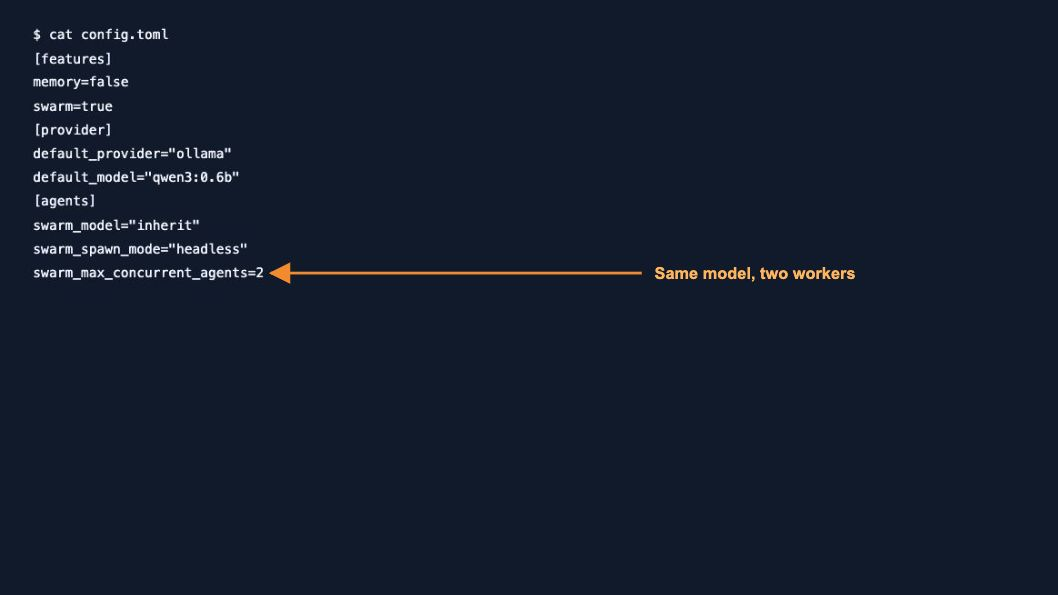
These local settings demonstrate worker creation, not a recommended coding model. Ollama used one inference slot, one loaded model, 16384 context, flash attention and q8_0 KV cache. Calls could therefore be serialized: two agent sessions do not imply parallel model inference.
4. Run the single-agent baseline first
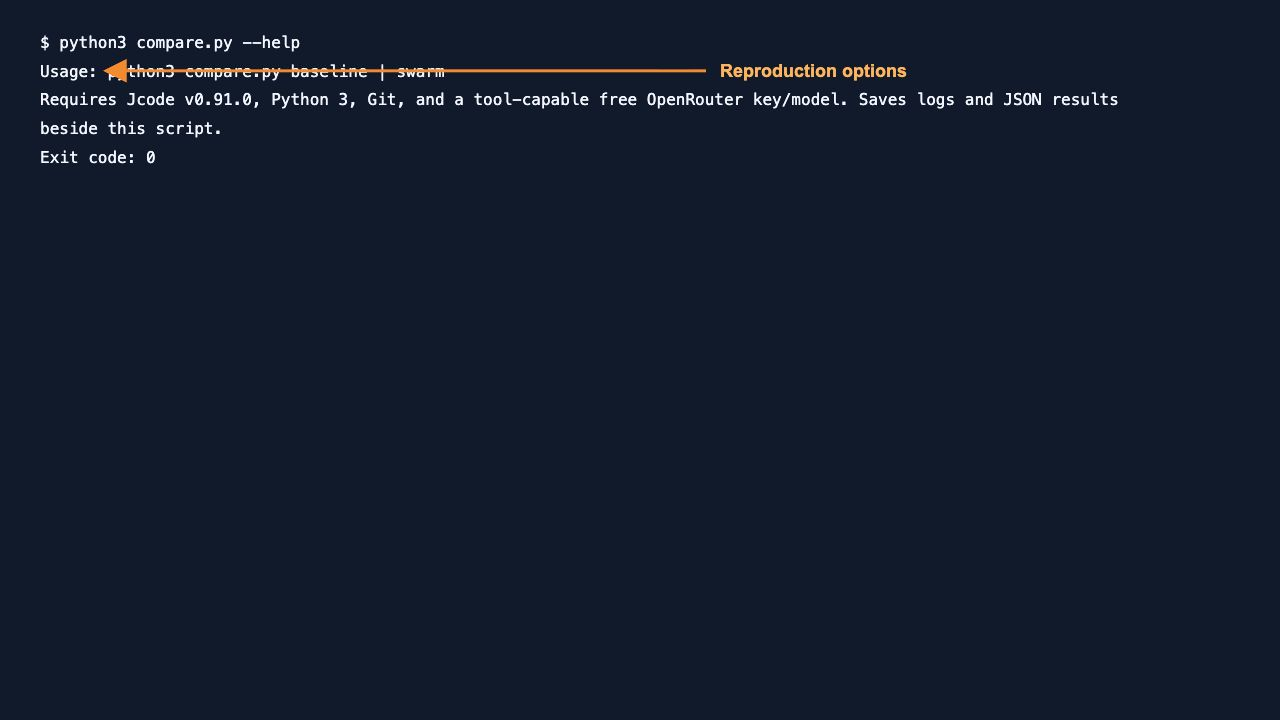
Extract the kit, put the pinned Jcode binary on your PATH and run conditions one by one. The hosted runner privately prompts for a key when its environment variable is unset. Check current free-route availability and remaining quota before starting.
python3 compare_hosted.py baseline
python3 compare_hosted.py swarm
For the separate local pilot, start Ollama with the recorded settings, then use:
OLLAMA_NO_CLOUD=1 OLLAMA_NUM_PARALLEL=1 \
OLLAMA_MAX_LOADED_MODELS=1 OLLAMA_CONTEXT_LENGTH=16384 \
OLLAMA_FLASH_ATTENTION=1 OLLAMA_KV_CACHE_TYPE=q8_0 ollama serve
python3 compare_small.py baseline
python3 compare_small.py swarm
python3 check_native_spawn.py swarmRun the service command in one terminal and the comparison in another. The last command explicitly creates the two native workers and polls their statuses before root integration. This corrected wait guard was executed; its coding output still failed. Each runner writes raw outputs, histories, tests, diffs and result JSON under logs/ and the kit directory. Hosted runs have a 600-second limit; local integration runs have a 180-second limit. Warmup occurs before local timing.
5. Create workers in a registered session
A plain jcode run invocation did not register its local agent in our server’s Swarm. Starting a server alongside it was insufficient. We instead enabled debug control only for the isolated test server and created a registered session.
JCODE_DEBUG_CONTROL=1 jcode serve --provider ollama \
  --model qwen3:0.6b --no-update \
  --tools bash,read,write,apply_patch,edit,glob,grep,swarm,bg

jcode debug --socket "$JCODE_RUNTIME_DIR/jcode.sock" \
  --no-update create_session "$REPO"
The kit sets JCODE_HOME, JCODE_RUNTIME_DIR and the repo location first. Copy the returned session ID into ROOT_ID. The following is the tested native tool call pattern; the kit contains the full role prompts and exact acceptance contract.
jcode debug --socket "$JCODE_RUNTIME_DIR/jcode.sock" \
  --session "$ROOT_ID" tool \
  'swarm {"action":"spawn","label":"Normalizer","model":"inherit","spawn_mode":"headless","prompt":"Implement only normalize.py to its existing contract; do not spawn other agents."}'

jcode debug --socket "$JCODE_RUNTIME_DIR/jcode.sock" \
  --session "$ROOT_ID" tool \
  'swarm {"action":"spawn","label":"Aggregator","model":"inherit","spawn_mode":"headless","prompt":"Implement only summary.py using normalize_record; do not edit normalize.py or spawn other agents."}'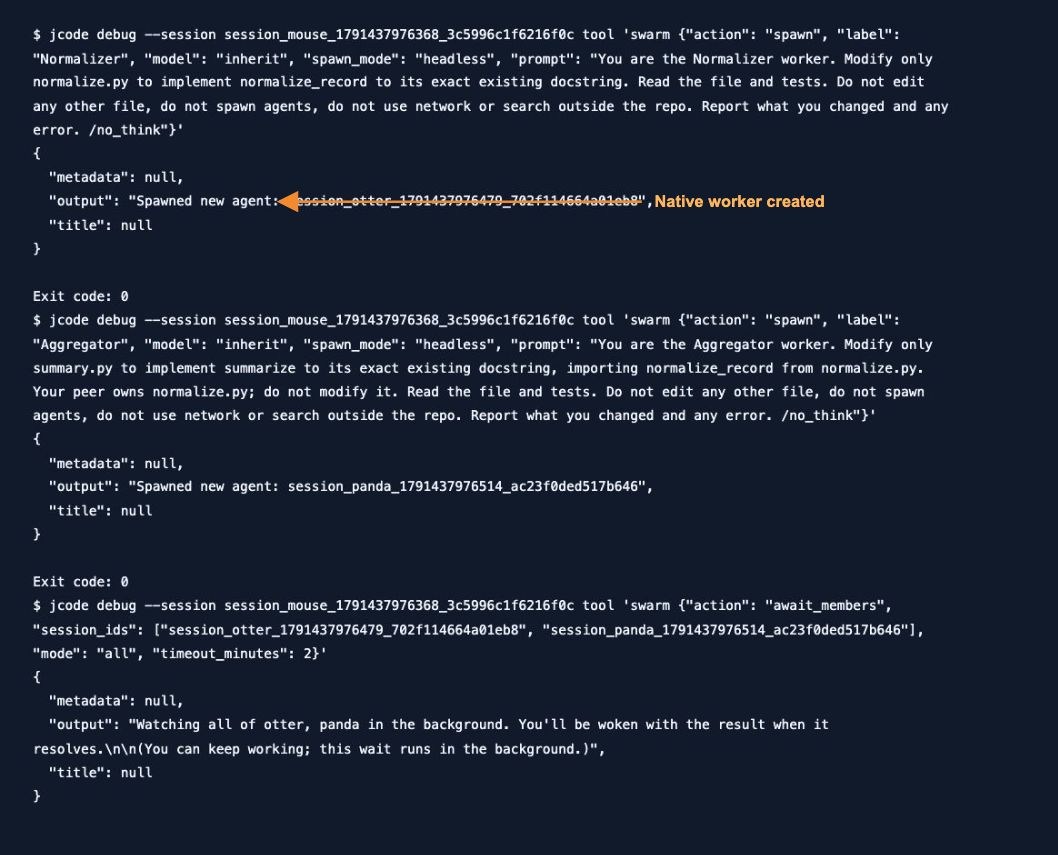
6. Confirm completion, then validate the code
await_members returned a background watcher in this release. Its return did not mean the workers had finished. Our first explicit check integrated too early; the corrected runner polls swarm:members for the actual worker IDs before integration. A failed/stopped worker is still a failed task; a ready worker still needs code validation.
jcode debug --socket "$JCODE_RUNTIME_DIR/jcode.sock" \
  --session "$ROOT_ID" swarm:members

# After checking both worker states, validate inside the repo:
python3 -m unittest -v
git diff --name-only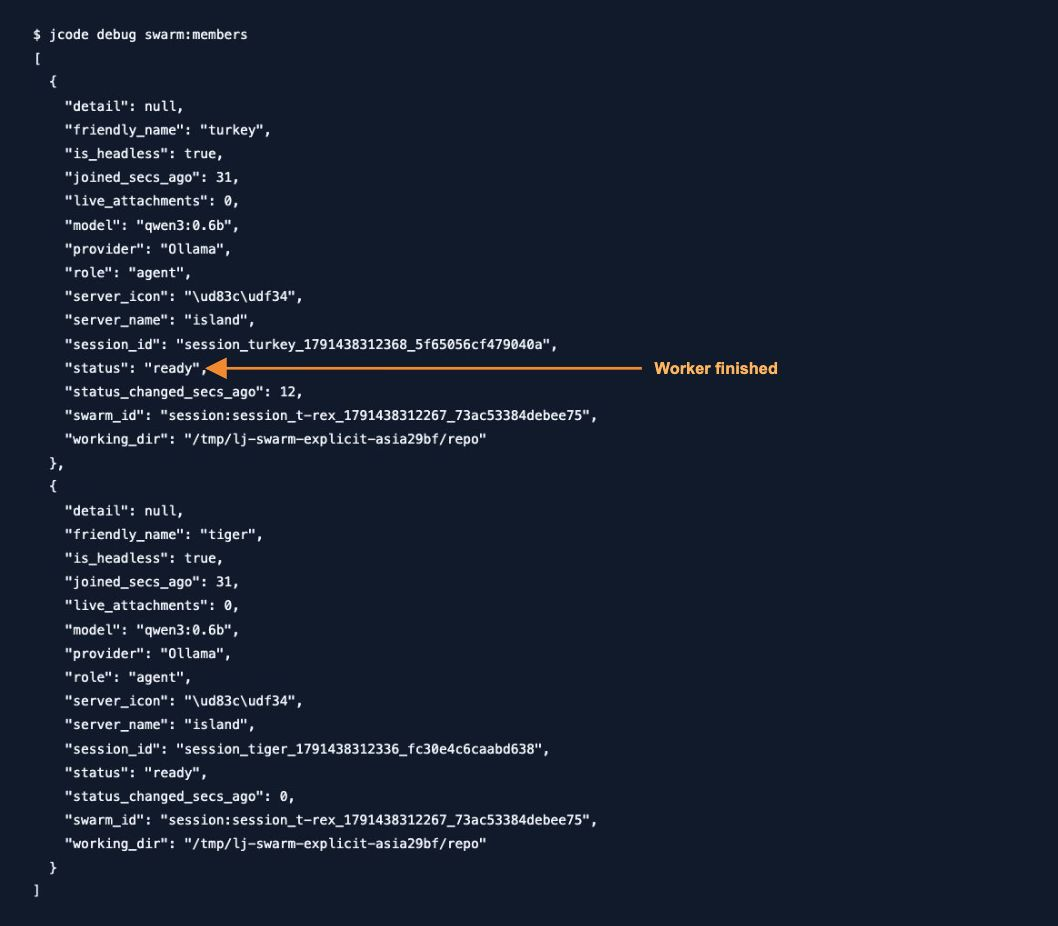
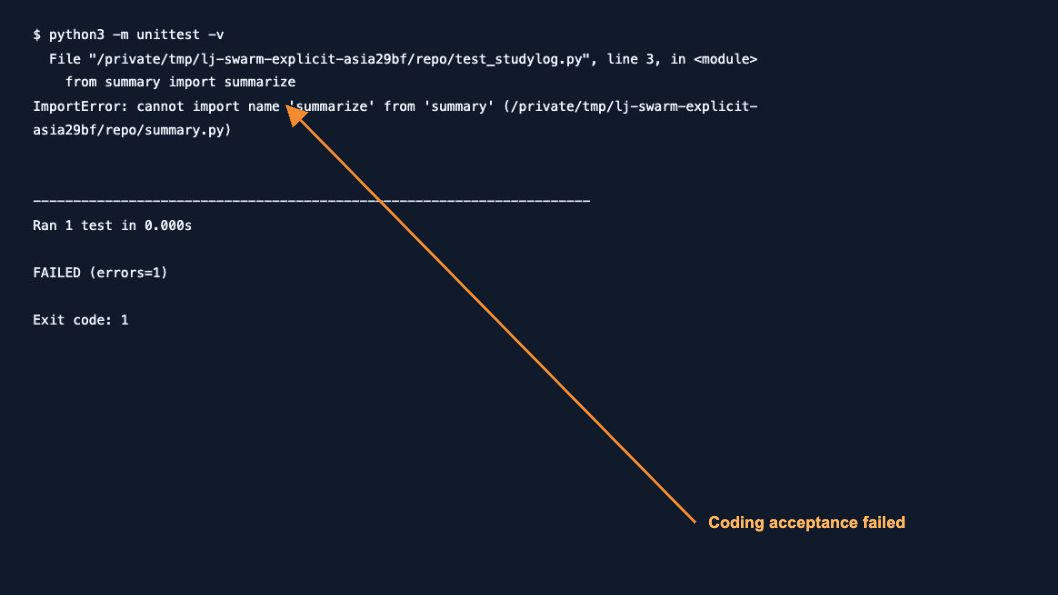
A successful Jcode process exit is not sufficient. Our corrected local run exited zero while acceptance failed. Fixed-file hashes stayed unchanged and only the two permitted implementation files changed.
Measured results
These are separate recorded trials, not averages. The hosted pair used the same registered-server transport and free model. Local pilots used a different model and are listed separately. Times include failed work and retries where present; they are not comparable successful-task speed measurements.
| Condition | Wall time | Observed result |
|---|---|---|
| Hosted single agent, registered server | 147.20 s | 9/9 tests passed; only two allowed files changed. |
| Hosted Swarm, same free route | 148.73 s | HTTP 429 daily quota; no workers or implementation changes. |
| Local single agent, qwen3:0.6b | 21.87 s | Failed import with IndentationError; only normalize.py changed. |
| Local prompt-driven Swarm | 21.66 s | No worker spawn, no implementation changes; failed acceptance. |
| Local explicit native Swarm, corrected wait | 46.49 s | Two workers finished before integration; code failed import. Not a successful coding benchmark. |
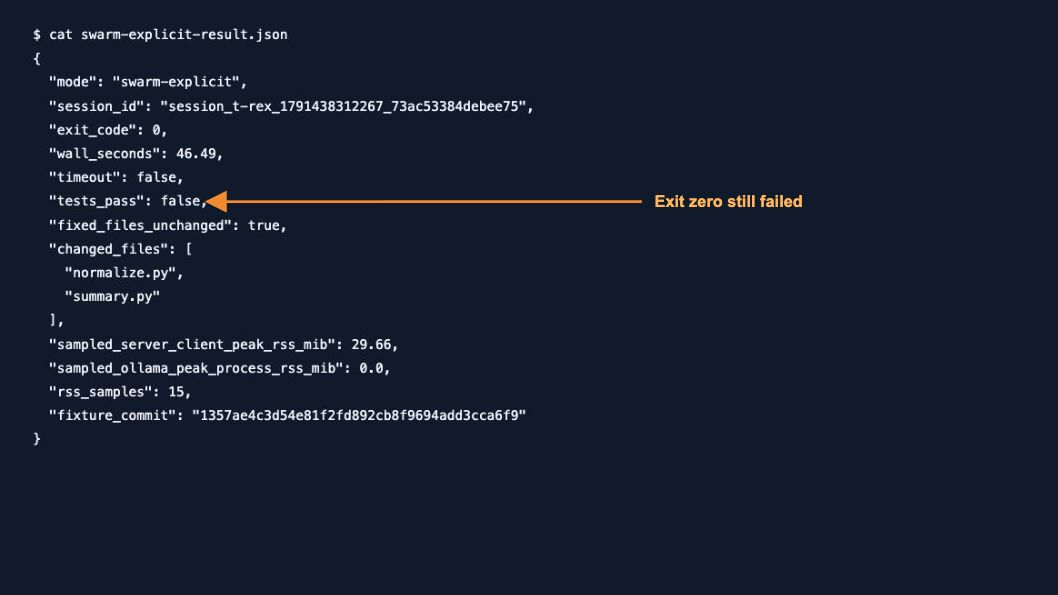
One-second samples of Jcode server plus debug-client RSS peaked at 67.06 MiB for the passing hosted baseline and 57.66 MiB for the quota-blocked hosted run. Local prompt pilots reported 32.52 and 48.59 MiB. These exclude Ollama, model/GPU memory and child tools; they do not establish total Swarm memory. Explicit-run sampling covered only integration, so we do not report it as a whole-run peak.
We also attempted to warm up qwen3:4b after a 2.5 GB download. It timed out after 180 seconds on the memory-constrained 8 GiB setup, before a comparison could start. Neither model capability nor a larger download guarantees a runnable benchmark.
Failure cases and the next action
- “Not in a swarm”: use a registered session in a Git repo; a separate plain run did not join our server.
- “Debug control disabled”: the tested headless workflow requires
JCODE_DEBUG_CONTROL=1on its isolated server. Do not assume another running server inherited that setting. - “path must be shorter than SUN_LEN”: shorten home/runtime paths. Our corrected portable runner uses
/tmpinstead of the longer macOS default temporary path. - HTTP 429: identify account daily quota versus an upstream provider limit. Our account had zero daily free requests remaining; switching free models could not repair that shared quota. Wait for reset and rerun fresh. See official OpenRouter limits.
- No workers or malformed code: check worker IDs and independent tests. Our 0.6B model ignored delegation instructions in the prompt pilot and failed implementation even with explicit native spawning.
- Wait returns immediately: inspect member statuses before integration. Background watcher creation is not completion.
Open the recorded registration, debug-control and quota errors
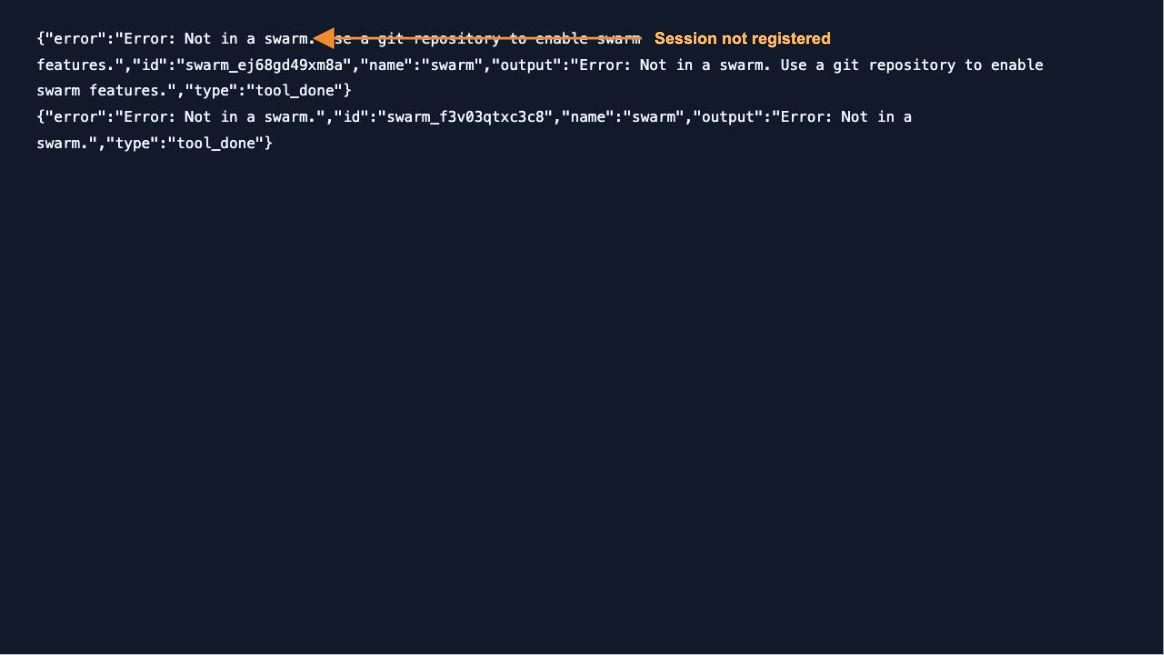
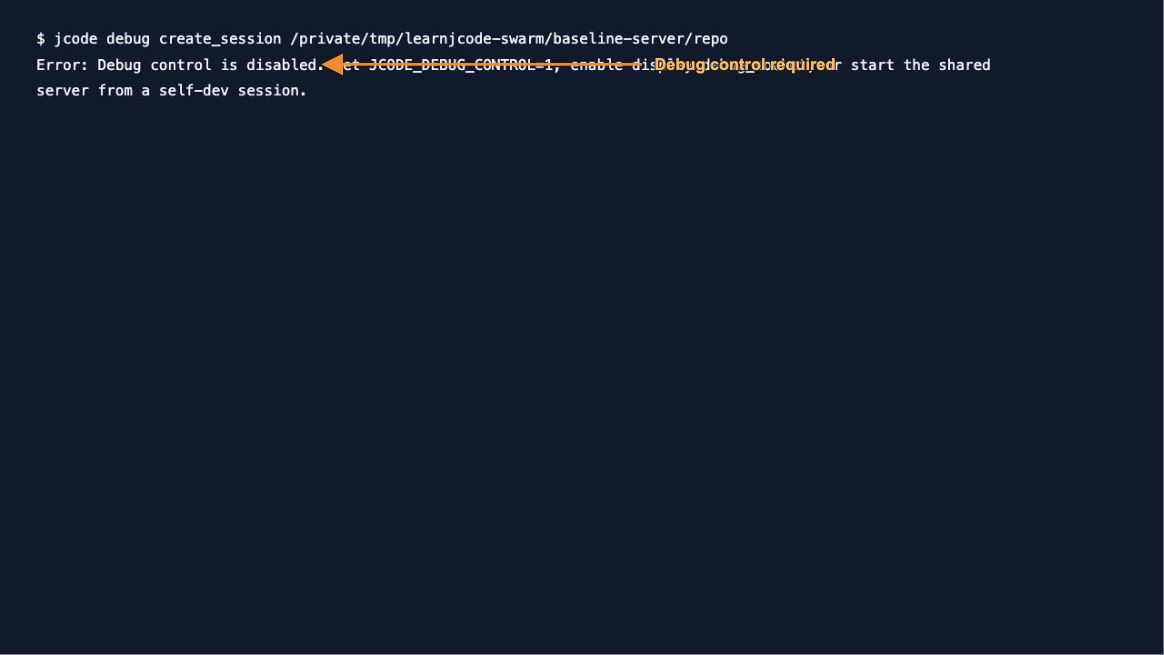
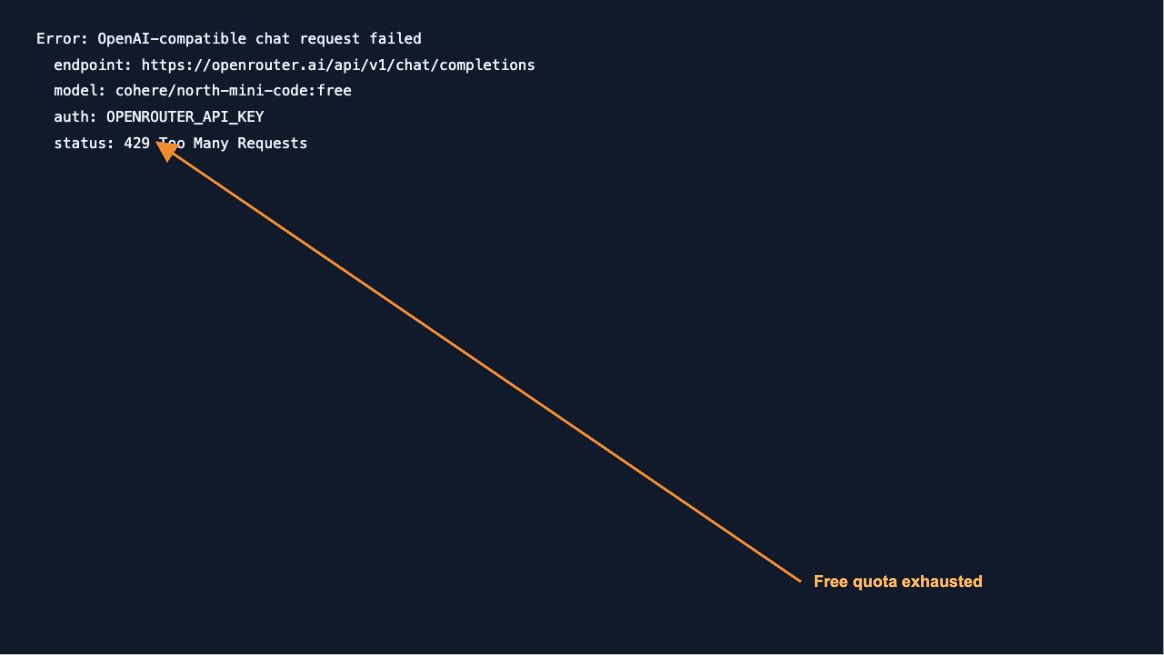
When would Swarm be worth trying?
As workflow guidance, consider it when work can be split into independently owned files with clear interfaces, a capable tool-using model and enough provider quota. Start with a passing single-agent baseline and fixed tests. Keep one coordinator responsible for integration and check actual worker completion.
For a short task, a constrained local machine or overlapping edits, first establish whether a single agent already meets the requirement. Our test supplies no evidence that Swarm saves time, reduces cost or improves coding accuracy. For everyday task preparation and command usage, continue with how to use Jcode and the commands guide.