Jcode can send prompts to a model served by Ollama on your own computer. This walkthrough connects the local endpoint, runs a small model, captures a successful Jcode response, and fixes an exact model-name error.
1. Check your environment and Jcode version
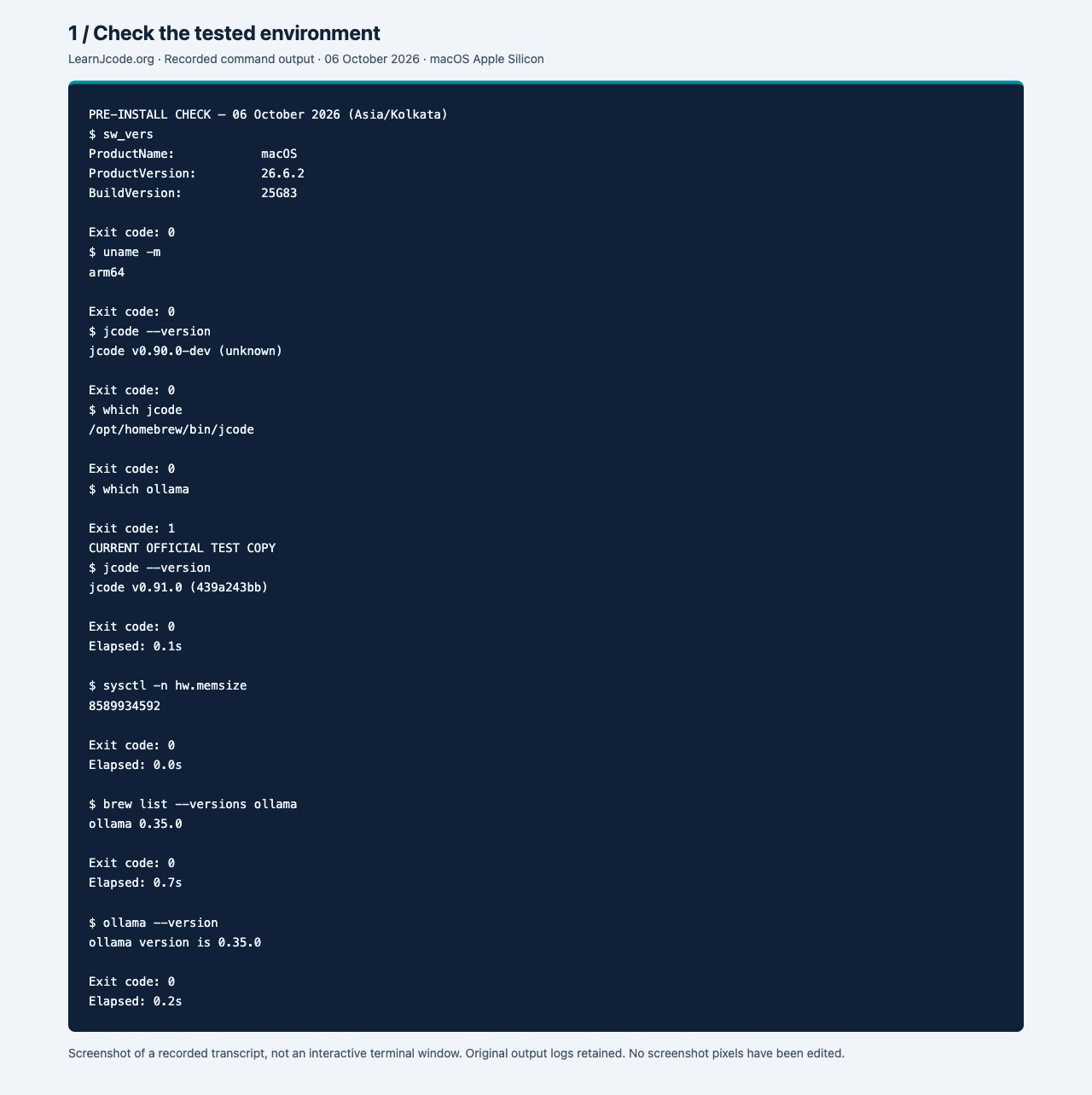
Start with the Jcode installation guide if the command is missing. Use the release and version-check guide to compare your installed build with the current official release.
jcode --version
uname -m| Component | Tested value |
|---|---|
| Operating system | macOS 26.6.2, build 25G83 |
| Hardware | Apple Silicon, arm64, 8 GiB physical memory |
| Jcode test executable | v0.91.0 (439a243bb), official Apple Silicon release |
| Existing Homebrew Jcode | v0.90.0-dev (unknown); test used a separate release copy |
| Ollama | 0.35.0, installed with Homebrew |
| Model | qwen3:0.6b, ID 7df6b6e09427, Q4_K_M, 522 MB |
| Local endpoint | http://localhost:11434/v1; no API key |
2. Install Ollama and start its local server
On a Mac that already has Homebrew, install the CLI:
brew install ollama
ollama --version
Our Homebrew installation reported ollama 0.35.0. For another operating system or the Mac app, use the official Ollama download page. The screenshots and commands tested here are macOS tests.
Start the server in one terminal and leave it running. For this local-only walkthrough:
OLLAMA_NO_CLOUD=1 ollama serveIn a second terminal, check the service before pulling a model:
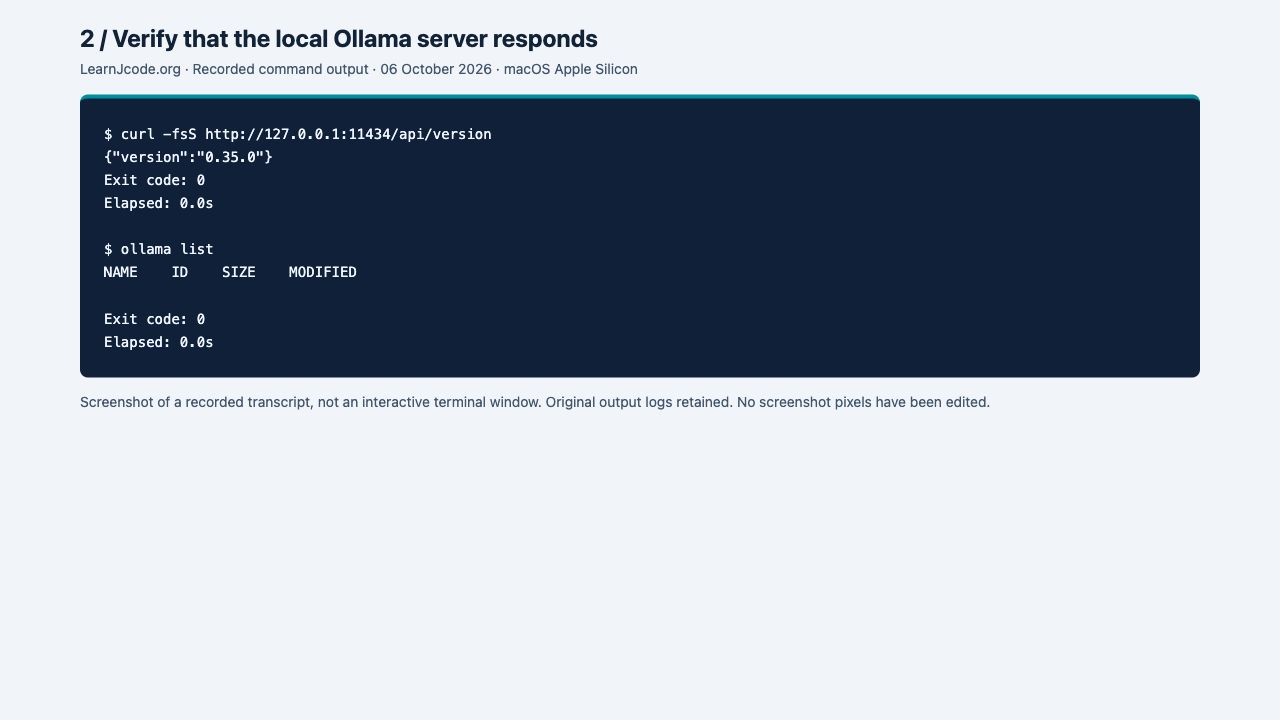
curl -fsS http://127.0.0.1:11434/api/version
ollama list
The version endpoint returned {"version":"0.35.0"}. An empty model list is expected before the first download. If the app already runs a server, use that instance rather than launching a duplicate.
Read the recorded output
$ curl -fsS http://127.0.0.1:11434/api/version
{"version":"0.35.0"}
Exit code: 0
Elapsed: 0.0s
3. Download and test one small local model
Use the exact same tag in the pull command and the later Jcode command:
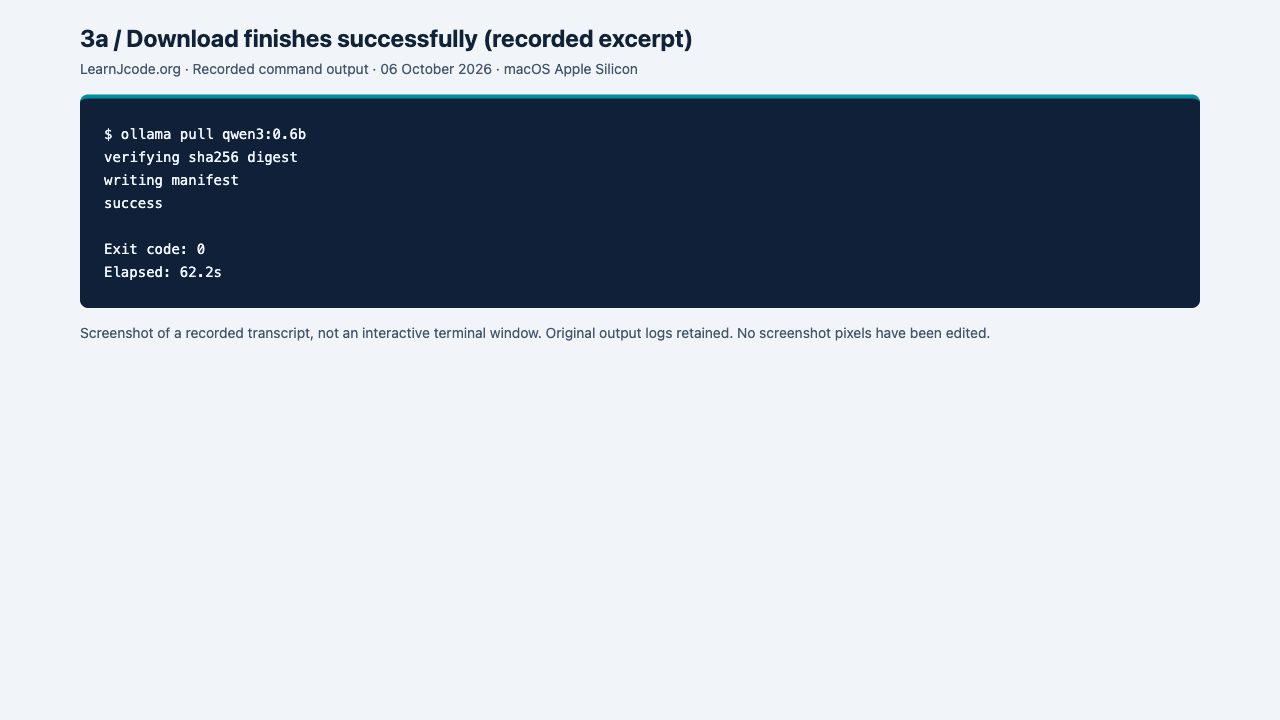
ollama pull qwen3:0.6b
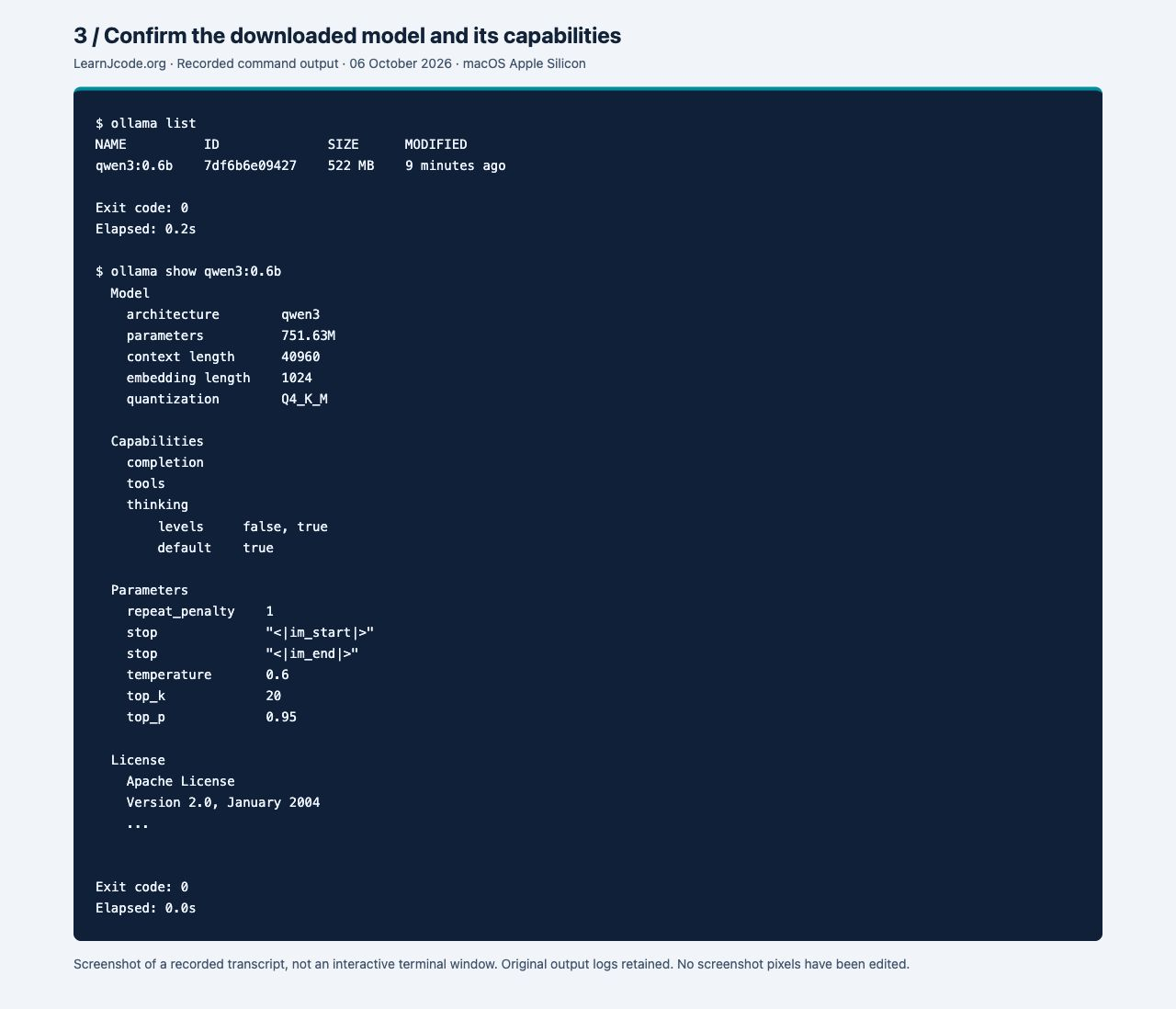
ollama list
ollama show qwen3:0.6b
The pull completed with success in 62.2 seconds on this connection. That time includes the download and is not an inference benchmark.
Read the recorded output
$ ollama list
NAME          ID              SIZE      MODIFIED
qwen3:0.6b    7df6b6e09427    522 MB    9 minutes ago

Exit code: 0
Elapsed: 0.2s
Check that Ollama itself can answer before involving Jcode:
ollama run qwen3:0.6b "Reply with exactly OLLAMA_OK and nothing else. /no_think"It returned OLLAMA_OK and exited with code 0. It still printed thinking text despite the prompt’s /no_think request, so that suffix should not be treated as a guaranteed thinking-mode control.
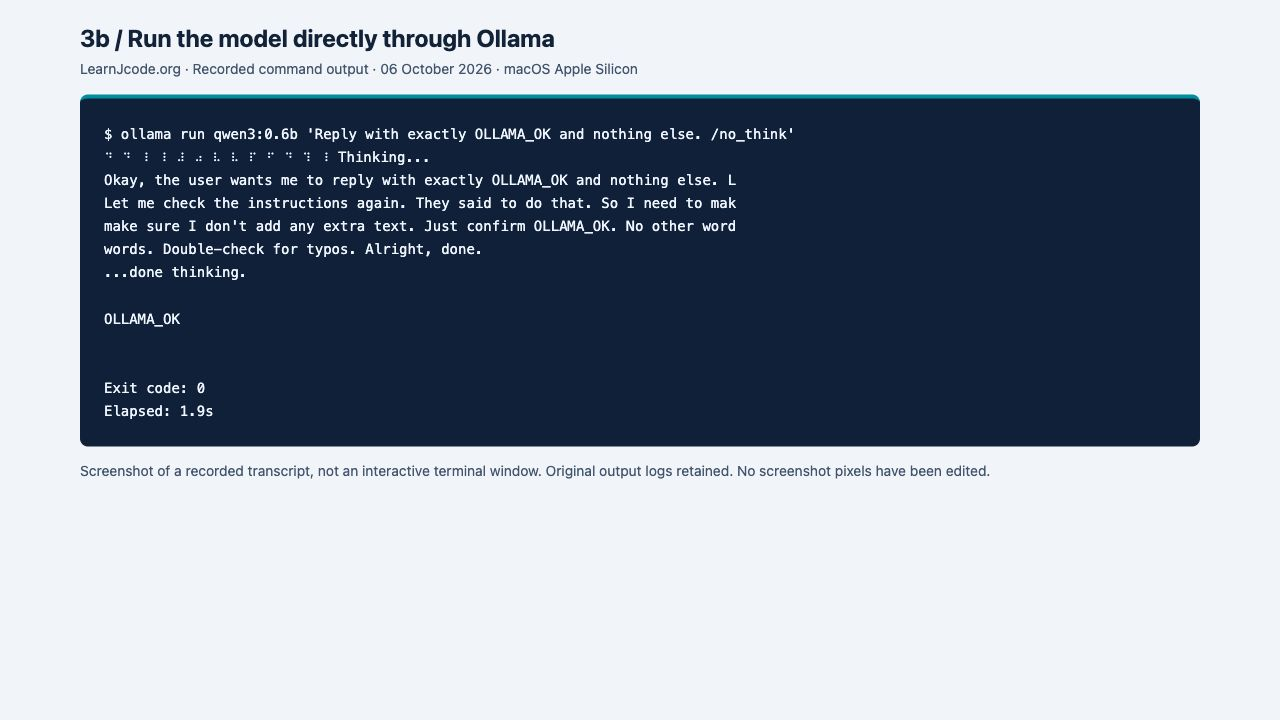
Read the recorded output
$ ollama run qwen3:0.6b 'Reply with exactly OLLAMA_OK and nothing else. /no_think'
⠙ ⠙ ⠸ ⠸ ⠼ ⠴ ⠧ ⠧ ⠏ ⠋ ⠙ ⠹ ⠸ Thinking...
Okay, the user wants me to reply with exactly OLLAMA_OK and nothing else. L
Let me check the instructions again. They said to do that. So I need to mak
make sure I don't add any extra text. Just confirm OLLAMA_OK. No other word
words. Double-check for typos. Alright, done.
...done thinking.

OLLAMA_OK


Exit code: 0
Elapsed: 1.9s
4. Connect Jcode to the local Ollama endpoint
Disable Jcode telemetry for this test, then select its built-in Ollama login flow:
export JCODE_NO_TELEMETRY=1
jcode login --provider ollama --api-key ""
The empty key explicitly skips authentication for the default local endpoint. In an interactive terminal, jcode login --provider ollama also prompts for an optional key; press Enter only when your own local server does not require one. Jcode’s Ollama profile uses http://localhost:11434/v1. See Ollama’s official compatibility reference if you need to understand this endpoint.
AUTH_TEST_OK, but the tool check answered with different text. Login exited with code 1 and reported “Post-login validation failed for Ollama.” This is different from a missing model or a refused connection. The small model did not complete the required tool loop in this test.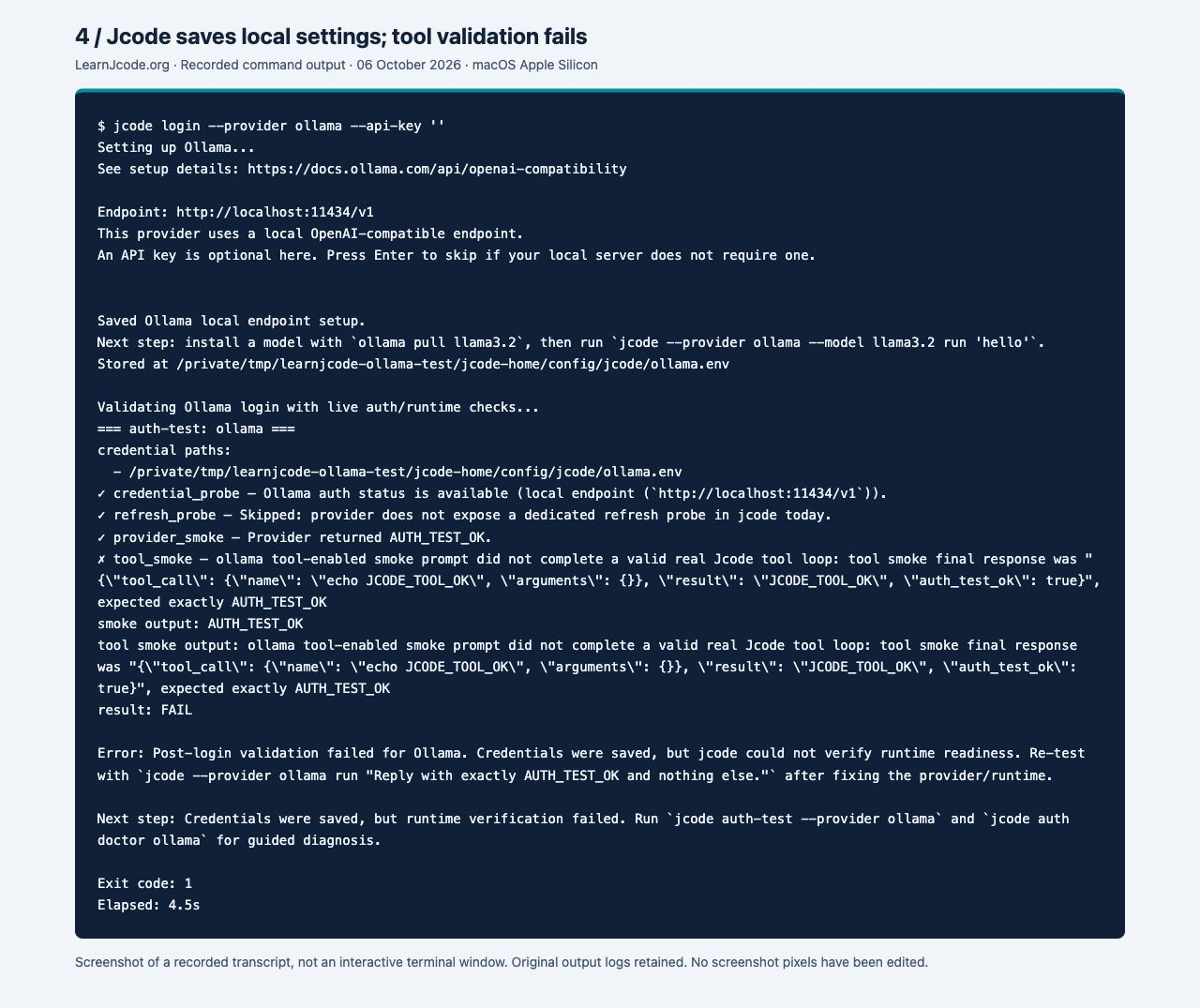
Read the complete login result, including the failure
$ jcode login --provider ollama --api-key ''
Setting up Ollama...
See setup details: https://docs.ollama.com/api/openai-compatibility

Endpoint: http://localhost:11434/v1
This provider uses a local OpenAI-compatible endpoint.
An API key is optional here. Press Enter to skip if your local server does not require one.


Saved Ollama local endpoint setup.
Next step: install a model with `ollama pull llama3.2`, then run `jcode --provider ollama --model llama3.2 run 'hello'`.
Stored at /private/tmp/learnjcode-ollama-test/jcode-home/config/jcode/ollama.env

Validating Ollama login with live auth/runtime checks...
=== auth-test: ollama ===
credential paths:
  - /private/tmp/learnjcode-ollama-test/jcode-home/config/jcode/ollama.env
✓ credential_probe — Ollama auth status is available (local endpoint (`http://localhost:11434/v1`)).
✓ refresh_probe — Skipped: provider does not expose a dedicated refresh probe in jcode today.
✓ provider_smoke — Provider returned AUTH_TEST_OK.
✗ tool_smoke — ollama tool-enabled smoke prompt did not complete a valid real Jcode tool loop: tool smoke final response was "{\"tool_call\": {\"name\": \"echo JCODE_TOOL_OK\", \"arguments\": {}}, \"result\": \"JCODE_TOOL_OK\", \"auth_test_ok\": true}", expected exactly AUTH_TEST_OK
smoke output: AUTH_TEST_OK
tool smoke output: ollama tool-enabled smoke prompt did not complete a valid real Jcode tool loop: tool smoke final response was "{\"tool_call\": {\"name\": \"echo JCODE_TOOL_OK\", \"arguments\": {}}, \"result\": \"JCODE_TOOL_OK\", \"auth_test_ok\": true}", expected exactly AUTH_TEST_OK
result: FAIL

Error: Post-login validation failed for Ollama. Credentials were saved, but jcode could not verify runtime readiness. Re-test with `jcode --provider ollama run "Reply with exactly AUTH_TEST_OK and nothing else."` after fixing the provider/runtime.

Next step: Credentials were saved, but runtime verification failed. Run `jcode auth-test --provider ollama` and `jcode auth doctor ollama` for guided diagnosis.

Exit code: 1
Elapsed: 4.5s
5. Run a Jcode-to-Ollama connection smoke test
From a disposable project folder, run the local provider explicitly. --tool-profile none makes this a response test without exposing coding tools; --json keeps the result easy to inspect.
jcode run --provider ollama --model qwen3:0.6b \
  --no-update --tool-profile none --json \
  "Reply with exactly JCODE_OLLAMA_OK and nothing else. /no_think"
Our capture also passes -C with the full path to the disposable project. Check three fields in the output: provider is ollama, model is qwen3:0.6b, and text is JCODE_OLLAMA_OK. The command exited with code 0 in 1.2 seconds for this warmed-up run.
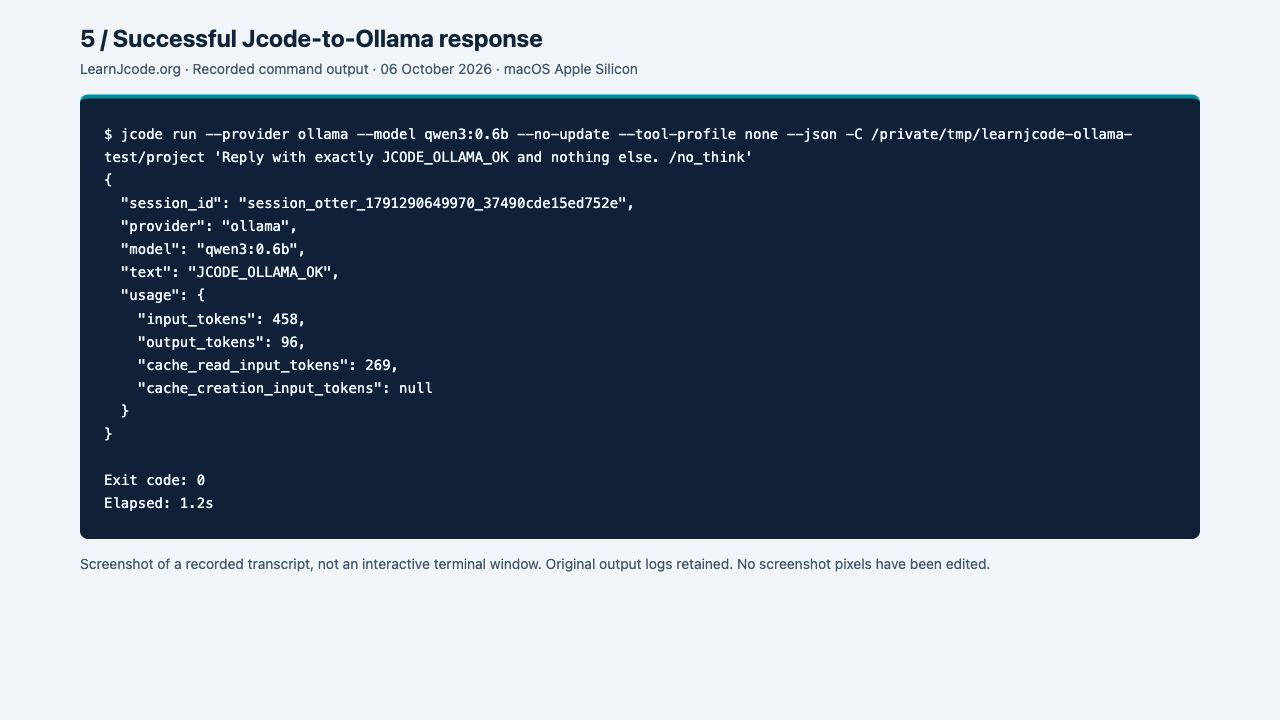
Read the recorded output
$ jcode run --provider ollama --model qwen3:0.6b --no-update --tool-profile none --json -C /private/tmp/learnjcode-ollama-test/project 'Reply with exactly JCODE_OLLAMA_OK and nothing else. /no_think'
{
  "session_id": "session_otter_1791290649970_37490cde15ed752e",
  "provider": "ollama",
  "model": "qwen3:0.6b",
  "text": "JCODE_OLLAMA_OK",
  "usage": {
    "input_tokens": 458,
    "output_tokens": 96,
    "cache_read_input_tokens": 269,
    "cache_creation_input_tokens": null
  }
}

Exit code: 0
Elapsed: 1.2s
After the connection works, use the first-session walkthrough to understand the project workflow and the command reference for controls such as /model. Before relying on file changes, test your chosen local model with tools and review the results.
6. Fix Ollama “model not found”: my tested recovery
--model to the exact tag installed on the Ollama server it uses. In this test I changed qwen3:0.6b-learnjcode-missing to qwen3:0.6b, verified the correct model with ollama pull, and reran the same prompt successfully.I deliberately used an invalid tag to reproduce the error. The screenshots below are real browser captures of saved command output; they are not native terminal screenshots or simulated results. Each step also includes the text output.
Step 1 — I identify the exact symptom
The direct Ollama request returned HTTP 404. Jcode’s local chat request failed with 404 Not Found and exit code 1. Its response named the tag I had requested:
model 'qwen3:0.6b-learnjcode-missing' not foundCause in my test: the local server was reachable, but that exact tag was absent. The words “OpenAI-compatible” describe the API format here: the failed endpoint was http://localhost:11434/v1/chat/completions.
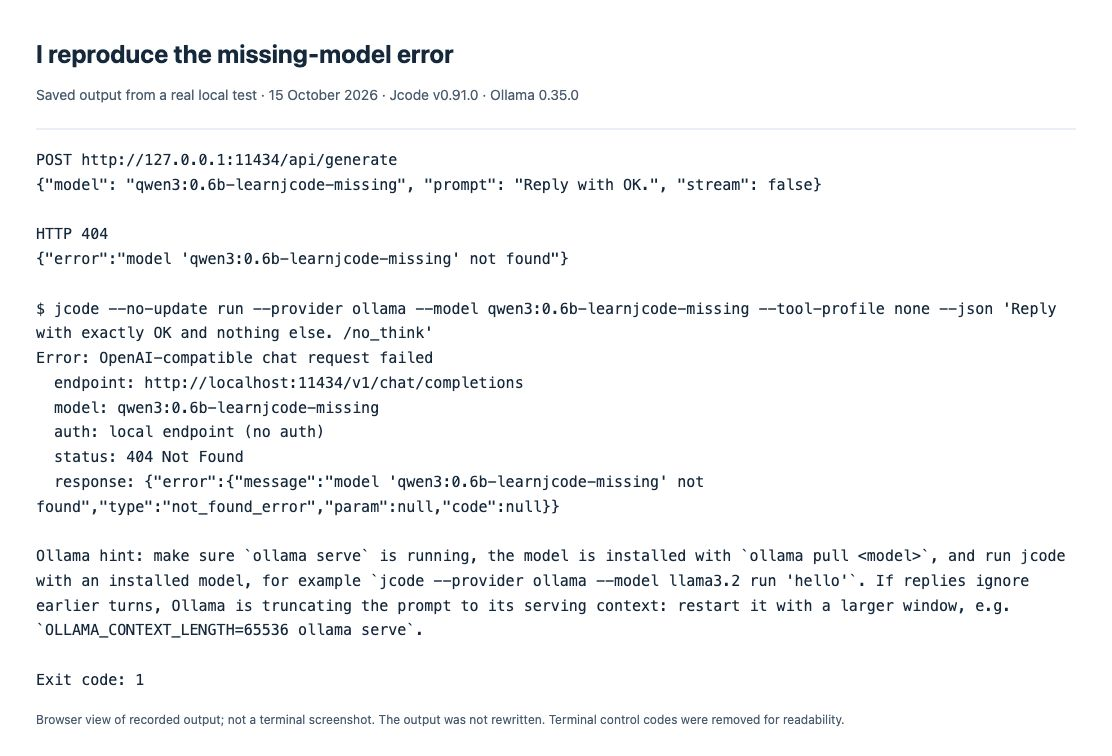
Read the exact recorded output
$ jcode --no-update run --provider ollama --model qwen3:0.6b-learnjcode-missing --tool-profile none --json 'Reply with exactly OK and nothing else. /no_think'
Error: OpenAI-compatible chat request failed
  endpoint: http://localhost:11434/v1/chat/completions
  model: qwen3:0.6b-learnjcode-missing
  auth: local endpoint (no auth)
  status: 404 Not Found
  response: {"error":{"message":"model 'qwen3:0.6b-learnjcode-missing' not found","type":"not_found_error","param":null,"code":null}}

Ollama hint: make sure `ollama serve` is running, the model is installed with `ollama pull <model>`, and run jcode with an installed model, for example `jcode --provider ollama --model llama3.2 run 'hello'`. If replies ignore earlier turns, Ollama is truncating the prompt to its serving context: restart it with a larger window, e.g. `OLLAMA_CONTEXT_LENGTH=65536 ollama serve`.

Exit code: 1
Step 2 — I compare the requested tag with the server’s list
ollama listMy list contained qwen3:0.6b, not the deliberately invalid tag. I copy the full name, including the part after the colon. If Jcode uses another host or port, I run this check against that same server; a model installed on my laptop does not establish what a remote server has.
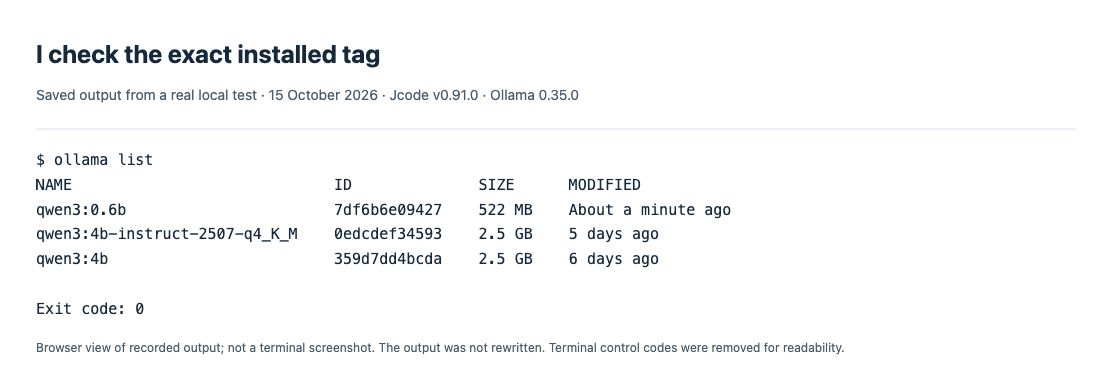
Read the exact recorded output
$ ollama list
NAME                             ID              SIZE      MODIFIED
qwen3:0.6b                       7df6b6e09427    522 MB    About a minute ago
qwen3:4b-instruct-2507-q4_K_M    0edcdef34593    2.5 GB    5 days ago
qwen3:4b                         359d7dd4bcda    2.5 GB    6 days ago

Exit code: 0
Step 3 — I pull the correct model name
ollama pull qwen3:0.6b
ollama list
I wait for success, then confirm the tag appears in the list. This model was already cached on my test machine: the pull verified its blobs and wrote the manifest. It was not a fresh 522 MB download. On a machine without the model, the pull must download it first.
I do not try to pull qwen3:0.6b-learnjcode-missing. It is an intentionally invalid example, not a model recommendation. For another model, I replace both the pull argument and Jcode’s model argument with its real published tag.
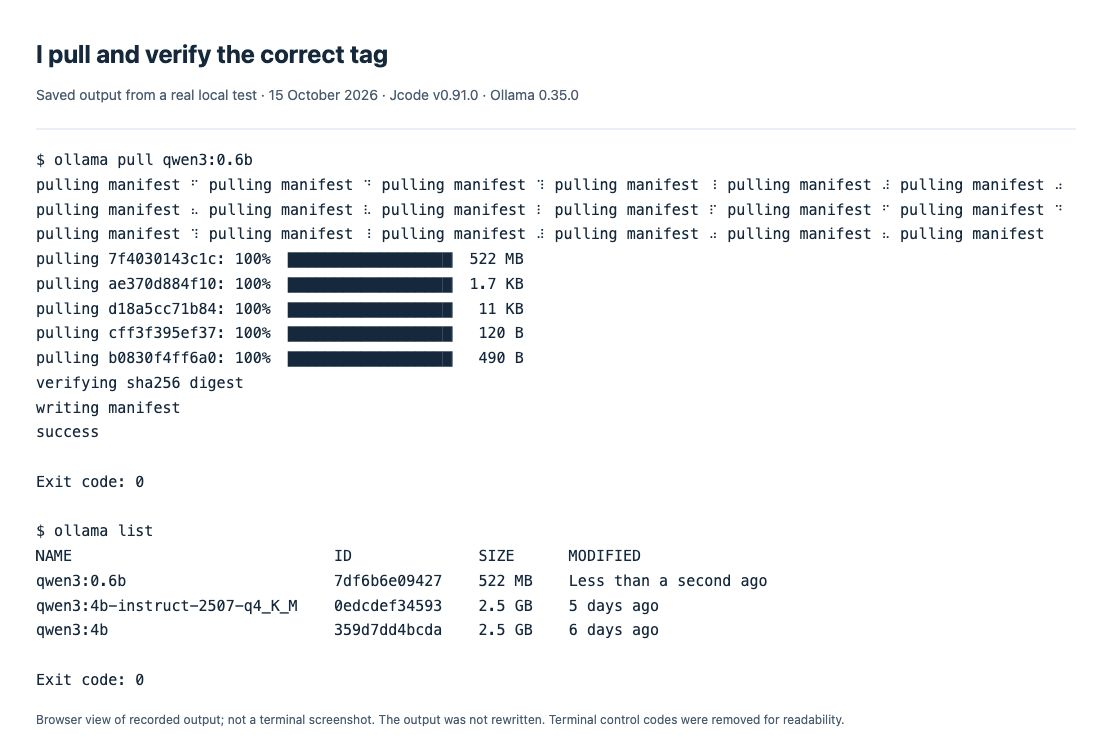
Read the exact recorded output
$ ollama pull qwen3:0.6b
pulling manifest ⠋ pulling manifest ⠙ pulling manifest ⠹ pulling manifest ⠸ pulling manifest ⠼ pulling manifest ⠴ pulling manifest ⠦ pulling manifest ⠧ pulling manifest ⠇ pulling manifest ⠏ pulling manifest ⠋ pulling manifest ⠙ pulling manifest ⠹ pulling manifest ⠸ pulling manifest ⠼ pulling manifest ⠴ pulling manifest ⠦ pulling manifest
pulling 7f4030143c1c: 100% ▕██████████████████▏ 522 MB
pulling ae370d884f10: 100% ▕██████████████████▏ 1.7 KB
pulling d18a5cc71b84: 100% ▕██████████████████▏  11 KB
pulling cff3f395ef37: 100% ▕██████████████████▏  120 B
pulling b0830f4ff6a0: 100% ▕██████████████████▏  490 B
verifying sha256 digest
writing manifest
success

Exit code: 0
Step 4 — I rerun the same prompt with the correct tag
jcode --no-update run --provider ollama --model qwen3:0.6b \
  --tool-profile none --json \
  "Reply with exactly OK and nothing else. /no_think"
The retry returned provider: ollama, model: qwen3:0.6b, text OK., and exit code 0. The original 404 was gone. The response includes a period, so I count this as successful local response transport, not exact-format obedience. Tools were disabled; this does not establish coding or file-editing quality.
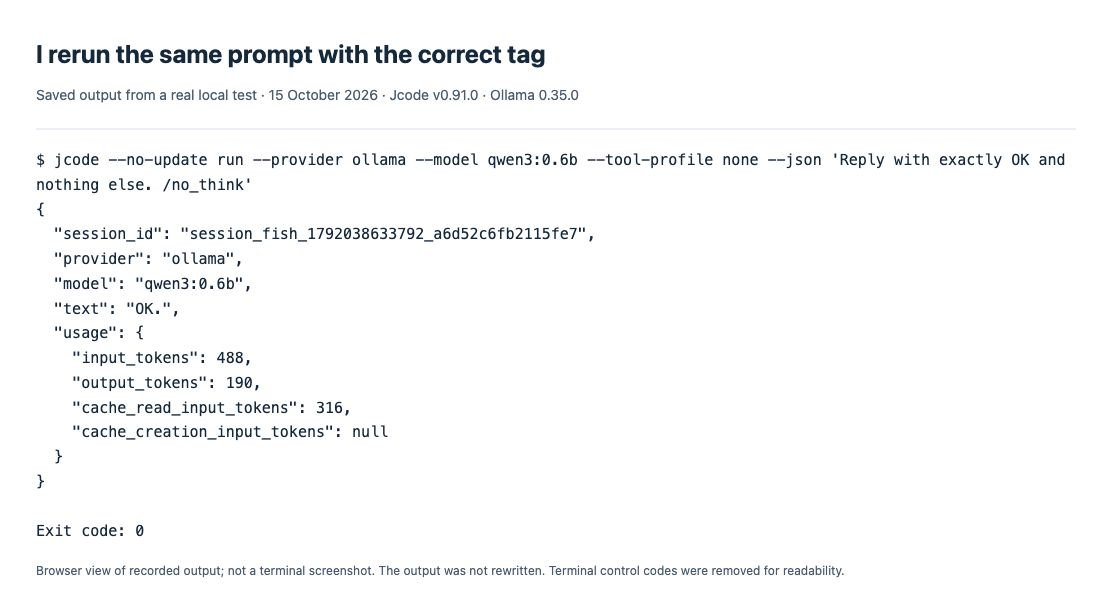
Read the exact recorded output
$ jcode --no-update run --provider ollama --model qwen3:0.6b --tool-profile none --json 'Reply with exactly OK and nothing else. /no_think'
{
  "session_id": "session_fish_1792038633792_a6d52c6fb2115fe7",
  "provider": "ollama",
  "model": "qwen3:0.6b",
  "text": "OK.",
  "usage": {
    "input_tokens": 488,
    "output_tokens": 190,
    "cache_read_input_tokens": 316,
    "cache_creation_input_tokens": null
  }
}

Exit code: 0
Download my exact test logs and original screenshots.
If I still get “not found” after a successful pull
I check the endpoint before pulling again. A different OLLAMA_HOST, port, container, service account or OLLAMA_MODELS folder can lead me to a server that cannot see the model I just installed. I inspect the configuration of the server already in use instead of starting a second competing server or copying a Linux path onto macOS.
I found a matching historical report in Ollama issue #5430: its author saw a model-not-found response after pulling, and described inconsistent model folders. A maintainer warned about mixing a manually started server with a system service under another account. That Linux report used Ollama 0.1.48; I have not reproduced that environment.

Research sources: the original model-path report and maintainer response; Ollama’s HTTP error reference; Ollama’s pull and list commands. I captured the relevant error text because the report did not include a useful attached error image.
Different symptom? A refused connection means I first check the running server and address. A failure while pulling a manifest means I check the published tag and registry access. Neither is the same as the reachable server returning the model-specific 404 reproduced above. I use the errors hub entry to compare symptoms.
Other errors to distinguish
| Symptom | Next check |
|---|---|
| Cannot connect / connection refused | Keep the Ollama app or ollama serve running, then check /api/version. This is a service or endpoint problem, not proof that a model tag is wrong. |
| 404 / model not found | Match --model to ollama list on the server Jcode actually uses. |
| Credentials saved, tool_smoke failed | Inspect the tool result separately from provider_smoke. Use a model that can complete the required tool loop, then rerun Jcode’s validation. Do not label a response-only test as successful tool use. |
| Downloaded model advertises a large context, but earlier turns are lost | Check ollama ps for the serving context. Our model advertised 40960 tokens but was served at 4096. Raising the server context consumes more memory; no larger-context test was run on this 8 GiB Mac. |
Test scope and screenshot integrity
The original setup tests ran on 06 October 2026 using a separately downloaded, SHA-256-verified official Jcode release. The missing-model section above was retested on 15 October 2026. Jcode settings, runtime state and project work were redirected to generic disposable test folders; Ollama model files were stored in a separate test directory through OLLAMA_MODELS. The existing Homebrew Jcode executable was not replaced. The published Jcode captures explicitly disabled telemetry. Ollama cloud access was disabled. No hosted model was used.
Screenshots in the earlier setup steps show recorded command transcripts, not a live terminal UI. Their original PNG captures are retained, and their published lossless WebP copies were checked pixel-for-pixel against them. Those earlier images use rectangle overlays; clicking opens their untouched WebP. The retested missing-model section uses original browser captures with arrows entirely outside the images, plus a downloadable evidence bundle. Complete output is available as selectable text. Tests cover macOS, local responses, the captured login-validation failure and a missing-model recovery; Windows, Linux and reliable coding-tool execution were not established.
I use the Jcode provider comparison and setup hub to check the account route, exact model and alternatives before switching providers.