Choose Jcode for built-in Swarm coordination and semantic memory. Choose Pi when you want to shape an agent through TypeScript extensions or embed it in your own application. MCP is now available in both. The more useful question is how each tool behaves with your model and task.
Updated and tested · Jcode 0.94.0 · Pi 1.1.0
@earendil-works/pi-coding-agent, has built-in MCP support, and offers an installer alongside npm. The older Pi 0.62.0 memory and startup figures do not describe the versions tested here.Real coding results with the same local model
Both agents received an unimplemented Python slugify function, the same instructions and nine fixed test methods. The function had to normalize accents, lowercase ASCII text, collapse punctuation and whitespace into hyphens, keep digits, supply an empty-result fallback, and reject non-string inputs. Each started from a fresh repository; only slug.py could change.
Both used local Ollama qwen3:4b-instruct-2507-q4_K_M. We warmed the model before each run and independently ran the original tests afterward. A CLI exit code of zero did not count as success.
| Measured result | Jcode 0.94.0 | Pi 1.1.0 |
|---|---|---|
| Original acceptance tests | 0 of 9 passed | 9 of 9 passed |
| Observed process duration | 181.18 seconds | 300.39 seconds |
| CLI exit code | 0 | 143 |
| Reached 300 second limit | No | Yes |
| Test and instruction files unchanged | Yes | Yes |
| Source changes | None | slug.py |
| Allowed file scope respected | Yes | Yes |
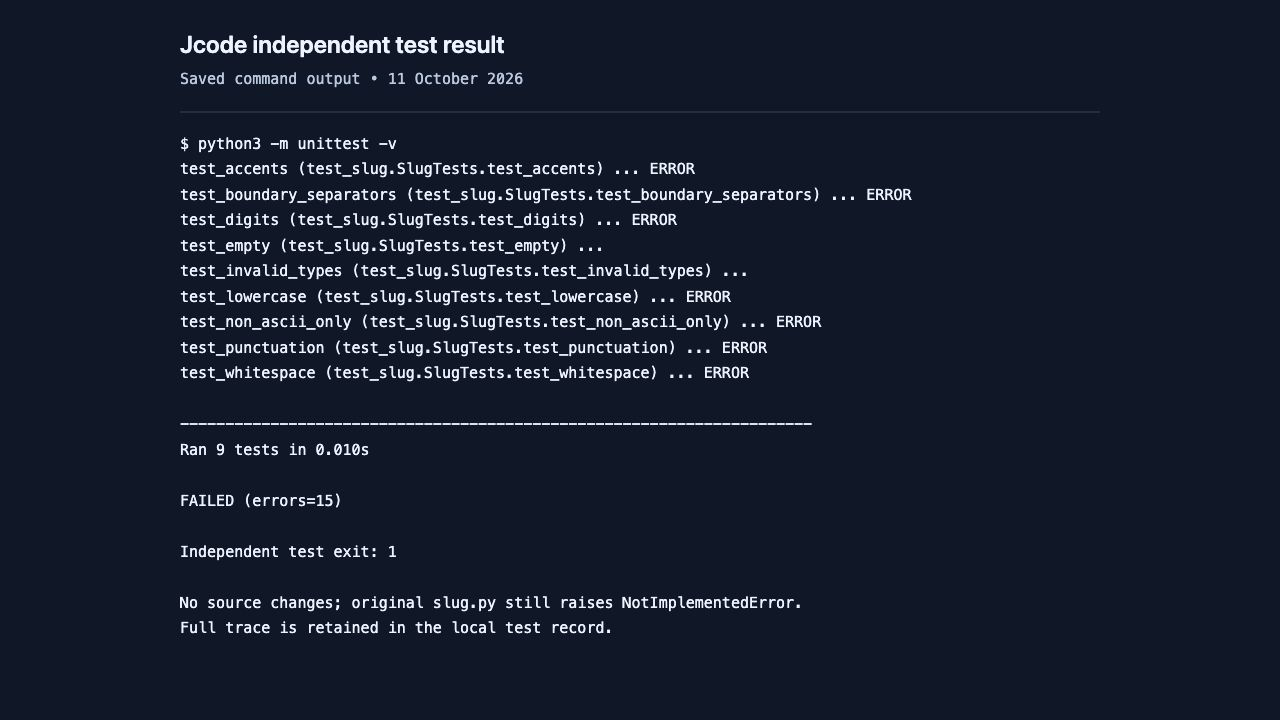
Pi wins the code-acceptance check in this trial: all nine original tests passed. Jcode left the fixture unimplemented. Pi was still running at the 300 second limit and was stopped, so it did not complete a normal CLI exit. These are single observations with one small local model, not a reliability rate or a ranking of every supported model.
Read this evidence as selectable text
$ python3 -m unittest -v
test_accents (test_slug.SlugTests.test_accents) ... ERROR
test_boundary_separators (test_slug.SlugTests.test_boundary_separators) ... ERROR
test_digits (test_slug.SlugTests.test_digits) ... ERROR
test_empty (test_slug.SlugTests.test_empty) ...
test_invalid_types (test_slug.SlugTests.test_invalid_types) ...
test_lowercase (test_slug.SlugTests.test_lowercase) ... ERROR
test_non_ascii_only (test_slug.SlugTests.test_non_ascii_only) ... ERROR
test_punctuation (test_slug.SlugTests.test_punctuation) ... ERROR
test_whitespace (test_slug.SlugTests.test_whitespace) ... ERROR

----------------------------------------------------------------------
Ran 9 tests in 0.010s

FAILED (errors=15)

Independent test exit: 1

No source changes; original slug.py still raises NotImplementedError.
Full trace is retained in the local test record.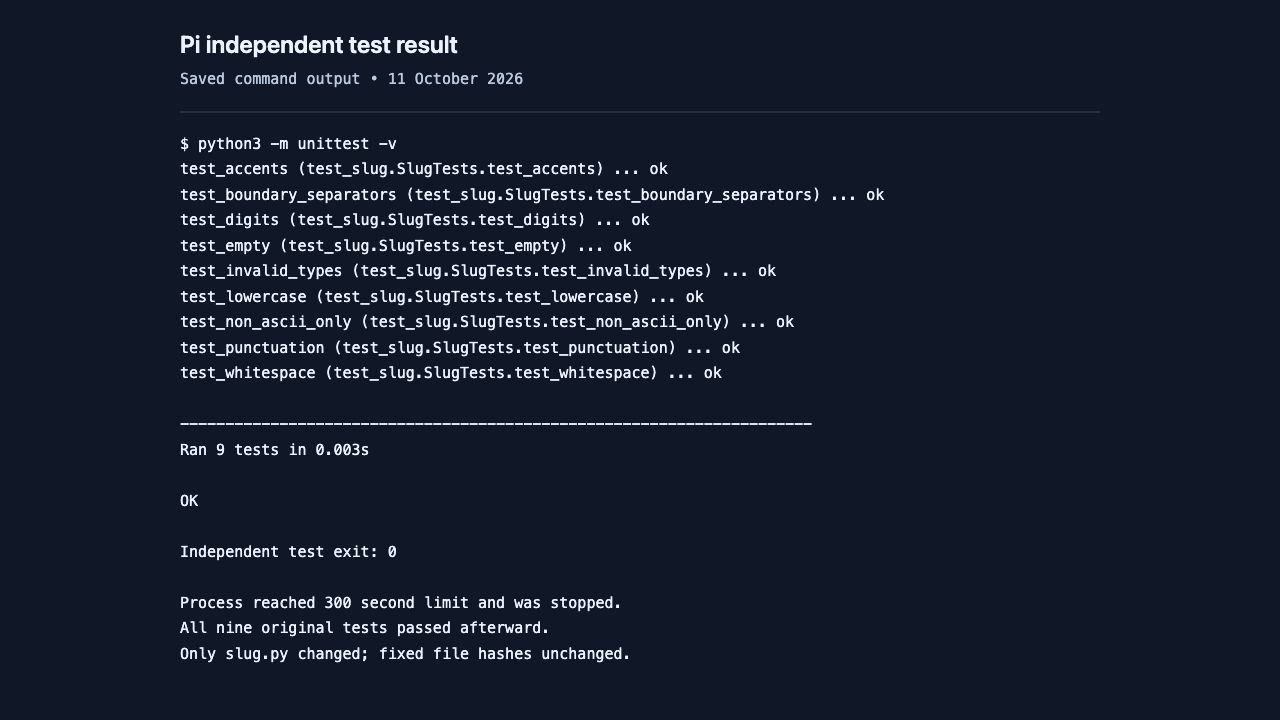
Read this evidence as selectable text
$ python3 -m unittest -v
test_accents (test_slug.SlugTests.test_accents) ... ok
test_boundary_separators (test_slug.SlugTests.test_boundary_separators) ... ok
test_digits (test_slug.SlugTests.test_digits) ... ok
test_empty (test_slug.SlugTests.test_empty) ... ok
test_invalid_types (test_slug.SlugTests.test_invalid_types) ... ok
test_lowercase (test_slug.SlugTests.test_lowercase) ... ok
test_non_ascii_only (test_slug.SlugTests.test_non_ascii_only) ... ok
test_punctuation (test_slug.SlugTests.test_punctuation) ... ok
test_whitespace (test_slug.SlugTests.test_whitespace) ... ok

----------------------------------------------------------------------
Ran 9 tests in 0.003s

OK

Independent test exit: 0
Pi initially used a separator pattern that did not collapse runs. It read the failing test output, corrected the pattern, and ran the tests successfully. After the runner stopped its still-active process at the deadline, independent validation confirmed the same passing result. Only slug.py changed. The elapsed durations above are not a comparison of two successfully completed tasks.
Why the Jcode result failed
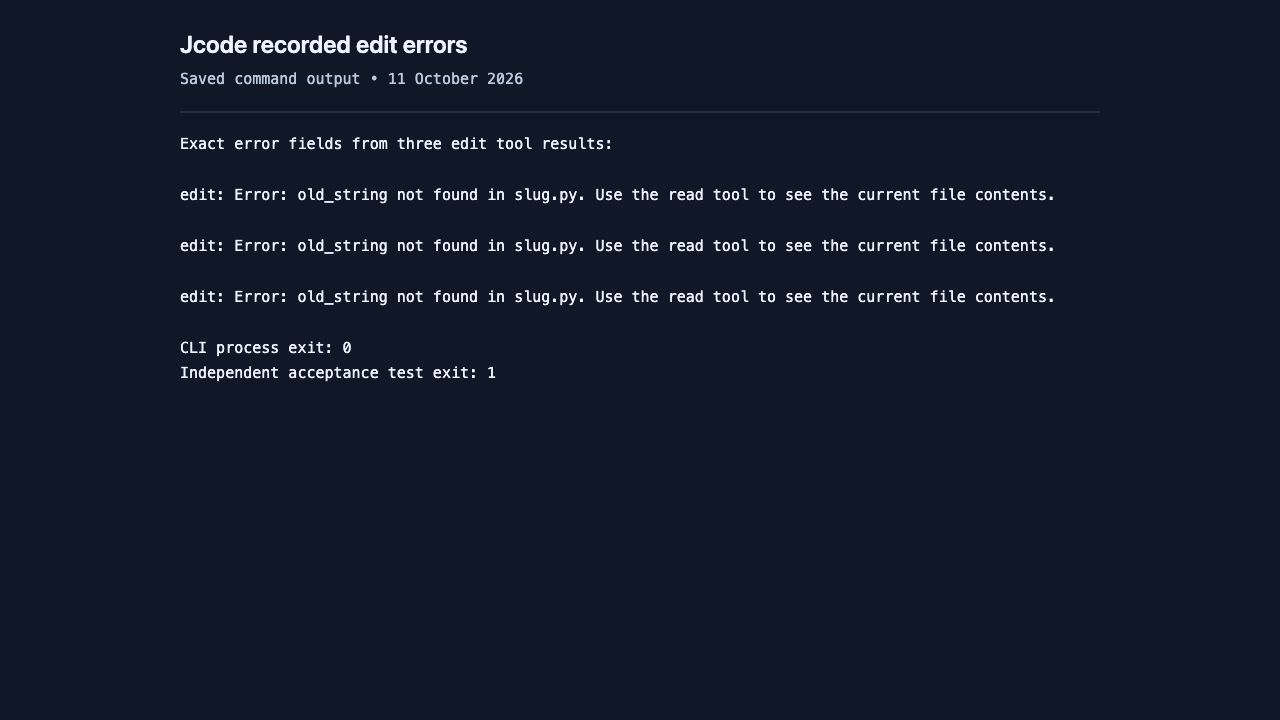
Jcode attempted three edit calls. Each returned old_string not found in slug.py. It read the file again, but the completed transcript contained no successful edit or test command. The source still raised NotImplementedError. The independent runner reported nine test methods with 15 errors, including subcases. Its normal process exit meant the conversation ended, not that the implementation worked.
Read this evidence as selectable text
Exact error fields from three edit tool results:

edit: Error: old_string not found in slug.py. Use the read tool to see the current file contents.

edit: Error: old_string not found in slug.py. Use the read tool to see the current file contents.

edit: Error: old_string not found in slug.py. Use the read tool to see the current file contents.

CLI process exit: 0
Independent acceptance test exit: 1
Current Jcode and Pi differences
The feature differences below describe the official projects and our recorded CLI checks. The coding trial tested only file reading, editing and shell use; it did not test Swarm quality, automatic memory recall or a browser workflow.
| Your requirement | Jcode | Pi |
|---|---|---|
| Agent architecture | Rust executable; shared server for coordinated sessions | Extensible harness with a TypeScript SDK |
| MCP connections | Built-in MCP configuration and tools | Built-in MCP over stdio and streamable HTTP |
| Multiple coordinated agents | Native Swarm tools | Add a package or custom implementation |
| Recall across conversations | Semantic memory graph and recall | Saved sessions, branching and compaction; these are distinct from automatic semantic recall |
| Browser work | Built-in browser tool; bridge setup still required | Integrate a browser through MCP or extensions |
| Default coding tools | Larger tool set, configurable through an allowlist | read, bash, edit and write enabled by default; additional built-ins are available |
| Custom workflows | Configurable providers, skills and tools | TypeScript extensions, packages, prompt templates and SDK |
| Install choices | Official script, Homebrew or release archive | Official installer, npm, Nix or standalone release archive |
Jcode’s versioned README describes its memory, Swarm and browser tools. Pi’s versioned overview describes its extensions, SDK and intentionally omitted sub-agent and plan-mode workflows. Pi’s CLI reference distinguishes the four default tools from other built-ins.
MCP is supported by both
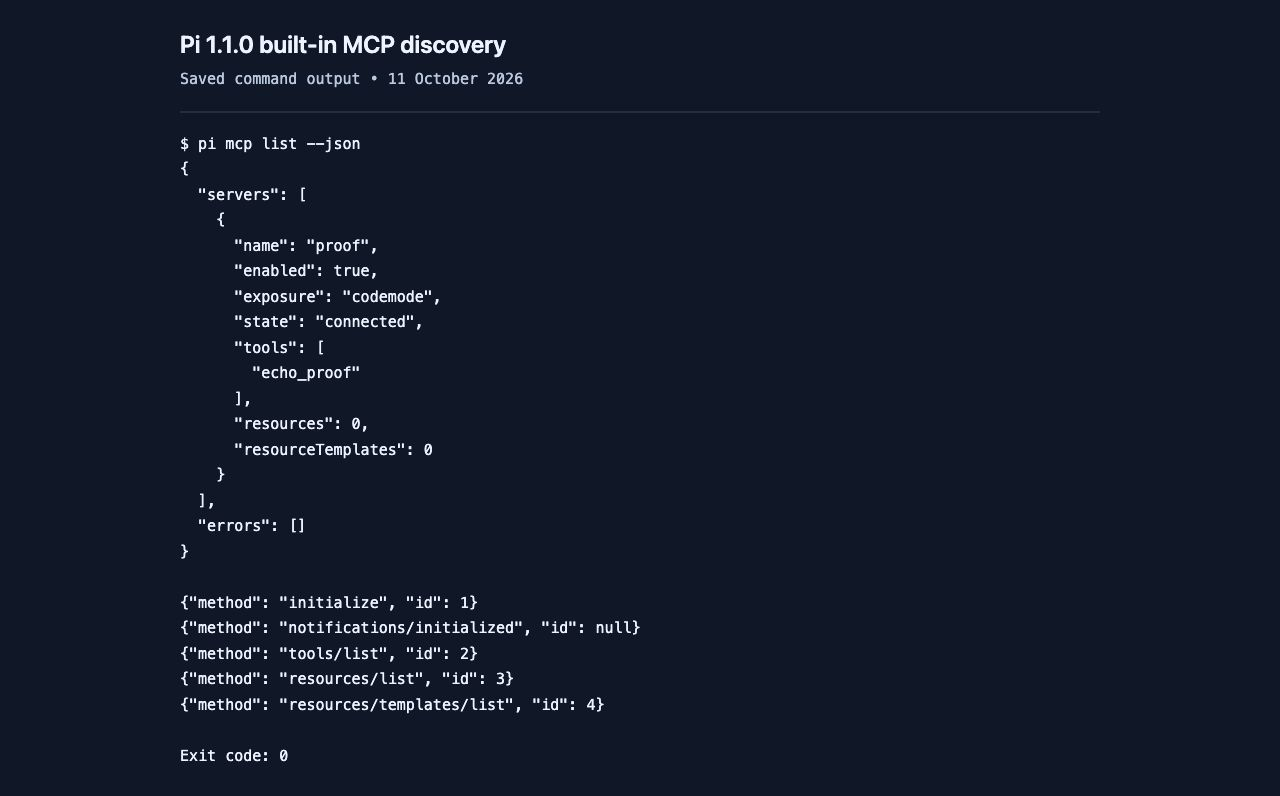
Pi 1.1.0 connected to our local read-only stdio fixture, discovered echo_proof, and reported no connection errors. Its pi mcp list --json command exited zero. The protocol log records initialization and tool discovery; no model was asked to invoke that tool.
Read this evidence as selectable text
$ pi mcp list --json
{
  "servers": [
    {
      "name": "proof",
      "enabled": true,
      "exposure": "codemode",
      "state": "connected",
      "tools": [
        "echo_proof"
      ],
      "resources": 0,
      "resourceTemplates": 0
    }
  ],
  "errors": []
}

{"method": "initialize", "id": 1}
{"method": "notifications/initialized", "id": null}
{"method": "tools/list", "id": 2}
{"method": "resources/list", "id": 3}
{"method": "resources/templates/list", "id": 4}

Exit code: 0
Jcode also completed the fixture’s initialization and tools/list exchange, as recorded by the fixture server. Its debug status nevertheless continued to list no connected servers. We therefore report protocol discovery, rather than claiming an equivalent healthy persistent-connection check. Neither fixture check validates a hosted server, OAuth login, or every tool schema.
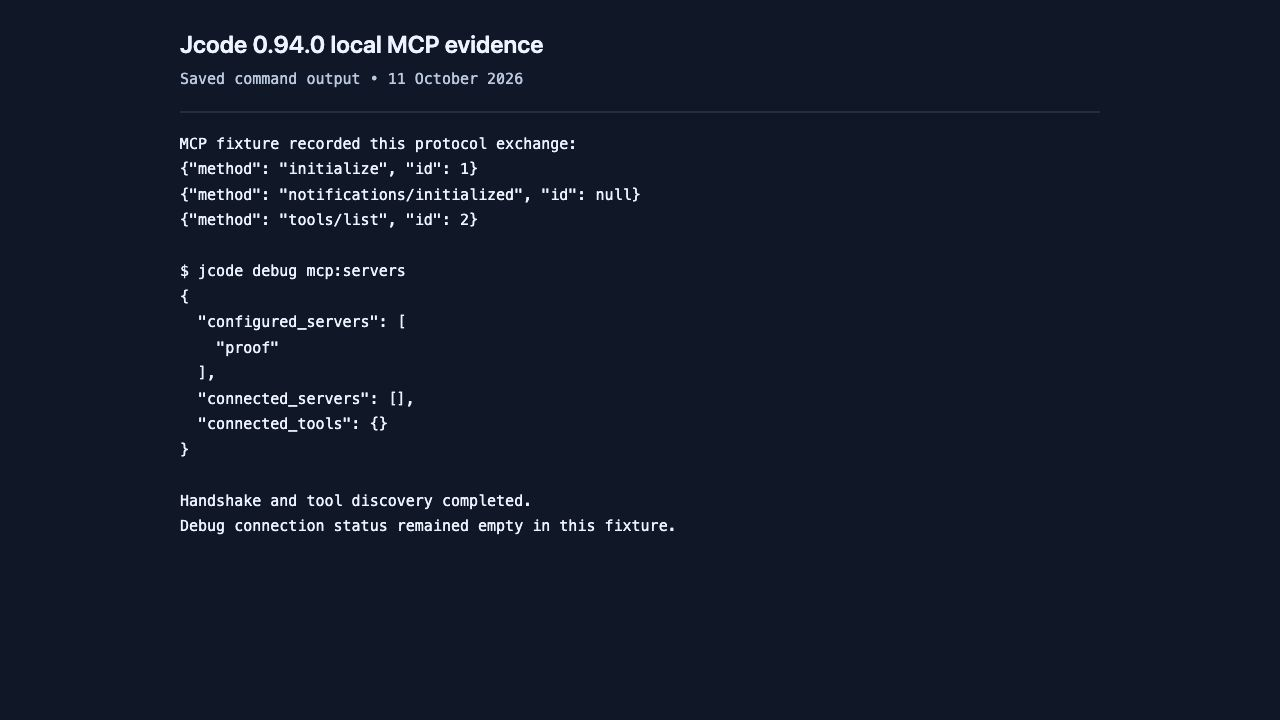
Read this evidence as selectable text
MCP fixture recorded this protocol exchange:
{"method": "initialize", "id": 1}
{"method": "notifications/initialized", "id": null}
{"method": "tools/list", "id": 2}

$ jcode debug mcp:servers
{
  "configured_servers": [
    "proof"
  ],
  "connected_servers": [],
  "connected_tools": {}
}

Handshake and tool discovery completed.
Debug connection status remained empty in this fixture.
Pi no longer needs a third-party MCP package for this connection. See the official Pi MCP setup. For Jcode configuration and troubleshooting, follow our Jcode MCP guide.
Installation and version checks
For Jcode, follow the Mac, Linux and Windows installation guide, then confirm jcode --version. Our official macOS archive reported jcode v0.94.0 (b6c63ff04).
Pi’s current npm package is @earendil-works/pi-coding-agent. Its npm installation requires Node.js 22.19 or newer. The official installer can install Node if needed, and a standalone release archive is also available. A separate Node installation is therefore not required for every Pi installation route. The official migration notice explains the retired @mariozechner scope.
# Pi through npm; requires Node.js 22.19 or newer
npm install -g --ignore-scripts @earendil-works/pi-coding-agent
pi --version

# Alternative official macOS and Linux installer
curl -fsSL https://pi.dev/install.sh | sh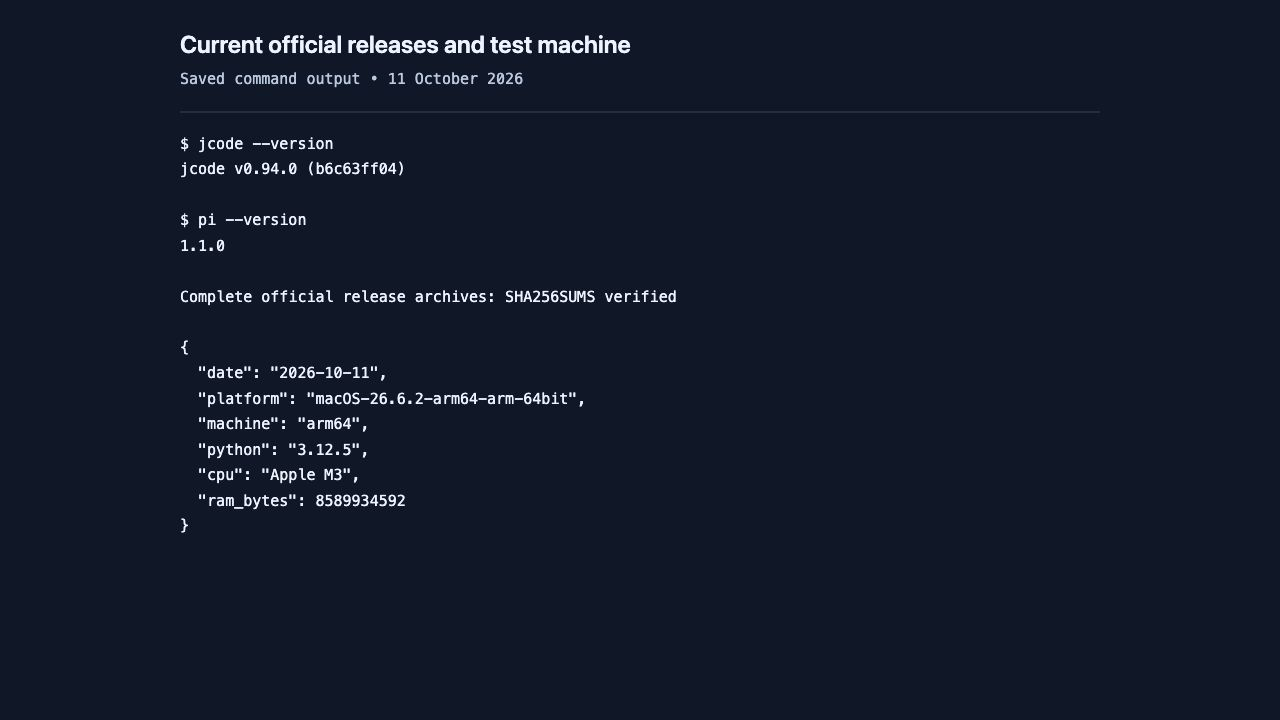
Read this evidence as selectable text
$ jcode --version
jcode v0.94.0 (b6c63ff04)

$ pi --version
1.1.0

Complete official release archives: SHA256SUMS verified

{
  "date": "2026-10-11",
  "platform": "macOS-26.6.2-arm64-arm-64bit",
  "machine": "arm64",
  "python": "3.12.5",
  "cpu": "Apple M3",
  "ram_bytes": 8589934592
}
Command launch timing and the older benchmarks
We measured ten --version invocations per current release after one warmup, alternating the tool order between pairs. This checks command invocation overhead. It does not measure an interactive screen’s first frame, readiness to accept typing, or how fast an AI task completes.
| Version command | Jcode | Pi |
|---|---|---|
| Median elapsed | 7.51 ms | 179.00 ms |
| Observed range | 6.49–8.46 ms | 176.43–193.19 ms |
The older page’s memory and interactive-startup charts used Jcode v0.9.1888-dev and Pi 0.62.0 on a Linux machine. They were developer-published measurements. They remain historical context in Jcode’s benchmark documentation, but they cannot establish current Pi 1.1.0 memory use. We have removed them from the current winner argument. This macOS test does not supply Linux PSS or ten-session memory measurements.
Reproduce the local coding check
Use the exact release versions above, prepare a small repository with fixed tests, and give both agents the same task. Install Ollama and download the same model first. Our Jcode with Ollama guide explains the provider setup and tool-use checks.
ollama pull qwen3:4b-instruct-2507-q4_K_M

# Start the service in one terminal
OLLAMA_NO_CLOUD=1 OLLAMA_NUM_PARALLEL=1 OLLAMA_MAX_LOADED_MODELS=1 OLLAMA_CONTEXT_LENGTH=16384 OLLAMA_FLASH_ATTENTION=1 OLLAMA_KV_CACHE_TYPE=q8_0 ollama serve
# Jcode, from a fresh copy of your test repository
jcode run --provider ollama \
--model qwen3:4b-instruct-2507-q4_K_M --no-update \
--tools read,bash,edit,write --ndjson "YOUR TASK"
# Pi, after configuring the local endpoint below
pi --provider ollama --model qwen3:4b-instruct-2507-q4_K_M \
--thinking off --offline --no-session --no-extensions \
--no-skills --no-prompt-templates --tools read,bash,edit,write \
--mode json "THE SAME TASK"
# Independently check each repository afterward
python3 -m unittest -v
git diff --name-onlyFor Pi, add this provider to models.json in a separate test agent directory. Point PI_CODING_AGENT_DIR at that directory. The literal ollama key is a local placeholder, not a hosted credential.
{
  "providers": {
    "ollama": {
      "baseUrl": "http://127.0.0.1:11434/v1",
      "api": "openai-completions",
      "apiKey": "ollama",
      "models": [{
        "id": "qwen3:4b-instruct-2507-q4_K_M",
        "reasoning": false,
        "input": ["text"],
        "contextWindow": 16384,
        "maxTokens": 4096
      }]
    }
  }
}
Use separate configuration and work folders for each run, warm the local model before timing, cap each trial at 300 seconds, preserve its output, and run the original tests independently. Set Jcode’s test config.toml to memory=false and swarm=false under [features]. Configuration isolation does not create an operating-system sandbox.
Read the exact task prompt
Implement slugify in slug.py according to its existing docstring. Read test_slug.py for the interface and edge cases. Modify only slug.py; do not change tests or AGENTS.md. Use only standard-library Python and local files; no network, installations, model changes or delegation. Run python3 -m unittest -v and report the actual result. Do not claim success unless all original tests pass.Test conditions and limits
The machine was an Apple M3 Mac with 8 GiB unified memory, macOS 26.6.2 arm64, Python 3.12.5 and Ollama 0.35.0. Trials ran in order, Jcode then Pi, with one model inference slot and 16384 server context. Jcode memory and Swarm were disabled; Pi extensions, skills and prompt templates were disabled for the coding test. Both received only read, bash, edit and write tools. Their native prompts, schemas and API adapters still differed.
The initial Jcode run was interrupted when the conversation was interrupted and the local service stopped. That partial run is excluded. Both scored trials restarted from fresh fixtures with the unchanged prompt and tests. No hosted-model credentials or paid inference were used. One trial per tool cannot establish a failure rate, an overall speed ranking or a security comparison.
Evidence images are browser screenshots of saved output rendered for readability, with captions outside the images. They are not interactive terminal recordings. Personal workspace paths are replaced with generic path labels; measured values, error text and independent test outcomes remain unchanged.
See Jcode Swarm in action
This official Jcode demonstration shows the coordinated-agent workflow behind Jcode’s feature advantage. It is supplied by the project; it is not a recording of our slugify trial or a current comparative speed benchmark. For tested setup steps and limits, use the Jcode Swarm walkthrough.
Open the official video if your browser cannot play the embedded slot.
Which tool should you choose
Choose Jcode when you want native Swarm coordination or automatic semantic memory, then validate those capabilities with your provider. Start with Jcode commands, configure one model, and run a task with tests before enabling a larger workflow.
Choose Pi when your work calls for custom TypeScript extensions, reusable packages or SDK integration. MCP availability is no longer a reason to reject Pi. Check its project-trust and tool-permission behavior before running unfamiliar project resources; project trust is distinct from approval of individual tool calls.
For the local-model task shown here: Pi wins the code-acceptance check in this trial: all nine original tests passed. Jcode left the fixture unimplemented. Pi was still running at the 300 second limit and was stopped, so it did not complete a normal CLI exit. Run the same fixture with your intended model before treating that observation as a buying or migration decision.
Considering a different agent? Compare the separate tested workflows in Jcode vs Codex CLI and Jcode vs OpenCode.