The Jcode covered on this site is the Rust coding agent maintained at 1jehuang/jcode. Start with that repository to find the release you need, report a reproducible issue, read the implementation docs, or build your own copy.
Choose the official resource for your task
| I want to… | Open this | What to check |
|---|---|---|
| Understand the project | Repository | README, owner and default branch |
| Download a stable build | Latest stable release | Version tag, notes, OS/architecture and assets |
| Compare older versions | All releases | Release history and per-release notes |
| Find or report a bug | Issues | Search existing reports before opening a new one |
| Follow proposed changes | Pull requests | Status, linked issue and checks |
| Use Jcode | Official docs | Install, providers and configuration |
| Read implementation details | Repository docs | Architecture and platform-specific files |
| Prepare a contribution | Contributing guide | Current issue and PR requirements |
1. Read the repository without getting lost
On the repository’s Code tab, use the branch selector to see which source tree you are reading. The checked default branch is master. Its newest commit and the latest stable release are different references; a recent commit does not by itself mean there is a newer published release.
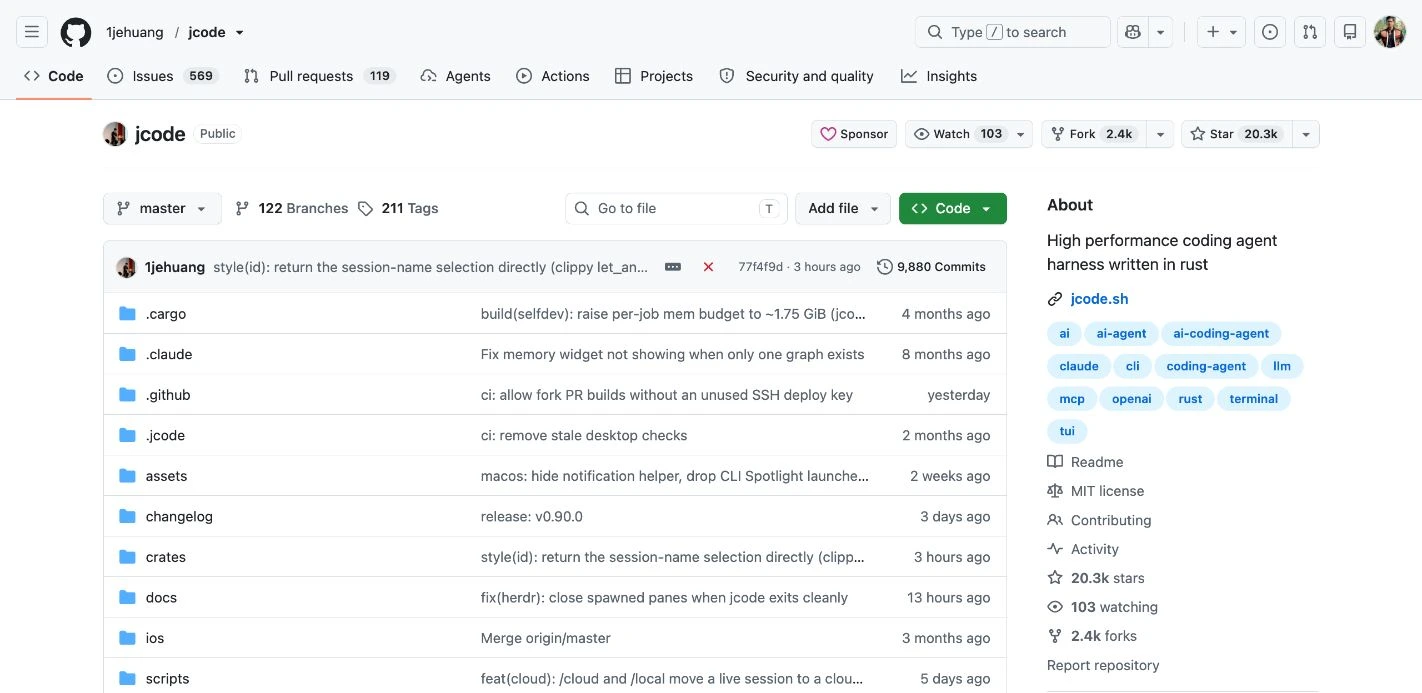
- README: installation and entry points into the project.
- src/ and crates/: the Rust implementation and component crates.
- scripts/: install, uninstall, development and release helpers.
- docs/: implementation and operating-system notes.
- tests/: test sources; their presence alone does not prove a particular build passed.
- Cargo.toml and Cargo.lock: Rust package/workspace definitions and locked dependency resolution.
For a reproducible reference, open the file at a release tag or commit rather than assuming the moving default branch will stay unchanged. The source revision checked for this guide was 77f4f9d50bb4.
2. Verify the latest stable version against your installed build
Open the latest stable release. At this check it resolved to v0.90.0, published 01 October 2026. Use the live latest-release link each time you check; the version recorded in this guide is a dated observation.
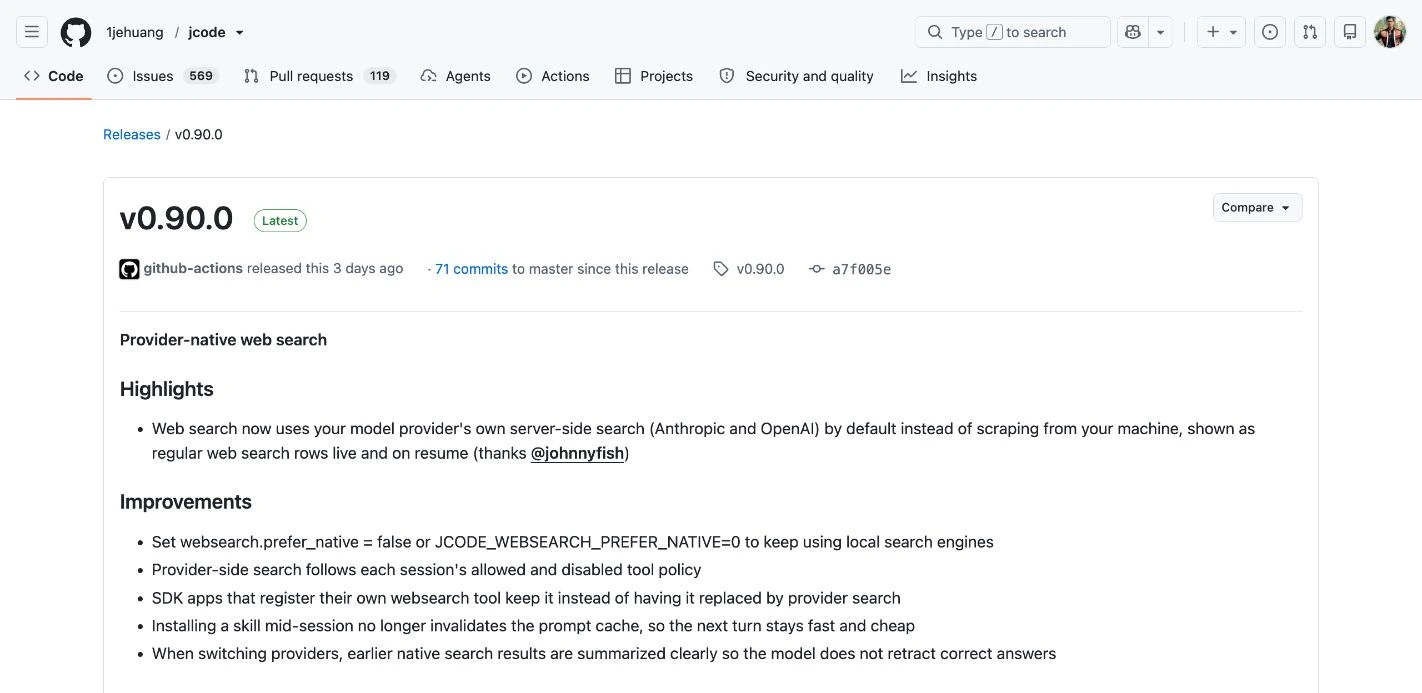
Then inspect your local executable. These commands do not call a model:
jcode --version
jcode version --json
For a scriptable upstream check, fetch GitHub’s public release metadata:
curl -fsSL https://api.github.com/repos/1jehuang/jcode/releases/latestRead tag_name, published_at and html_url. If GitHub returns a rate-limit error, use the browser release page instead of treating an empty response as a version.
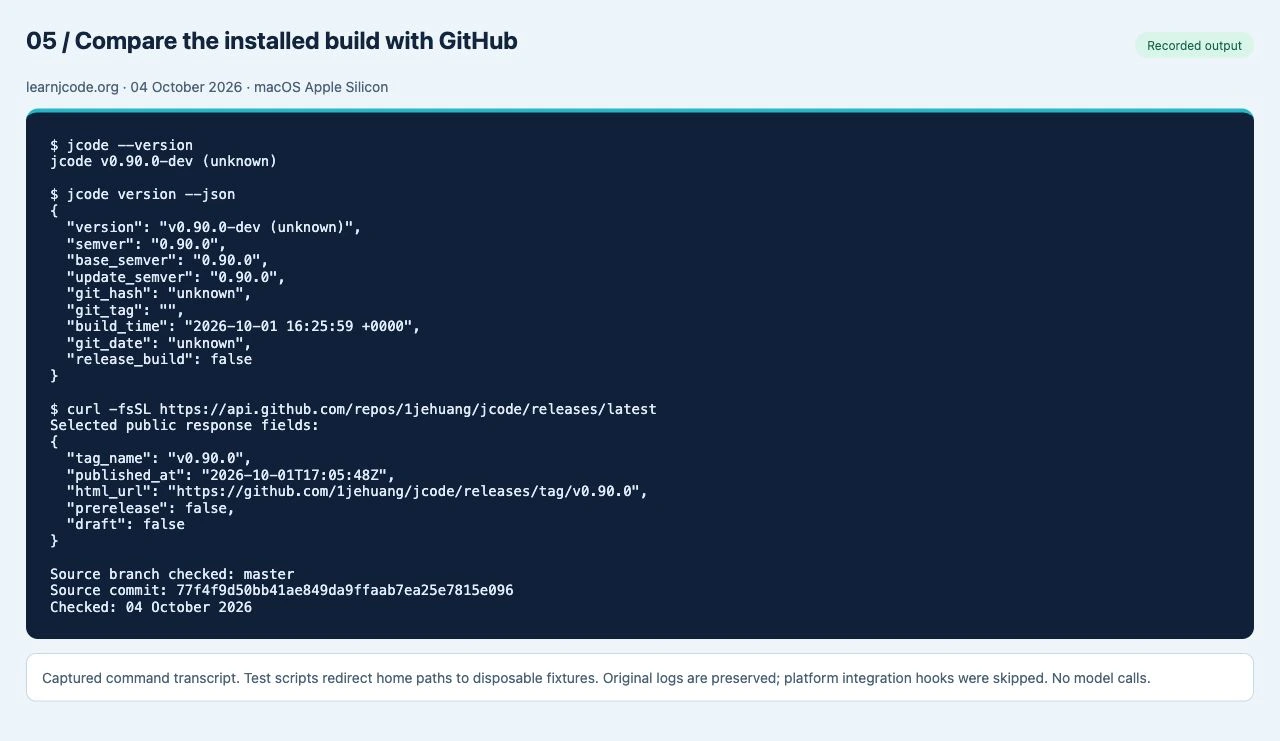
v0.90.0 (a7f005e8c).Read the recorded command output
$ jcode --version
jcode v0.90.0-dev (unknown)

$ jcode version --json
{
  "version": "v0.90.0-dev (unknown)",
  "semver": "0.90.0",
  "base_semver": "0.90.0",
  "update_semver": "0.90.0",
  "git_hash": "unknown",
  "git_tag": "",
  "build_time": "2026-10-01 16:25:59 +0000",
  "git_date": "unknown",
  "release_build": false
}

$ curl -fsSL https://api.github.com/repos/1jehuang/jcode/releases/latest
Selected public response fields:
{
  "tag_name": "v0.90.0",
  "published_at": "2026-10-01T17:05:48Z",
  "html_url": "https://github.com/1jehuang/jcode/releases/tag/v0.90.0",
  "prerelease": false,
  "draft": false
}

Source branch checked: master
Source commit: 77f4f9d50bb41ae849da9ffaab7ea25e7815e096
Checked: 04 October 2026
Do not compare a -dev version string as though it were a stable release identity. Use the JSON build information, source revision where available, and release tag together. An unknown hash cannot establish the exact source commit.
Choose the correct release asset
Expand Assets and match both operating system and CPU architecture. Examples present on the checked release include jcode-macos-aarch64.tar.gz for Apple Silicon, jcode-macos-x86_64.tar.gz for Intel Macs, and architecture-specific Linux and Windows downloads. The Source code archives contain source, not a ready-to-run application.
For a manual download, compare its hash against that same release’s SHA256SUMS. Our installer test verified the Apple Silicon archive before installing it. Do not mix a checksum file from one release with an asset from another.
For platform-specific installation steps, follow the Jcode installation guide after choosing the correct release asset.
If you decide to update
Use the method that owns your selected executable. For an official installer copy, the documented terminal command is jcode update; the TUI also offers /update. For a Homebrew copy, use Homebrew:
brew update
brew upgrade jcode
jcode --version
These update instructions were reviewed, not executed on the active installation. Development builds can be retained under the project’s update policy; an unchanged dev version is not automatically an update failure.
If replacing a broken installation, use the tested uninstall and reinstall path to check which files removal retains before resetting data.
3. Search issues, then report a reproducible problem
Open the official issue tracker and search for your error message and operating system. Read any matching issue’s status and workaround before creating a duplicate.
If you need a new report, collect:
- Jcode version output and installation method.
- Operating system, CPU architecture, shell and terminal.
- The smallest command or sequence that reproduces the problem.
- What you expected and what actually happened.
- Relevant output or a screenshot with credentials and private project details removed.
Use the contributing guide for current expectations. It asks contributors to link a pull request to an existing issue; discuss a large change in an issue before building it. Open pull requests to inspect a proposed fix, and check whether it has merged and appeared in a release before assuming it is installed on your machine.
4. Use the right documentation level
Use the official user docs for everyday setup. For deeper questions, use the repository’s docs directory. Relevant entry points include Windows notes, wrappers and shell integration and server architecture. Choose docs from the release tag when troubleshooting version-specific behavior.
For a practical first session, follow the Jcode usage walkthrough. During a session, consult the commands and keyboard shortcuts reference alongside the official docs for your version.
5. Build from the official source
A source build needs Git, a current Rust toolchain with Cargo, and a working platform linker/build environment. Windows builds may need the C++ build tools described in the official Windows notes. Follow the source-build instructions for changing prerequisites.
The following sequence builds the checked stable tag instead of the moving default branch:
git clone https://github.com/1jehuang/jcode.git
cd jcode
git checkout v0.90.0
cargo build --release
./target/release/jcode --version
Substitute the tag you verified on the live release page if you want a newer release. To inspect the current development branch, keep master instead. The build output lives in target/release; downloading a repository ZIP does not automatically install that executable.
The project’s installation helper is:
scripts/install_release.shThe checked helper defaults to a separate release-lto build and can compile again before installing a versioned binary and launcher. On a Unix Bash environment, scripts/install_release.sh --fast selects the ordinary release profile. For Linux x86_64 development, the README additionally documents scripts/dev_cargo.sh. Read the scripts before changing a working installation.
All external resource links in this guide point to the official Jcode repository, its GitHub API endpoint or jcode.sh. Screenshots are dated navigation aids; recorded command output is available as selectable text. No model calls were used for the verification.