Tested: detection and status · 12 October 2026 · Jcode 0.95.0 · macOS Apple Silicon
Jcode is no longer Firefox-only. I verified default-browser detection with Jcode 0.95.0 and checked the v0.88.0 release notes, which introduced support for Chrome, Edge, Brave, Chromium and Safari alongside Firefox. I now check which browser Jcode selected before installing or repairing anything.
Which browsers can Jcode target?
| Browser | CLI name | My result on this Mac |
|---|---|---|
| Google Chrome | chrome | Installed; selected as the system default; bridge not responding. |
| Safari | safari | Installed; explicit selection and environment override checked; not running during status test. |
| Firefox | firefox | Supported target; not installed or tested here. |
| Microsoft Edge | edge | Supported target; not installed or tested here. |
| Brave | brave | Supported target; not installed or tested here. |
| Chromium | chromium | Supported target; not installed or tested here. |
Safari is a macOS target. I have not tested Windows or Linux in this refresh. I use “supported target” for what the versioned implementation accepts and “tested” only for the checks I actually ran.
1. I check the version I am about to run
jcode --version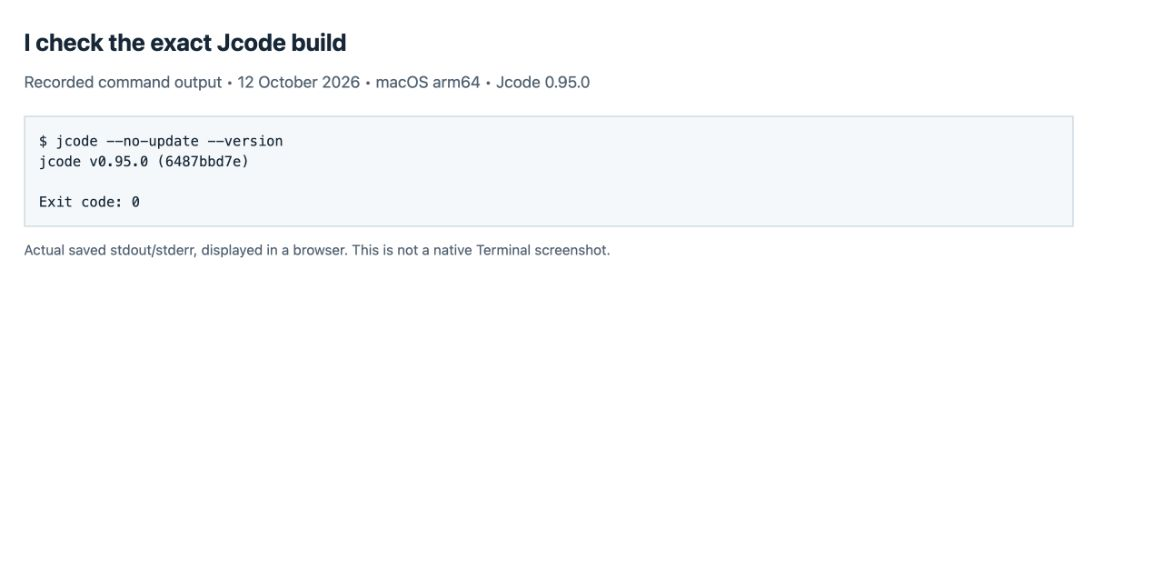
My PATH copy was an older development build. I used a separate release binary for these checks so I could record the exact version. If my result is older than 0.88, I follow the installation guide before assuming these browser choices exist.
2. I ask Jcode which browser it selected
jcode browser detect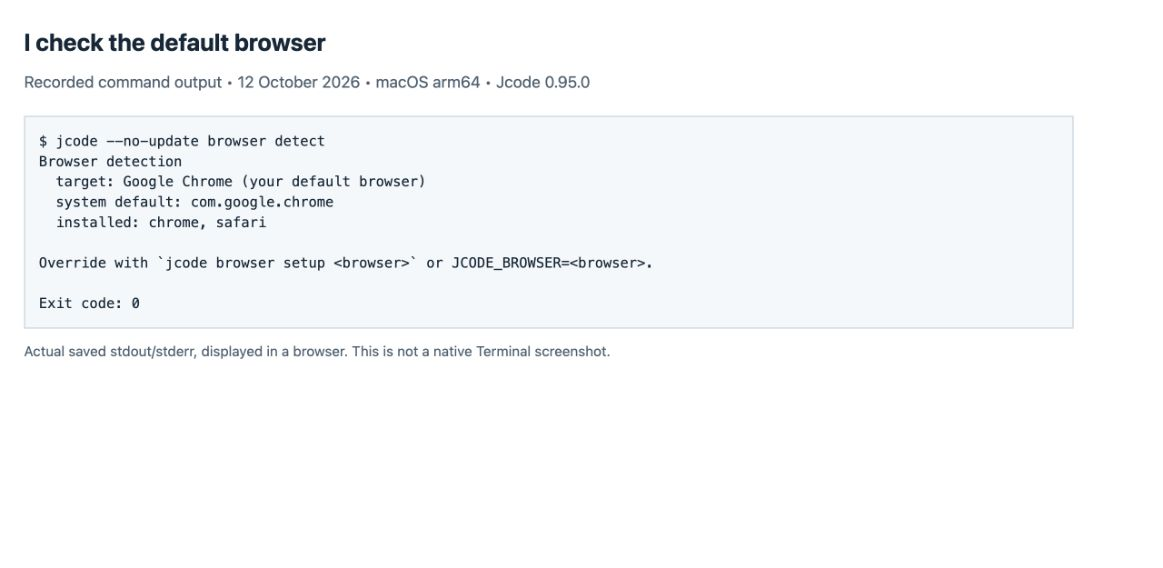
I read target first, then system default and installed. On my Mac all three lines agree that Chrome is the default and both Chrome and Safari are available. Detection alone does not prove that the extension is installed or that browser actions work.
3. I verify overrides without changing my system default
JCODE_BROWSER=safari jcode browser detect
JCODE_BROWSER=safari jcode browser detect chrome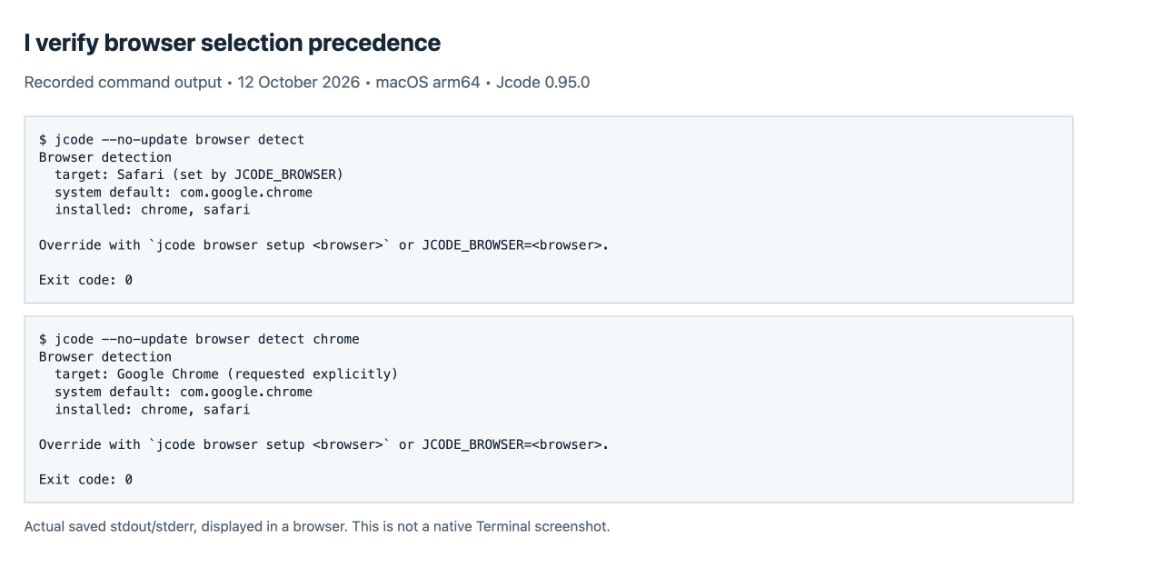
The screenshots show macOS shell syntax. I used a command-scoped environment variable, so I did not change the Mac’s default browser. In the second command I requested Chrome explicitly while the variable still requested Safari.
In 0.95.0 I checked this selection order in the versioned code: explicit browser argument → JCODE_BROWSER → saved Jcode browser preference → system default → installed-browser fallback. If no match is found, the final fallback is Firefox. This is why “always uses my system default” would also be too strong: a saved preference or override can take precedence.
4. I read readiness separately for each installed browser
jcode browser status chrome
jcode browser status safari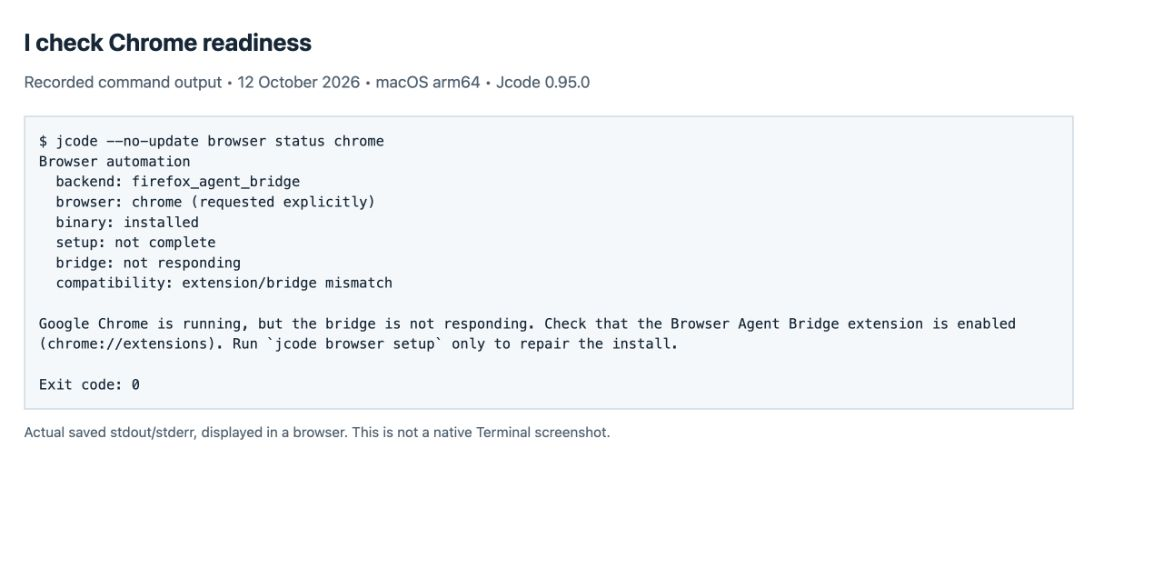
My Chrome check returned Exit code: 0 while the bridge was not responding. I treat that exit code as “the diagnostic command ran,” not “automation succeeded.” The binary: installed field refers to the bridge binary; it does not replace the installed-browser list from detect.
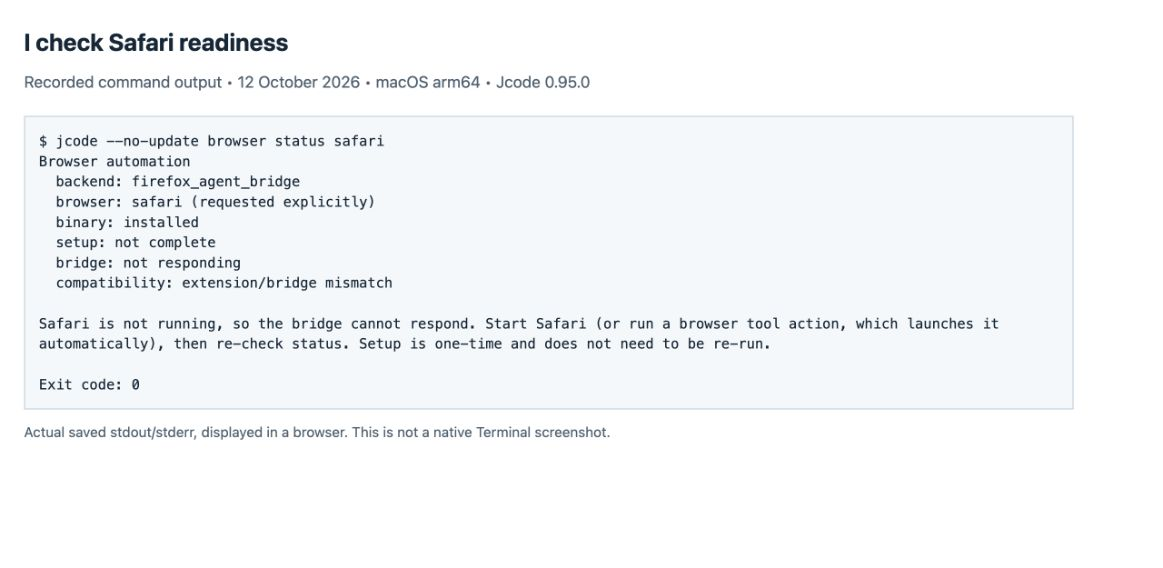
The backend still calls itself firefox_agent_bridge even when the selected browser is Chrome or Safari. I do not read that legacy backend name as a Firefox-only restriction. Likewise, when there is no live bridge response, I do not assume the printed compatibility warning alone proves which extension version is installed.
If readiness fails, I finish the browser-specific setup
I have not captured a completed extension-install flow on this Mac. These are the setup instructions I checked in the 0.95.0 implementation, not steps I am claiming to have completed. I use setup for a first installation or repair, rather than rerunning it before every browser task.
jcode browser setup
# Or choose the browser explicitly:
jcode browser setup chrome
Chrome, Edge, Brave or Chromium
I follow the folder path printed by setup. In the chosen browser’s Extensions page, Jcode instructs me to turn on Developer mode, choose Load unpacked, and select that printed Chromium-extension folder. If the bridge extension is already present, I use its reload control. I keep the browser profile that contains the extension open, then rerun its status check. I review the extension permissions myself before enabling it.
Firefox
I run jcode browser setup firefox and complete the extension prompt that setup opens. I then check jcode browser status firefox. I did not have Firefox installed for this test.
Safari
I run jcode browser setup safari only when I want Safari as the target. This route uses a Safari web extension packaged in a macOS app plus a relay host. The versioned setup checks for Xcode’s Safari extension converter. I do not treat the presence of Safari alone as a finished automation setup, and I did not complete the Xcode packaging or extension approval here.
How I would confirm a working browser session
After status is ready, I would start Jcode with my configured provider and ask for a read-only check on this site. This prompt is a next-test recipe, not a recorded passing result:
Use the browser tool to open https://learnjcode.org/ in a new tab.
Read the page heading and take a screenshot of that tab.
Report the selected browser and any browser-tool error.
Do not submit forms or change any account settings.
I would retain the browser-tool result and compare its screenshot with the page heading. Seeing Chrome open through another automation tool would not prove that Jcode’s own bridge works. I choose my model using the provider hub and keep the command reference available for the surrounding session.
My troubleshooting checklist
| What I see | What I do next |
|---|---|
| Unexpected browser selected | I compare detect output with explicit arguments, JCODE_BROWSER and any saved Jcode preference. |
| Browser is running; bridge is not responding | I check the bridge extension in that exact browser profile and rerun status. |
| Browser is not running | I open the selected browser and rerun status before interpreting compatibility. |
| Connected extension is missing required actions | I use setup to repair or update the existing bridge, then recheck status. |
| Another browser owns the bridge | I resolve the browser selection deliberately; I avoid closing unrelated user sessions automatically. |
| Exit code 0 but setup not complete | I keep the result marked not ready. A completed diagnostic is not a completed browser action. |
Test record and scope
I captured the screenshots in a browser displaying saved command output. They are real screenshots of recorded stdout/stderr, not native Terminal captures or generated interface images. I preserve the raw captures and put arrows above them. My test copy reports commit 6487bbd7e; I checked its archive against the release’s SHA-256 digest. I used isolated Jcode settings for provider tests and read the existing browser setup without changing browser permissions.
I verified that the published lossless PNG copies preserve the raw capture pixels. I also keep the original screenshot files in this ZIP, with file hashes for comparison.
I verified the v0.88.0 multi-browser release note, then checked the 0.95.0 browser-selection and setup implementation. I ran version, detection, environment-override, explicit-target and Chrome/Safari status commands on 12 October 2026. All diagnostic commands exited successfully; neither status check established a ready bridge. I removed the previous Firefox-only statements and the older unverified Windows-specific advice. I will only add a browser-action pass after completing that separate test.