Checked 12 October 2026 · Jcode 0.95.0 · macOS Apple Silicon
I separate three decisions when connecting Jcode: the provider that receives the request, the login method that grants access, and the exact model ID. A familiar model name does not tell me which service will bill the request. This hub shows the eight routes I checked and the internal guide I use for each next action.
My test boundary: I verified provider selection for seven named providers and created a custom profile. I completed fresh response-only tests for Ollama and the custom profile. I did not authenticate every cloud account, test LM Studio inference, or establish coding-tool reliability with these checks.
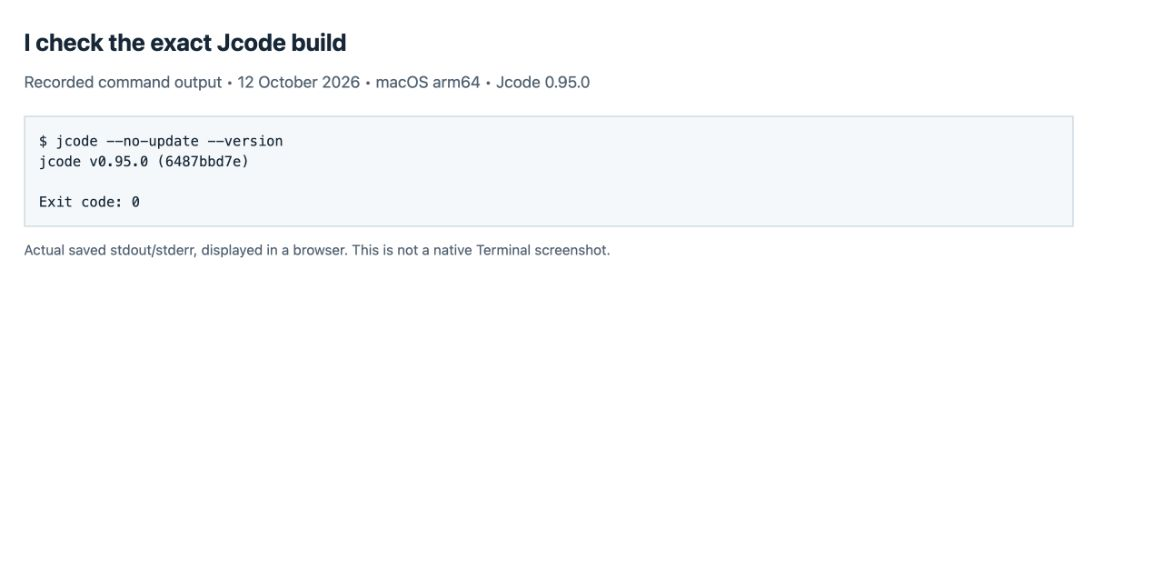
1. I check the Jcode build before copying commands
jcode --versionI tested a separate official 0.95.0 binary. My existing PATH copy was 0.90.0-dev, so I did not assume that typing jcode selected the release I intended. If the command is missing, I start with the installation guide; I use the release guide to distinguish source builds from releases.
2. I choose the account and provider route
| Provider | Jcode selector | What I prepare | What I verified | Internal walkthrough |
|---|---|---|---|---|
| Claude | claude | Claude login flow; the API-key route is also exposed as anthropic-api. | Selection checked; no new Claude response test. | My Claude selection check |
| OpenAI / ChatGPT | openai | ChatGPT/Codex sign-in; direct API use is a separate openai-api route. | Selection checked; no new OpenAI response test. | My OpenAI selection check |
| Gemini | gemini | Gemini Code Assist OAuth; gemini-api is a separate route. | Selection checked; no Google login completed. | My Gemini selection check |
| GitHub Copilot | copilot | GitHub device login and an account with model access. | Selection checked; no Copilot response test. | My Copilot selection check |
| OpenRouter | openrouter | OpenRouter API key and exact provider/model ID. | Selection checked here; earlier authentication and tool tests are in the spoke. | Tested OpenRouter setup |
| Ollama | ollama | Running local server and a model already installed on that server. | Fresh response test passed with qwen3:0.6b. | Tested Ollama setup |
| LM Studio | lmstudio | Running Local Server and the exact loaded model ID. | Selection checked; LM Studio is not installed on this Mac. | My LM Studio selection check |
| Custom endpoint | --provider-profile guide-local | Named OpenAI-compatible profile; base URL, model ID, and authentication as required by the server. | Profile creation and a local response test passed. | Tested custom endpoint walkthrough |
Every row links to an internal walkthrough or a selection check below. A selection check confirms how Jcode resolves a command; it does not prove that an account can authenticate or that a model request will succeed.
I verify the route before sending a prompt
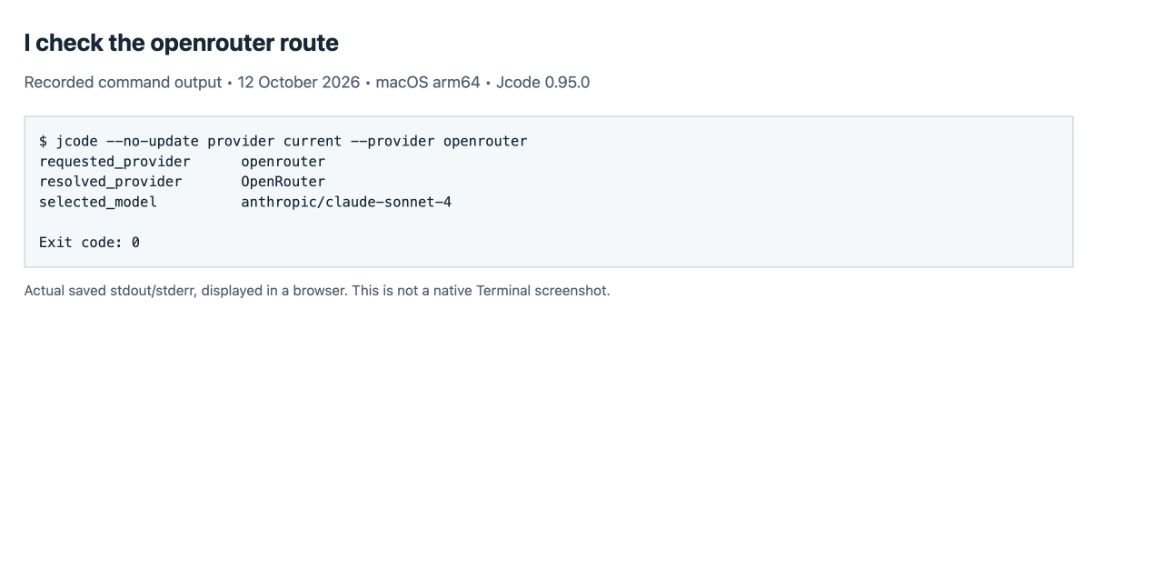
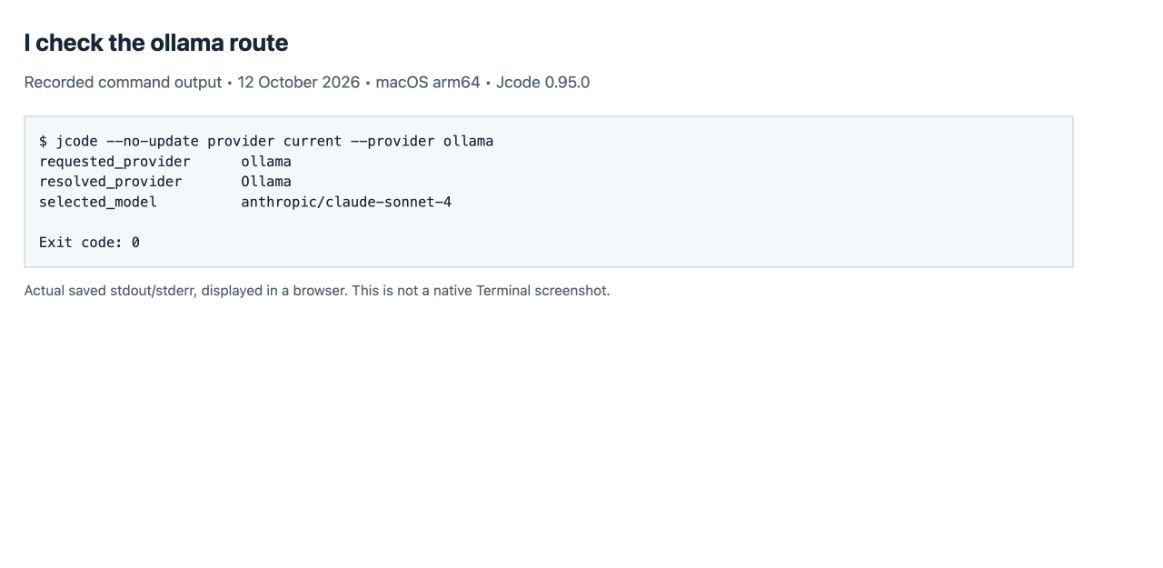
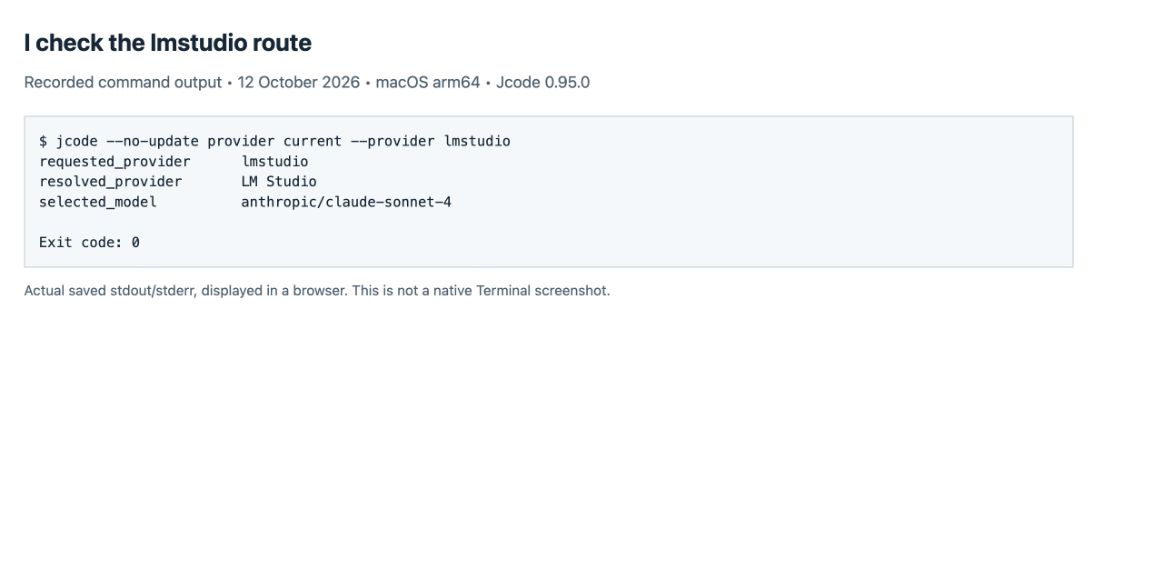
jcode provider current --provider claudeI read requested_provider, resolved_provider, and selected_model together. The model shown by this command is a selected value, not proof of entitlement or a list of models available from the server.
Claude
I use the Claude login flow for the account route. If I intend to use a direct Anthropic API key, I choose the API route explicitly instead of treating a subscription and API billing as interchangeable.
jcode login --provider claude
jcode provider current --provider claude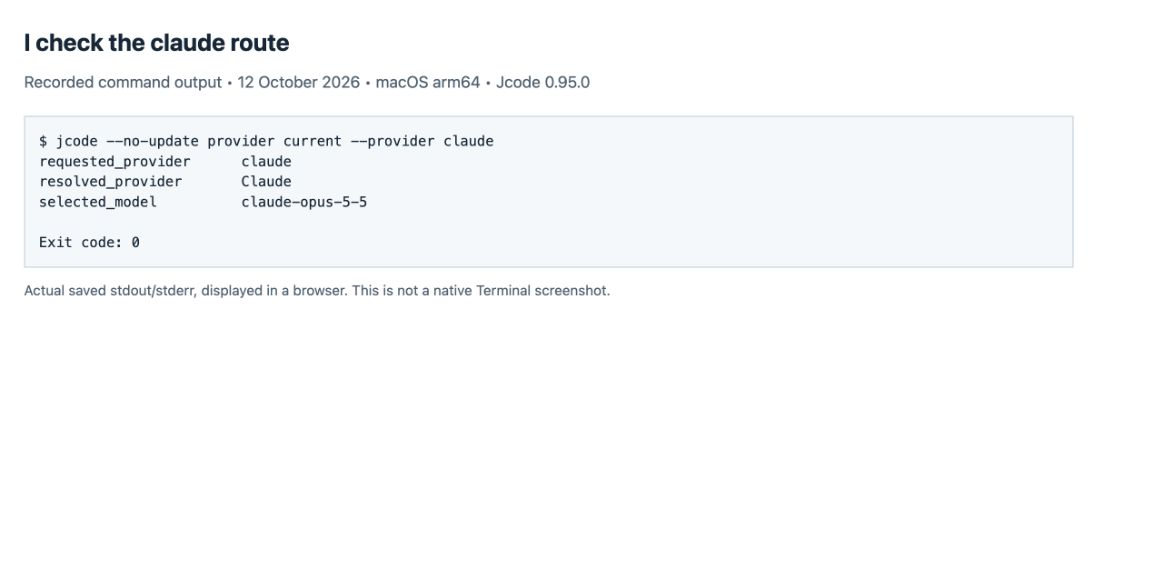
OpenAI / ChatGPT
I use this route for ChatGPT/Codex sign-in. For an OpenAI API key I choose openai-api. I check the resolved provider again after login because these are different credential and billing routes.
jcode login --provider openai
jcode provider current --provider openai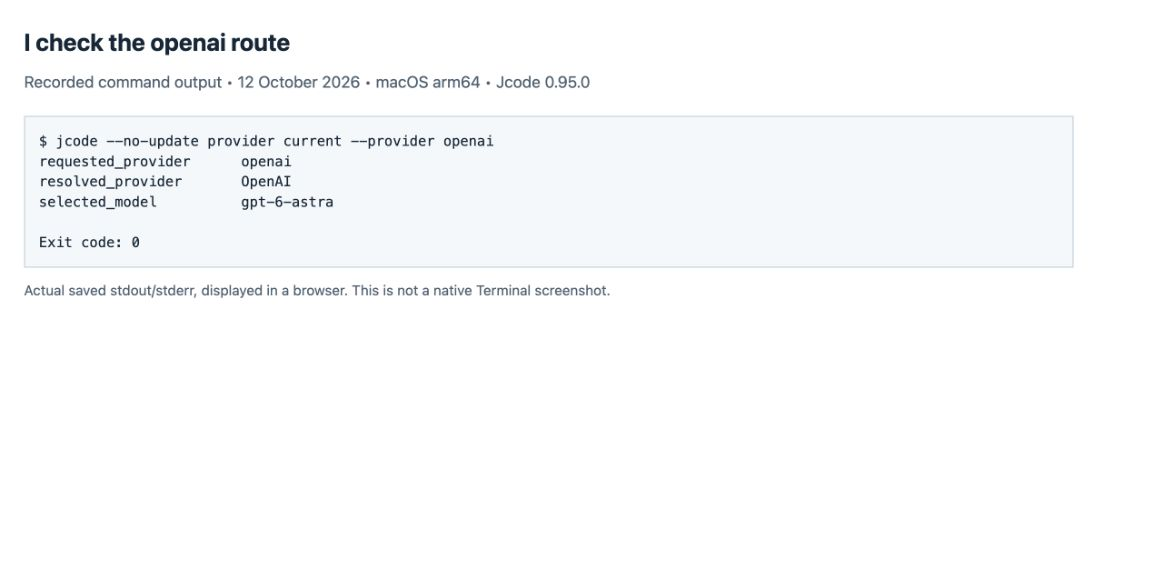
Gemini
I use this for Gemini Code Assist OAuth. I keep it separate from gemini-api and from google, which the provider list describes as Google/Gmail access.
jcode login --provider gemini
jcode provider current --provider gemini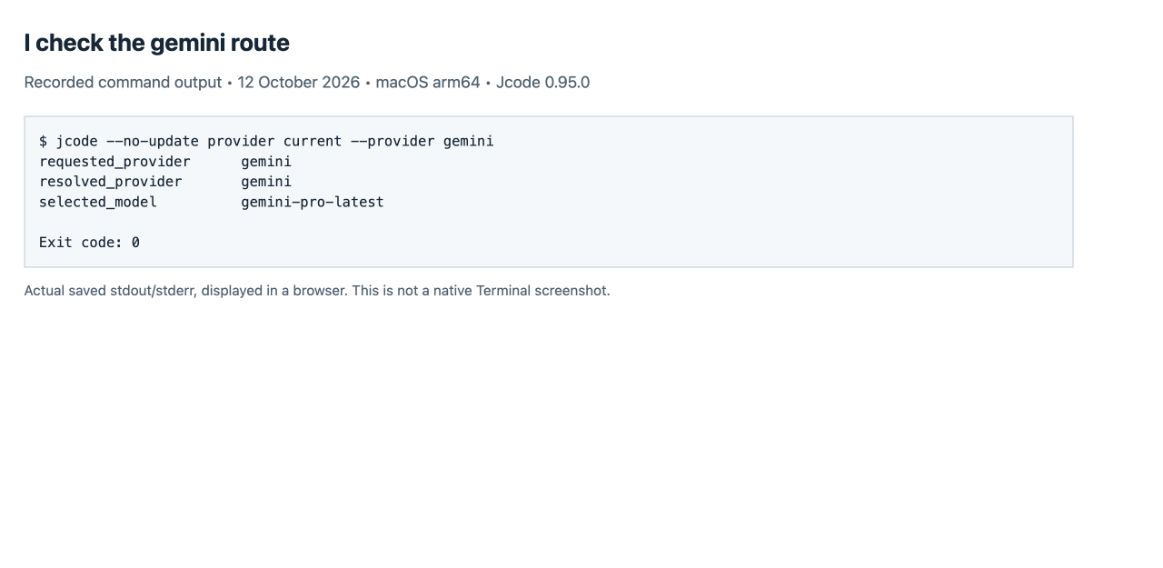
GitHub Copilot
I follow the GitHub device-login instructions printed by Jcode. I check the model picker after signing in; the selection shown below is not a guarantee that my GitHub account can use that model.
jcode login --provider copilot
jcode provider current --provider copilot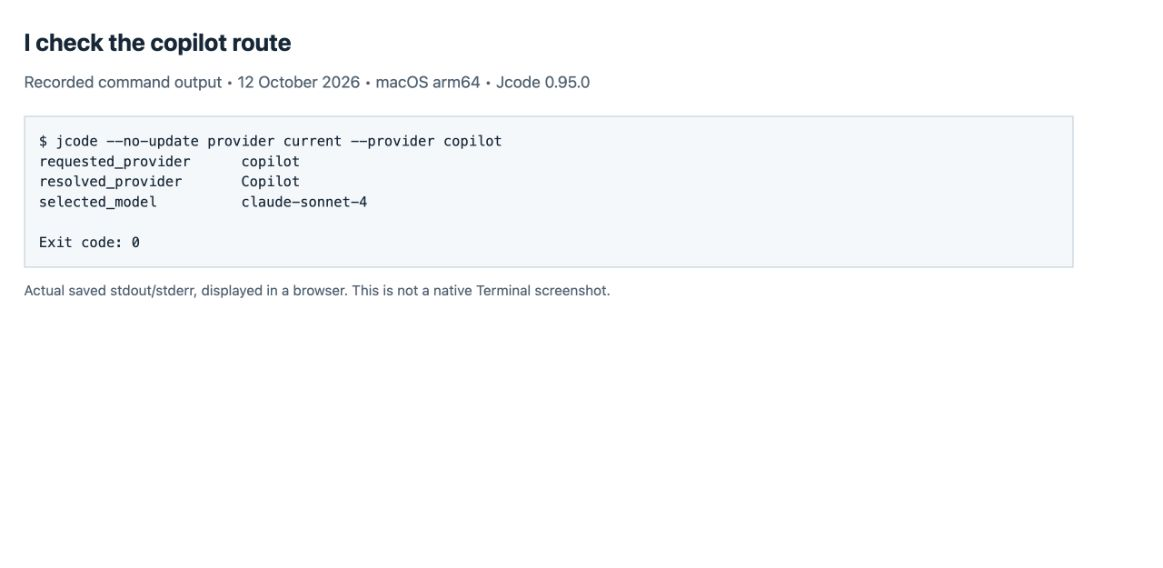
OpenRouter: I keep the model’s provider prefix
I use jcode login --provider openrouter, then copy the complete model ID. A suffix such as :free is part of the ID when the selected variant uses it. I follow the OpenRouter account, key, model and tool-test walkthrough for the tested flow and its recorded error cases.
Ollama: I select an installed model explicitly
I start the Ollama server, check ollama list, then use jcode login --provider ollama for setup. My clean selection check below displayed anthropic/claude-sonnet-4 even though I had chosen Ollama. I therefore pass my installed local tag explicitly in the next step.
LM Studio: I read the Local Server model ID
I start LM Studio’s Local Server and load a chat model before using jcode login --provider lmstudio. I copy the model ID shown by that server and pass it with --model. The usual local API base is http://localhost:1234/v1; I check the address shown in my app if I changed its port.
jcode provider current --provider lmstudio
jcode --provider lmstudio --model "YOUR_LOADED_MODEL_ID" run "Reply exactly READY"
The second command is a template: I replace YOUR_LOADED_MODEL_ID. I did not install LM Studio or run inference through it. My selection check below is the limit of this row’s test.
3. I run one response test before giving the model tools
I used the already-installed qwen3:0.6b model on Ollama 0.35.0. This intentionally small test answers “Can Jcode get a response from this exact route?” I disabled tools, so it cannot establish file-editing or browser-control quality. For this isolated test I set JCODE_OPENAI_COMPAT_LOCAL_ENABLED=1 in the test process; I show that setting explicitly below.
JCODE_OPENAI_COMPAT_LOCAL_ENABLED=1 jcode --no-update run --provider ollama --model qwen3:0.6b \
  --tool-profile none --json \
  "Reply with exactly JCODE_PROVIDER_OK and nothing else. /no_think"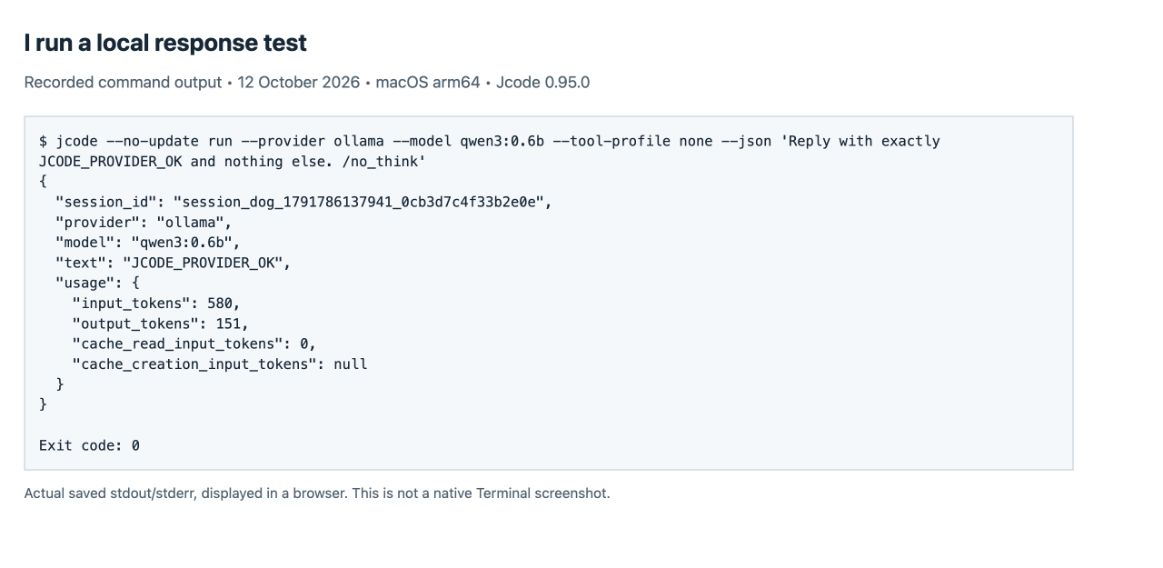
I check the JSON provider, model, and text, not just the process exit code. Once the response is right, I move to a small task in a disposable project. The Ollama guide shows why a successful response and a successful tool validation are separate outcomes.
4. I give a custom endpoint its own named profile
I tested the custom OpenAI-compatible route against the same local Ollama server. That keeps the server and model constant while changing how Jcode reaches them. I used a new profile name and did not set it as my global default.
jcode provider add guide-local \
  --base-url http://localhost:11434/v1 \
  --model qwen3:0.6b \
  --no-api-key
jcode provider current --provider-profile guide-local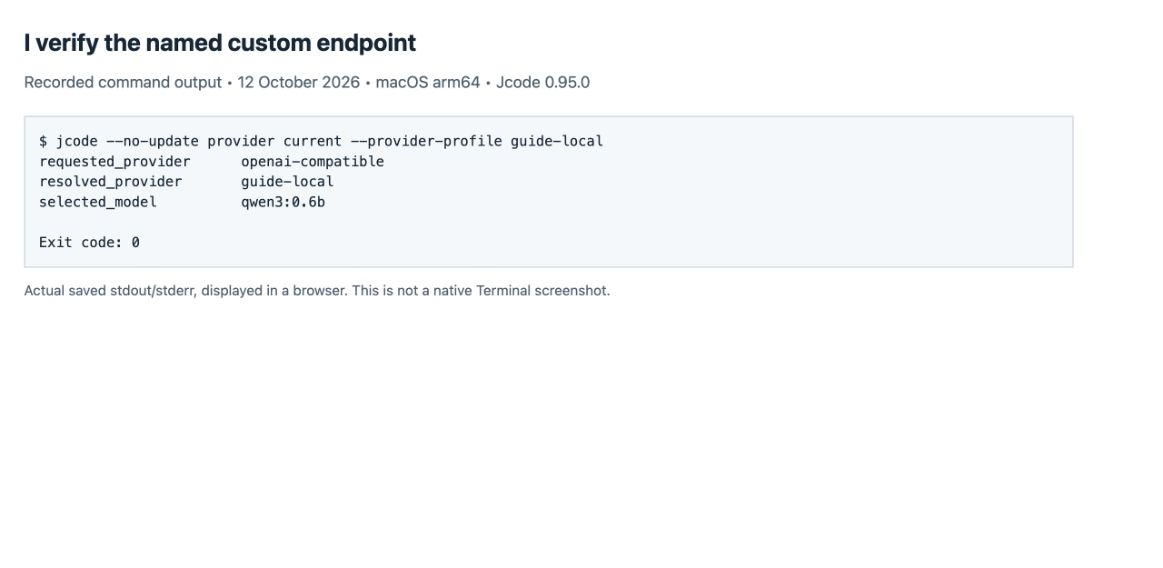
I use --no-api-key only because this local test server does not require a token. For a hosted endpoint I use the server’s actual base URL, exact model ID and required authentication; --api-key-env or --api-key-stdin avoids putting a literal key in the command. A chat website address is not an API base URL.
JCODE_OPENAI_COMPAT_LOCAL_ENABLED=1 jcode --no-update run --provider-profile guide-local \
  --tool-profile none --json \
  "Reply with exactly JCODE_CUSTOM_OK and nothing else. /no_think"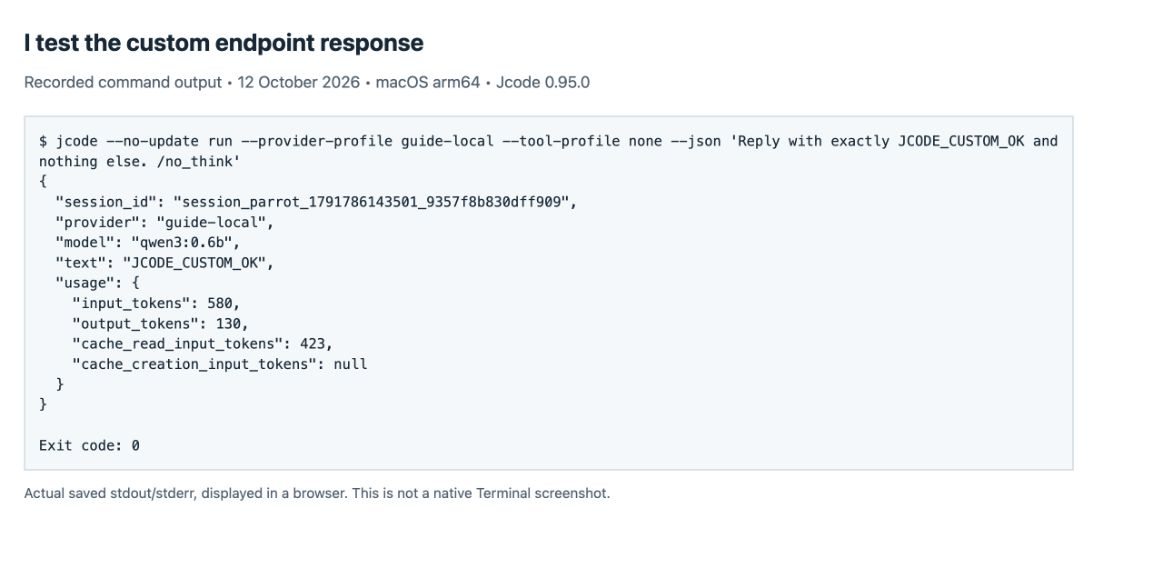
The bare openai-compatible route failed my clean check because it had no API key configured. The named local profile resolved that test’s configuration explicitly. I have not tested arbitrary remote gateways merely because this localhost profile worked.
What I check when a provider fails
| Symptom | My next check |
|---|---|
| Wrong model after switching provider | I inspect provider current, then pass the exact model with –model. |
| 401 / authentication failure | I check the selected credential route and key or login state before changing models. |
| 404 / model not found | I compare the model ID with the selected server’s model list. |
| Connection refused on localhost | I check that the local server is running and that its port matches the profile. |
| Text response works but tools fail | I treat tool use as a separate test; I do not mark the whole agent workflow as passed. |
How I verified this hub
I captured the screenshots in a browser displaying saved command output. They are real screenshots of recorded stdout/stderr, not native Terminal captures or generated interface images. I preserve the raw captures and put arrows above them. My test copy reports commit 6487bbd7e; I checked its archive against the release’s SHA-256 digest. I used isolated Jcode settings for provider tests and read the existing browser setup without changing browser permissions.
I verified that the published lossless PNG copies preserve the raw capture pixels. I also keep the original screenshot files in this ZIP, with file hashes for comparison.
I checked the provider commands against the 0.95.0 CLI and its versioned README. The cloud selection screenshots are configuration evidence, not account-access evidence. For my next workflow I use the Jcode usage guide, command reference, or browser setup checks.
Planning a budget? I separate software, hosting and model charges in Is Jcode free?, with official pricing checked on 13 October 2026.